Midnight addons, like any WoW UI modification, are useful in that they enhance the game’s visualization of crucial information, such as cooldowns, buffs, quests, etc. The following WoW addons are the best in the game, as discussed in this article on the best addons in the game, categorized according to raiding, M+, PvP, gold farming, and interface improvement.
Midnight Best Addons Key Takeaways:
- Many popular classic add-ons have been replaced by Blizzard’s own features, such as boss timers and damage meters.
- Addons like these, which can automate combat or reveal hidden information like Hekili or Weak Auras, will not function anymore.
- The best addons in Midnight are UI, awareness, gold farming, and PvP-related information, but none are for automation.
- Popular working addons include DBM, OmniCD, Auctionator, ElvUI, and Gladius.
- Always check that your addons are updated for patch 12.0 and compliant with new API limits.
 4.9
4.9Midnight Top Addons

With the release of WoW Midnight, many addons will become outdated, and now it is more important than ever to know which addons remain at the top. In the table below, you can find the top WoW Midnight addons:
| Activity / Purpose | Best Addon | Alternative |
|---|---|---|
| Raiding | Deadly Boss Mods (DBM) | BigWigs |
| Mythic+ | OmniCD | Method Raid Tools |
| PvP (Arenas) | Gladius | — |
| Gold Farming | Auctionator | TradeSkillMaster |
| Gathering Routes | GatherMate2 | HandyNotes + Plugins |
| UI Customization | ElvUI | Bartender4 / Dominos |
| Nameplates | Platynator | Plater |
| Bag Management | Bagnon | AdiBags |
| Alt Tracking | Altoholic | BagSync |
| Leveling (Speed) | Azeroth Auto Pilot | RestedXP (Free) |
| Quest / Map Info | HandyNotes | TomTom |
| Combat Alerts | GTFO | BigDebuffs |
| Cooldown Awareness | OmniBar (PvP) | NameplateCooldowns |
| Utility Tweaks | Leatrix Plus | — |
Even the best addons won’t save you from the gear grind. If you’re tired of farming the same dungeons and world quests, let us do the heavy lifting. Get our Full Gearing services are fast and manual.
Addons in Midnight Overview
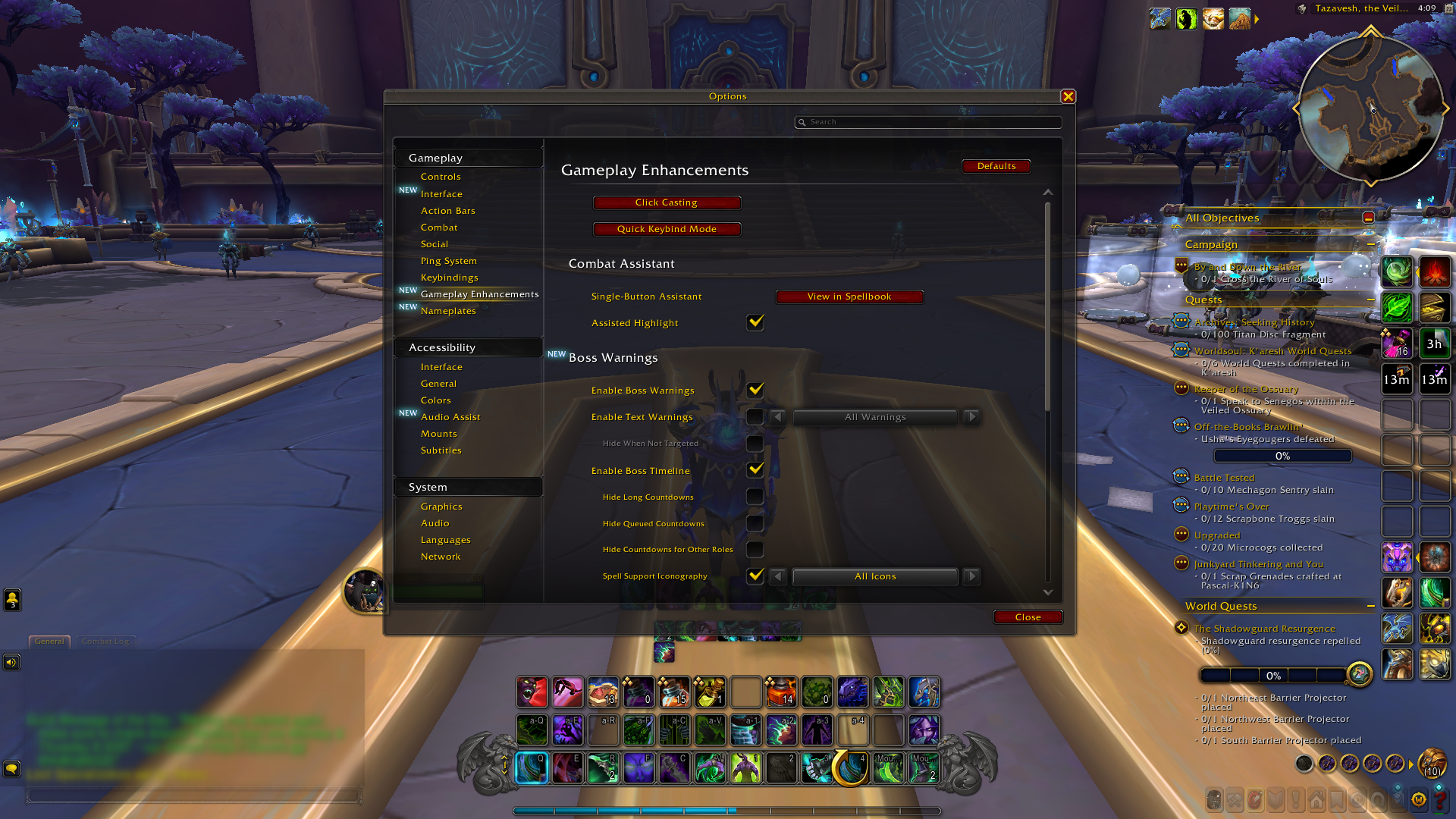
Boss Timers
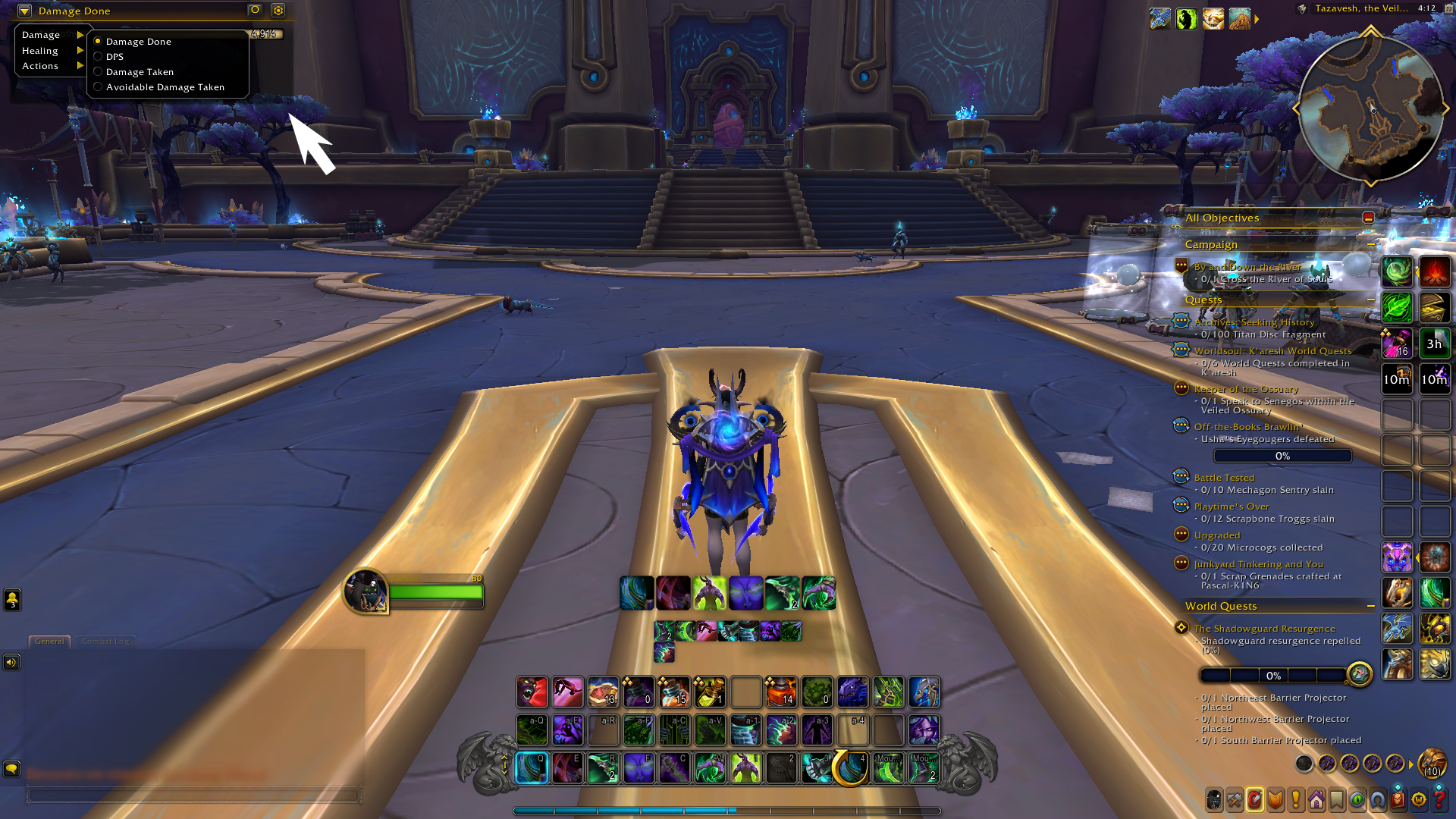
Damage and Healing Meters
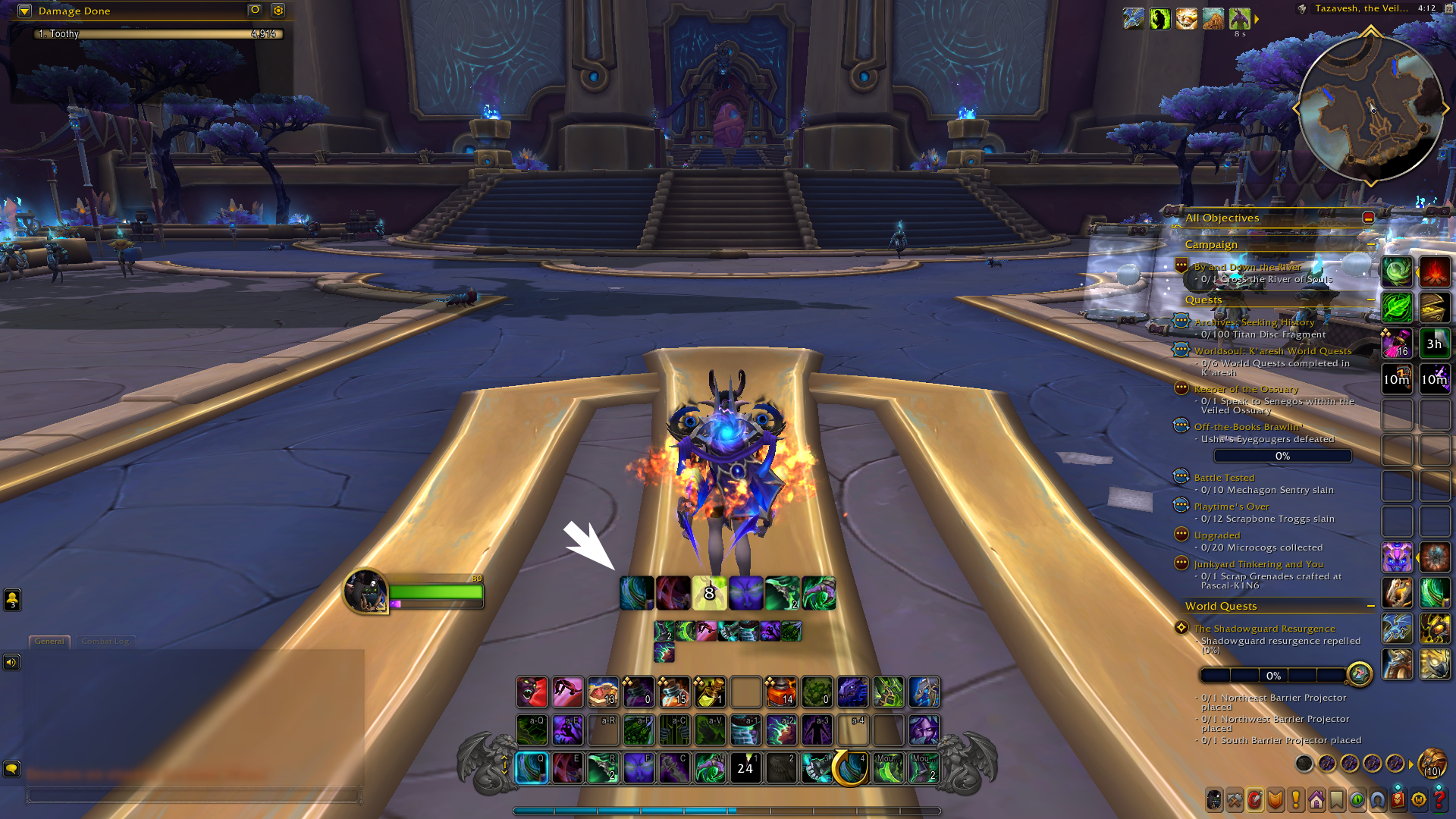
Cooldown Tracking
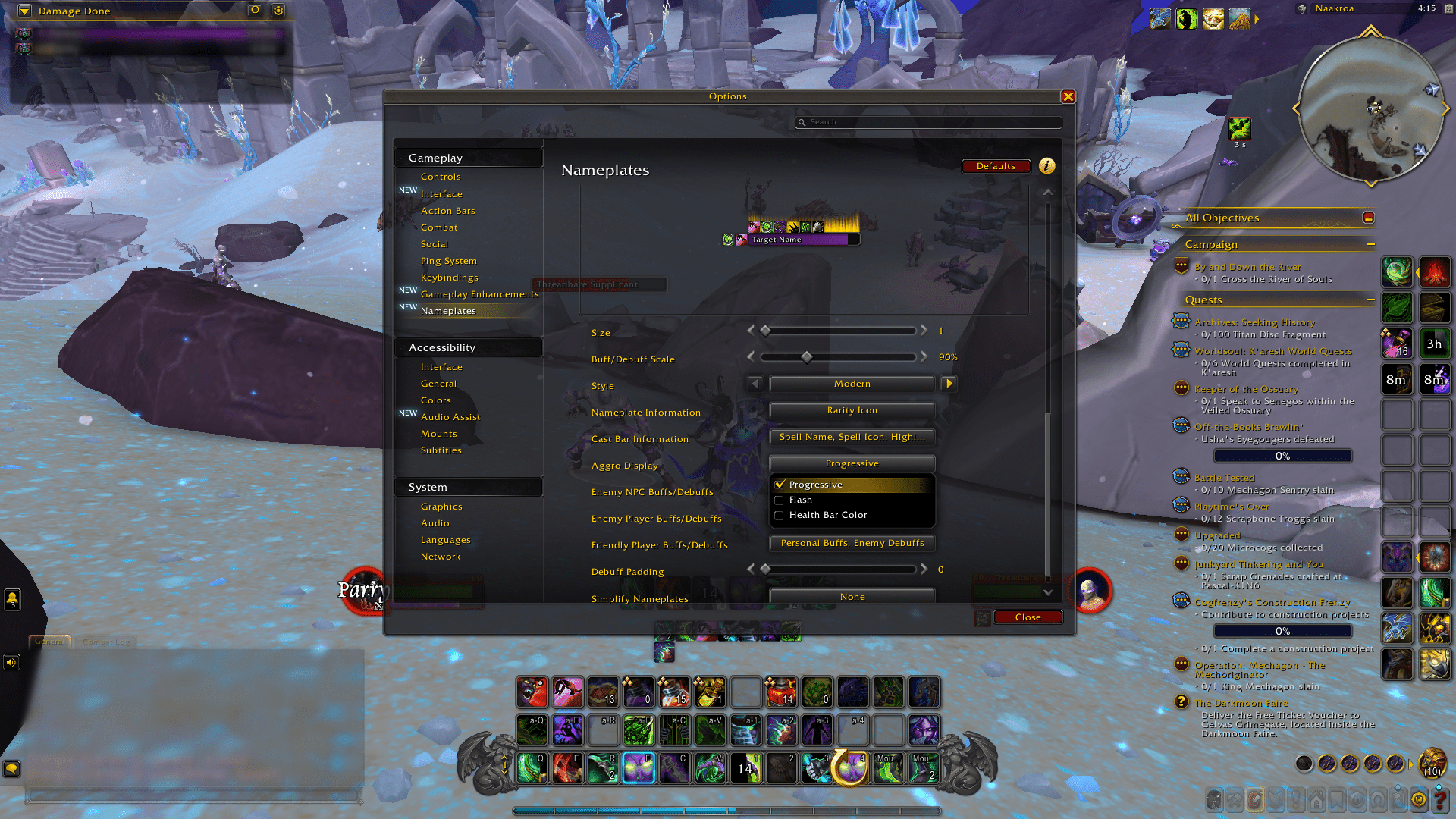
Threat Indicators
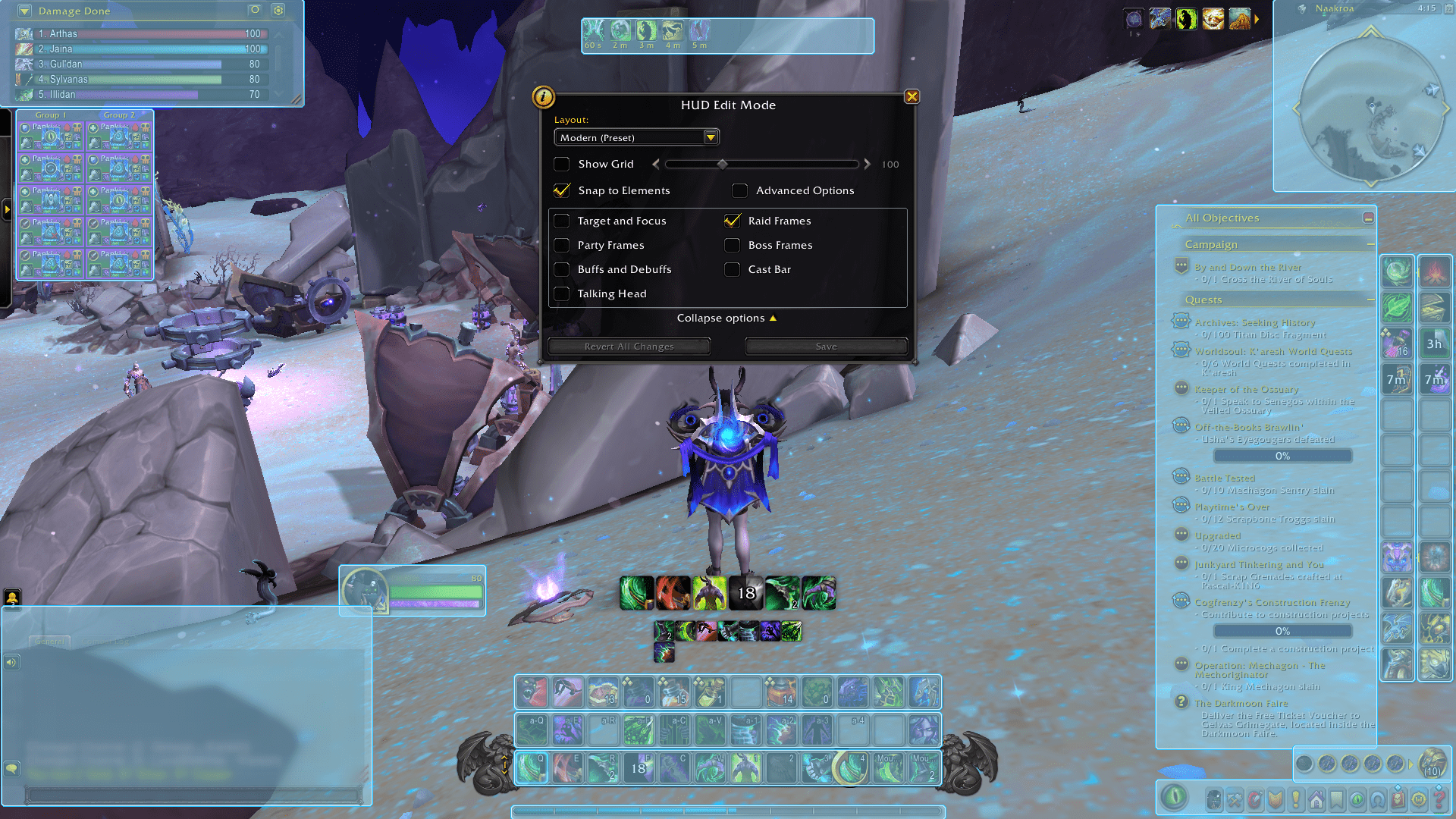
UI Edit Mode
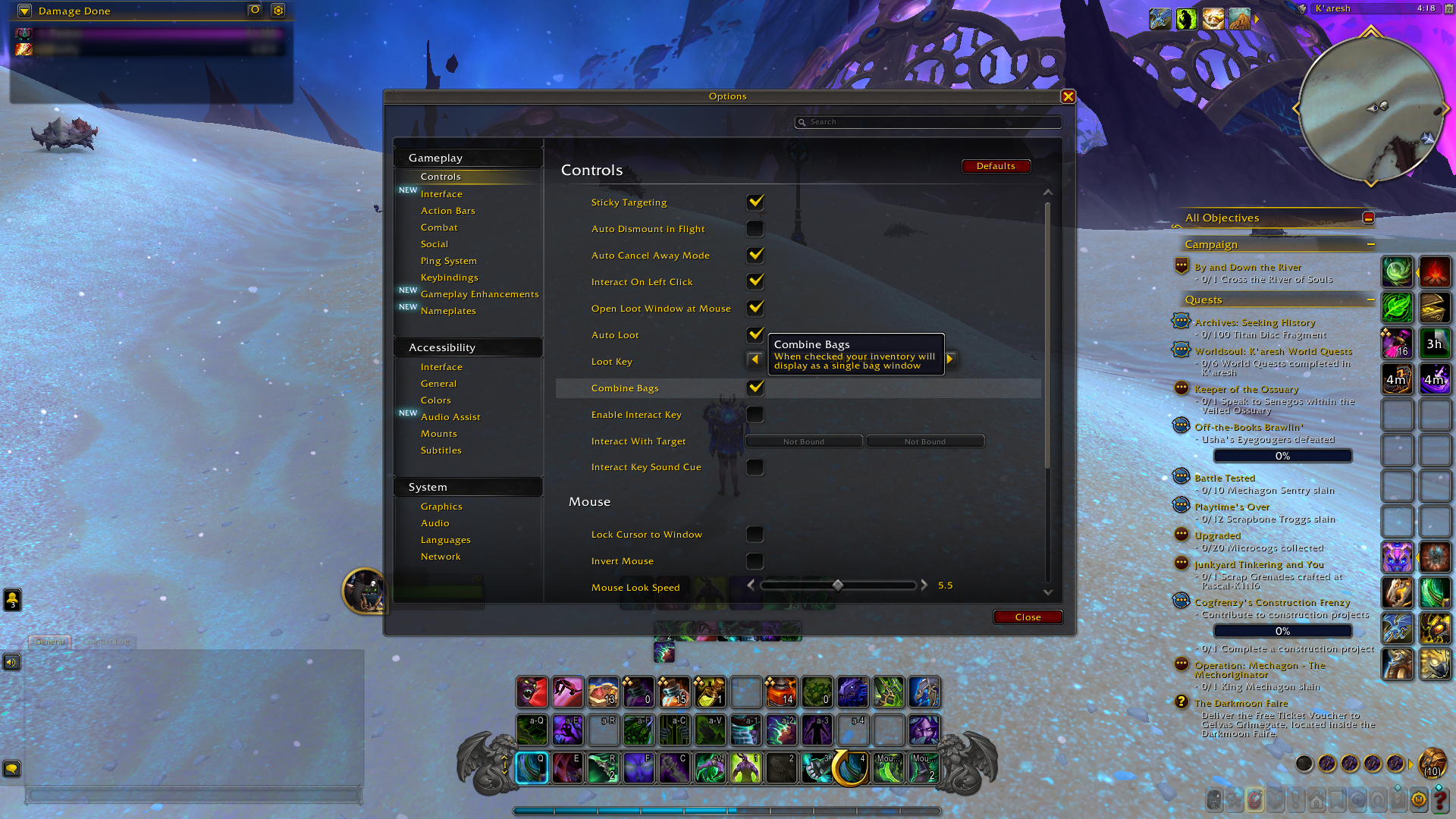
Combined Bags View
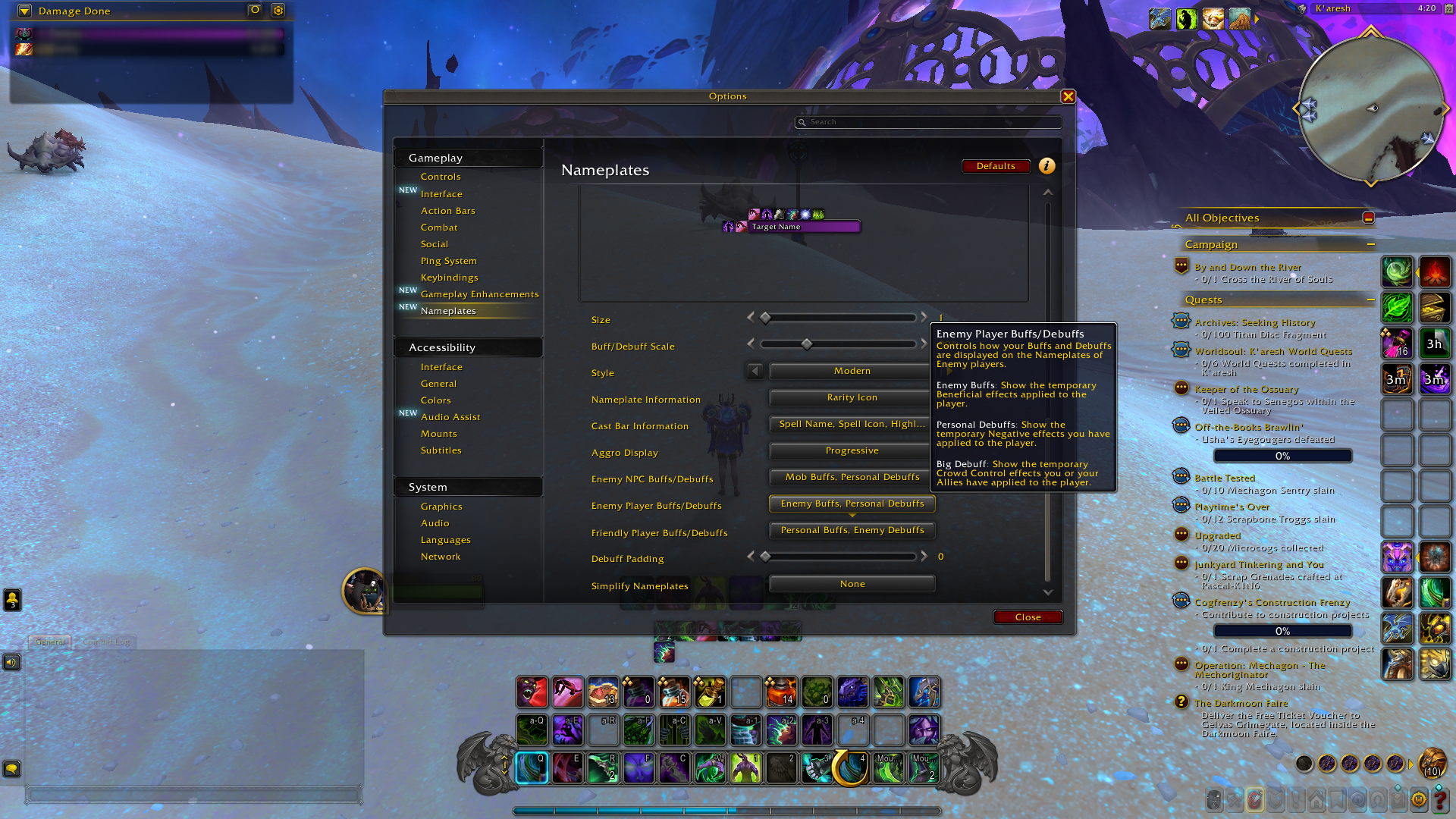
Player Baffs and Debaffs
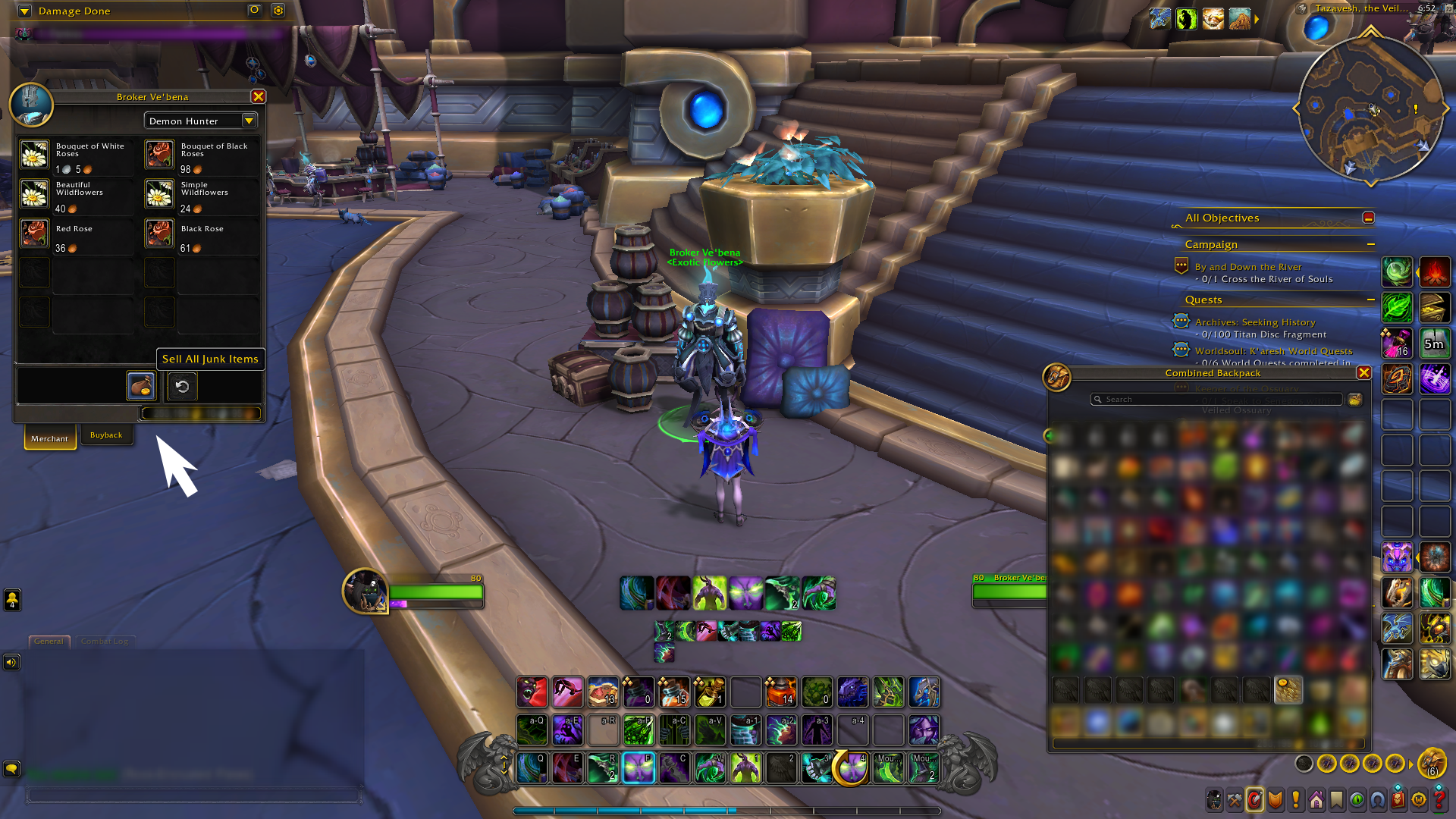
Auto-Sell Junk + Repair
The WoW Midnight expansion has disrupted the normal addon paradigm. Rather than just updating the normal UI, Blizzard has effectively nuked several addon types by including them directly within the game. Yes, you can now have boss timers, damage meters, and even track your cooldowns directly within the normal UI. While that’s certainly a plus for casual players, it’s a sad day indeed for many popular addons that have been staples of past expansions.
Yet, the good old Midnight Best Addons are still around and kicking, as long as they abide by the new rules. Anything involving game automations or hidden data tracking is gone. Visual improvements, fight awareness, gold tools, and UI mods are still going strong.
Here is what Blizzard added to replace classic addons:
- Boss Timers — Built-in encounter timeline with ability previews and alerts (replacing basic DBM use).
- Damage and Healing Meters — Default meter tracks personal and group DPS/HPS, visible post-combat.
- Cooldown Tracking — Shows your major cooldowns and external buffs in a dedicated bar.
- Threat Indicators — Updated nameplates and unit frames now highlight aggro clearly.
- Edit Mode — Drag and scale UI elements like bars, frames, and minimap — no MoveAnything needed.
- Combined Bags View — Toggle to merge all bag slots into one window (a mini Bagnon built-in).
- Player Buffs/Debuffs — Shows baffs and debaffs on the nameplates.
- Auto-Sell Junk + Repair — Vendor window now shows a one-click junk sell button and repair option.
Midnight Removed Addons
Some of the bigger names haven’t made it through the Midnight API purge. Either they were replaced by Blizzard with their own functionality, or they just cannot work with the new combat mechanics. Here is a list of popular WoW Addons that are not working in Midnight:
- WeakAuras — Almost entirely broken. It can’t track dynamic events mid-fight, which was 90% of its value. The devs even said it’s not worth using.
- Hekili — Rotation helpers are blocked now. Blizzard replaced it with Assisted Highlights, built into the base UI.
- MoveAnything — Replaced by Edit Mode, which lets you freely move and resize UI elements.
- Recount / Omen — Outclassed by new built-in meters and threat indicators. You don’t need them anymore.
Plenty of the best addons in WoW Midnight still work — and some are better than ever under the new rules.
Midnight Best Class Addons

While most class-specific addons from older expansions no longer work in Midnight, there are still a few that help you track cooldowns, resources, and important procs. These tools don’t automate rotation Blizzard banned that, but they still support awareness and clean UI for any class or spec:
- Midnight TellMeWhen;
- Midnight Blizzard Cooldown Manager;
- Midnight ElvUI Class Profiles.
Midnight TellMeWhen
WoW TellMeWhen is a very flexible icon-based tracker. It can track your cooldowns, your procs, your debuff applications on a target, or your resources. It can track within the limitations of the Midnight API as long as you are tracking visible information.
Midnight Blizzard Cooldown Manager
Not an addon, but worth noting — Blizzard now gives you a bar that displays your major cooldowns, trinkets, and external buffs. It’s nice, works great, and is 100% legal. Many users have abandoned Weak Auras for this.
Midnight ElvUI Class Profiles
There are some community-made profiles available that are geared towards certain specs; for example, healer profiles or minimal DPS profiles. While these won’t help you with class logic, they do help with frame positioning and bar and aura visibility that are important to class gameplay.
Midnight Best Addons for Leveling
The leveling is very smooth out-of-the-box, and quest tracking, campaign, and zone scaling have been improved. If, however, you want to speedrun, skip a lot, and/or just want a more directed experience, there’s a small number of addons that make a huge difference. These are the best addons for leveling fast in WoW Midnight:
Even with the best leveling addons, getting to max level in Midnight takes time. If you’d rather skip the grind and jump into endgame, let our team handle the Midnight Leveling for you — fast, safe, and fully manual.
Midnight Azeroth Auto Pilot Addon
Want to level your alt character all the way to max level without reading a single quest? Then WoW AAP is your best friend. This nifty tool provides you with a GPS navigation arrow, auto-selects quest reward items, bypasses cut scenes, and even indicates where you should be going next. Updated for the latest zones from the team at Midnight Gaming.
Midnight HandyNotes Addon
WoW HandyNotes shows everything Blizzard doesn’t like: treasures, rares, and hidden interactables. With the help of the Midnight plugins for new zones and collectibles, you’ll always know what’s nearby. Great for alt XP, bonus objectives, and knocking out achievements as you go.
Midnight Immersion Addon
Makes boring old quest windows look like RPG-style dialogue windows. With Immersion you get NPC portraits, smooth text flow, and keyboard controls to fly through quest chains. Doesn’t change your pathing, just cleans up the experience a bunch, making it way less click-click-ugh.
Midnight Best Utility Addons
Not all addons are flashy; some are simply good at making everything run smoothly behind the scenes. Whether it’s alt management, bag sorting, etc., these addons are not tied to a single spec or role; they’re simply good utility options that will help everyone in the long run. Here are the best utility addons in the game that everyone should use in Midnight:
Addons help, but nothing beats learning from real players. Book a 1-on-1 WoW Midnight Coaching Session and get personal tips on your class, UI, or gameplay.
Midnight Altoholic
Juggling alts? WoW Altoholic tracks your gold, bags, banks, professions, cooldowns, and lockouts — across all characters. You’ll always know which alt has those mats, which one did their vault, or who forgot to mail the damn enchants. Fully working in 12.0 and still a lifesaver.
Midnight Bagnon
WoW Bagnon combines all your bags into one tidy window and adds search, sorting, and item tracking across characters. Even with Blizzard’s combined bag option, Bagnon is just smarter. It also highlights junk, new items, and more — clean and reliable.
Midnight Leatrix Plus
WoW Leatrix Plus is a powerhouse of tiny improvements: auto-sell junk, auto-repair, skip cutscenes, mute error sounds, clean up the minimap, and way more. It’s fully modular, so you can toggle only what you need. Still one of the best all-around QoL addons in Midnight.
Midnight Addons for Raids

While Blizzard has implemented built-in boss warnings and raid frames in World of Warcraft, this has not stopped raid addons from being a part of the game altogether. Some of the most useful addons in Midnight’s Best Addons list are still raid-focused, though more refined in their approach. These won’t make raids easier to handle in terms of automation, though they can speed things up a little and remind players to check cooldowns on teammates and to avoid damage zones. Here are three of the most useful addons from Midnight’s Best Addons list that can prove useful in version 12.0:
Raiding in Midnight takes more than just good addons — it takes time, gear, and coordination. Skip the stress and get your clear done fast with our professional Midnight Raid Services.
Midnight Deadly Boss Mods
Yeah, it’s still around — and it still slaps. DBM in WoW Midnight gives you timers, audio cues, and screen alerts for raid mechanics. It now pulls from Blizzard’s official boss data instead of predicting it. That means less guessing, more reacting. It’s lighter than before but still super useful, especially if you want more control than Blizzard’s default timeline UI.
Midnight Method Raid Tools
If you’re raid leading in Midnight, or just the organized type, this one’s essential. MRT in WoW Midnight tracks raid cooldowns, shows external buffs, and lets you post notes for your group. Want to plan healing CDs or mark tanks with icons mid-fight? MRT makes that stuff easy. Fully updated for Midnight and still a go-to in organized groups.
Midnight GTFO
This addon has one job: scream at you when you’re standing in bad stuff. That’s it. It uses combat logs to trigger a loud sound whenever you’re taking avoidable damage. WoW GTFO works perfectly in Midnight, and yes — it still yells. If you’re the kind of raider who sometimes eats swirlies while reading chat, this one’s for you.
Midnight Mythic+ Addons
Mythic+ in Midnight is just as sweaty as ever — affixes, interrupts, tight timers, the works. While Blizzard provided us with better nameplates and default cooldown tracking, the real edge comes from a few add-ons that survived the purge. Here are the best addons in Midnight for pushing Mythic+ keys without losing your sanity:
Pushing Mythic+ in Midnight means grinding keys, finding groups, and dealing with weekly timers. Let us handle the hard part: Timed M+ Runs, loot, and rating boosts with pro teams.
Midnight OmniCD
Every class has lived and died on cooldown coordination, and WoW Midnight OmniCD makes it dead simple. It shows you when your party members’ kicks, defensives, and externals are on cooldown, all in a nifty little bar or icon set. It’s speedy, lightweight, and WoW 12.0-compatible. It’s a must-have for M+.
Midnight Plater
The default nameplates got a glow-up, sure, but WoW Plater remains the best choice when it comes to customization. Do you want to show interruptible casts? Specific mob auras? Color elite mobs differently? This addon has got you covered, friend! Of course, if you’re concerned about compatibility, WoW Platynator might be a better choice, as it was designed from the ground up with the API rules in mind, and it’s already extremely popular in the MM scene at midnight!
Midnight Method Raid Tools
Yes, again. WoW MRT isn’t just for use during Raids. It’s also super effective for use during Mythic+. It’s great for keeping an eye on cooldowns, BRs, and even setting up notes or icons for big pulls.
Midnight Addons for Gold Farm
Whatever kind of gold farming you’re into, whether it’s flipping auctions, gathering herbs, or running old raids for transmog gear, the gold grind just never ends. Blizzard’s UI redesign was helpful to a certain extent, and the Auction House has been streamlined, and junk items auto-sell. However, let’s face it, to really get serious gold, addons are required. The following Midnight best addons for gold farming are the top gold farming addons available in-game:
Gold farming takes time — gathering, posting, flipping, repeating. Want gold without the grind? We offer fast and secure WoW Gold services, tailored for WoW Midnight.
Midnight Auctionator
Still the king among casual auction house users. WoW Auctionator helps with buying, selling, and undercutting without burying you under spreadsheets. It displays market information, facilitates bulk posting, and improves your overall auction house workflow. Completely updated for Midnight — just install and use.
Midnight GatherMate2
Farming Herbs or Ore? You’ll need those. WoW GatherMate2 will highlight all the resource nodes on your map (and import full sets of data). Routes will help you create the most efficient routes to visit them all quickly. Together, the two make gathering a real gold per hour process. Both are 12.0 and Midnight zone-compliant.
Midnight TradeSkillMaster
It’s not casual-friendly, but if you’re serious about gold, WoW TSM is your tool set. It can handle pricing, inventory across your characters, profit calculation for crafting, as well as batch posting auctions. It is fully functional in the midnight version, although there is a bit of a learning curve. Worth it for goblins.
4.9Midnight Best Addons for UI
The Midnight UI overhaul did a lot, like the addition of an edit mode, nameplates, raid frames, etc. But if you really need full control over your game’s look and feel, you might need a few extra things. The best UI add-ons in Midnight are the ones that don’t violate any combat-related rules, just ones that look cleaner, sharper, and “more yours.” Here are the three best UI add-ons in Midnight:
Midnight ElvUI
Still the go-to for full UI makeovers. WoW Midnight ElvUI replaces almost everything — unit frames, action bars, bags, nameplates — with a sleek, unified look. It’s super configurable and supports profiles for different specs or roles. Midnight-compatible and updated by the community right after pre-patch.
Midnight Bartender4
If you just want to control your action bars — size, position, number, paging — Bartender4 or Dominos are perfect. They both play nicely with Edit Mode, but go way beyond it. Bartender gives deeper control; Dominos is a bit simpler. Both are fully working in Midnight.
Midnight Platynator
Make Nameplate customization simple again. WoW Platynator is the community’s favorite addon post-Plater, created with Midnight’s new addon policy for World of Warcraft. Customize mob vis, healthbar looks, aura displays, and more. without breaking anything. Light-weight and 100% raid safe.
Midnight Best Addons for PVP
PvP in Midnight is just as wild — kicks, CC chains, cooldown trades. Blizzard improved default unit frames and trinket tracking, but if you’re pushing rating, that’s not enough. You need clarity, timers, and clean info at a glance. Here are the best addons in Midnight for PvP, whether you’re doing arenas or battlegrounds:
Climbing PvP ranks in Midnight takes skill, time, and a solid team — not just addons. Skip the struggle and secure Your Arena Rating with our pros.
Midnight Gladius
OG arena frame addon. WoW Gladius indicates enemy trinkets, DRs, casts, HP, and mana. Shows you all you need to know to make the right decision. Arena frames improved in the default Blizzard interface, but Gladius provides quicker reads and tighter spacing. Updated for WoW Midnight 12.0.
Midnight OmniBar
WoW OmniBar tracks enemy cooldowns, interrupts, stuns, major defensives, etc., in real time. Great addon for determining the appropriate time to cast or figuring out what your kill target has left. Works on combat logs, so it’s legal in Midnight.
Midnight BigDebuffs
WoW BigDebuffs makes it impossible to miss CC. It makes all major debuffs (Polymorph, Fear, Hodge) larger on both party and enemy frames so that you immediately know who’s out of the fight. Also helps with buff tracking for things such as Ice Block or Bubble. Still one of the top PvP awareness add-ons out there.
Midnight Top Addons FAQ
Still got questions about what works, what’s banned, or what’s worth installing? Here’s a quick roundup of answers to the most common addon stuff in Midnight.
Is Deadly Boss Mods (DBM) Still Working in WoW Midnight?
Yes, DBM works in Midnight. It now pulls boss data from Blizzard’s timeline system instead of guessing, but still gives alerts and timers.
Can You Use WeakAuras in WoW Midnight?
WeakAuras technically loads, but most combat functionality is blocked. It can’t track live events or react in fights, so it’s mostly obsolete.
Does Hekili Work in the Midnight Expansion?
No, Hekili and other rotation helpers are no longer functional. Blizzard banned automated decision-making in combat.
Is Auctionator Still a Good Addon in Midnight?
Yes, Auctionator is fully supported in 12.0 and makes buying and selling faster. It’s ideal for casual and mid-level gold makers.
Is OmniCD Allowed in Midnight Mythic+?
Yes, OmniCD is 100% legal and updated. It tracks party cooldowns using allowed combat log data under Midnight’s API rules.
What Happened to MoveAnything in WoW Midnight?
MoveAnything isn’t needed anymore. Blizzard’s Edit Mode now lets you move, resize, and hide UI elements without addons.
Can I Still Use Bagnon in WoW Midnight?
Absolutely. Bagnon works perfectly in 12.0, showing a clean one-bag layout with search, sorting, and alt tracking.
4.9Play smarter, not harder, with the help of our WoW Midnight Best Addons guide, which helps reduce the need to track so you can focus on the gameplay, game mechanics, game movement, and above all, game fun! Whether you’re a raider, a PvP freak, a gold farmer, or just want a better user interface, we’ve got you covered. Start with a few essential addons and go from there!
