In this Division 2 Beginner Guide, you’ll learn the fundamentals and beyond: how to use cover effectively, understand the HUD and map, progress your character, and manage gear and skills. We also cover gear recalibration, resource management, and answer all frequently asked Division 2 questions for beginners and returning players.
 4.9
4.9Division 2 Core Mechanics
If you’ve just landed in Washington D.C. in Division 2 and aren’t sure where to start, understanding the core gameplay mechanics and the user interface (UI) is your first priority. The Division 2 isn’t your typical run-and-gun shooter. It’s a tactical, cover-based third-person shooter with RPG systems layered on top, and that changes everything.
The following Division 2 mechanics and features are the framework of the game, and you should always keep these aspects in mind:
- Cover-Based Combat
- Understanding and using the HUD
- Using navigation and a map legend
We are going to focus on each aspect mentioned above and explain it in detail. And now, when the Battle for Brooklyn Campaign is up, it’s the best time to enter the game. Skip the most boring part, ask our team to complete the campaign for you, and switch to the exciting Division 2 gameplay straightaway.
Division 2 Cover-Based Combat
In Division 2, staying in cover isn’t optional — it’s survival. Enemies will punish you for standing out in the open. Always move between cover points using the cover-to-cover movement mechanic (hold the cover button and point toward your destination). Peek out from behind obstacles to shoot, and duck back to reload or heal. If you’re caught without cover, you’ll go down fast, especially on higher difficulties or against elites.
Watch out for flanking enemies. AI enemies are smart: they’ll throw grenades to flush you out or rush you from unexpected angles. Pay attention to your surroundings and reposition frequently to avoid getting cornered. Use verticality, like climbing to balconies or shooting from staircases, to gain a better angle.
✏️ Tip: If enemies close in or you’re out of ammo, a quick melee strike (or shooting a grenade out of the air) can give you breathing room or an opening to swap cover.
Division 2 Understanding the HUD

Your HUD (Heads-Up Display) tells you everything you need to know in combat, but it can feel overwhelming at first. Here’s a quick breakdown:
- Armor Bar: This is the white segmented bar above your character’s health. Once it breaks, you start taking actual health damage. Armor regenerates only outside of combat.
- Health: If your armor is gone and you’re still getting hit, you’ll bleed out fast. Always prioritize restoring armor using Armor Kits.
- Weapons & Ammo: Displayed bottom right. It shows your currently equipped weapon, reserve ammo, and equipped grenade type.
- Skills: Bottom left icons represent your two active skills. These include drones, turrets, shields, and more. Keep an eye on cooldowns and use them often.
- Enemy Health Bars: Red = normal enemies. Purple = veterans. Yellow = elites. Named enemies have unique icons and often pack special attacks or better loot.
✏️ Tip: You can toggle and resize HUD elements in Settings > UI > Customize HUD (for example, increase text size of map and objectives).
Division 2 Navigation

The Division 2 in-game mini-map helps you spot enemies, loot containers, SHD Tech caches, and mission objectives nearby. It is equally important to familiarize yourself with the Division 2 map legend and use waypoints for efficient movement and planning:
- Map Navigation: Press the map button to open the world map. Key icons include Safe Houses (white flag), Control Points (red flags), and mission markers.
- Safe Houses: These are your hub/shelters. Activating a Safe House reveals all SHD Tech caches in that district and unlocks fast travel there. Always activate a new Safe House when entering a zone.
- SHD Tech Caches: After activating a Safe House, caches of SHD Tech appear on your map. Tag them to get a GPS marker.
- Control Points: Red-flagged enemy bases. Trigger them (by launching a flare), clear waves of hostiles, then loot a stash. Securing a Control Point sets up a new fast-travel location and friendly patrols. These are great for early XP and gear.
- Open-World Icons: Watch for territory events (yellow icons, e.g., Public Executions, Hostage Rescues). These random events grant XP/gear and often help with Projects. Main and side mission icons are also shown; use them to navigate story content and activities.
📌 Note: Orange arrows on the edge of the screen point toward enemies or your next objective.
Open the Division 2 mega-map to view all districts, main and side missions, settlements, and Safe Houses. You can set custom waypoints, which create a visible orange line in the world to guide you — very helpful in the city’s winding streets. Icons are color-coded:
- 🟧Orange: Main missions
- 🟦Light Blue: Side missions
- 🟥Red or 🟩Green Flags: Hostile or friendly Control Points
- Hexagon: SHD Tech caches
- Clipboard: Projects
- House: Safe Houses
So what are you waiting for? Get an Eagle Bearer and start exploring the map. Our team will supply you with any desired weapon, and you can enjoy your empowered character without any delays.
Division 2 Character Progression
Besides learning how to fight and use the map, you’ll need to understand how leveling works. You gain XP from missions and combat to go from level 1 to 50, unlocking weapons, gear, skills, and Perk points along the way.
In the Battle for Brooklyn expansion, the level cap was raised to level 50. Now, all players can get a level 40 boost and 50 extra stash slots. Once you hit 50, you switch to the SHD Watch system — an infinite XP grind that improves your core stats and unlocks cosmetics.
📌 Note: As of 2023 (Year 6), World Tiers and Gear Score were removed. All players can now reach level 40 without needing higher tiers; the game auto-scales loot to your level.
In fact, SHD Leveling is one of the best options for faster progress, and our professional team can take this burden off you. You’ll spend your time on the most exciting activities after our pro players have leveled you up.
Division 2 Leveling For Beginners
Leveling up in The Division 2 isn’t just about XP — it’s how you unlock zones, skills, and better gear. As a newcomer, your main goal is to hit level 50, and there’s a clear path to get there fast.
Start with Main Missions. These orange-marked story missions offer the most XP, open new areas, and progress the narrative. After each one, visit the White House to spend SHD Tech and check for new unlocks.
Mix in Side Missions and Projects. Side missions are quicker but give great XP and rewards like gear or blueprints. Projects, found in Settlements and Safe Houses, are short tasks like donating items or clearing control points, and they also give XP and unlocks.
✏️ Tip: Always check active Projects before selling or deconstructing loot — you might be holding exactly what they need.
Every zone in Washington D.C. has a Division 2 Safe House. Unlocking it does two things:
- Gives you a fast travel point
- Unlocks the “Liberation Project” for that area
Liberation Projects ask you to do simple tasks: capture a few control points, rescue civilians, etc. Once completed, you’ll reveal all SHD Tech caches in that zone. These caches give you the tech currency needed to unlock perks and skills, so it’s a huge advantage.
✏️ Tip: When you enter a new area, unlock the Safe House first, activate the Liberation Project, and then do missions in that zone.
Each time you level up, you earn SHD Tech — plus more from caches hidden around the world. Spend this at the Quartermaster (in the White House) to unlock:
- Passive Perks (more grenades, armor kits, inventory space, etc.)
- Skills (turrets, drones, chem launchers, etc.)
A good early strategy is to grab the second weapon slot perk first, then unlock either the Assault Turret or Striker Drone for solo players. These gadgets carry fights when you’re still learning gunplay. If you’re playing casually and mixing missions with exploration, you’ll hit level 30 around the time you finish the last few main missions.
Division 2 Gear and Weapon
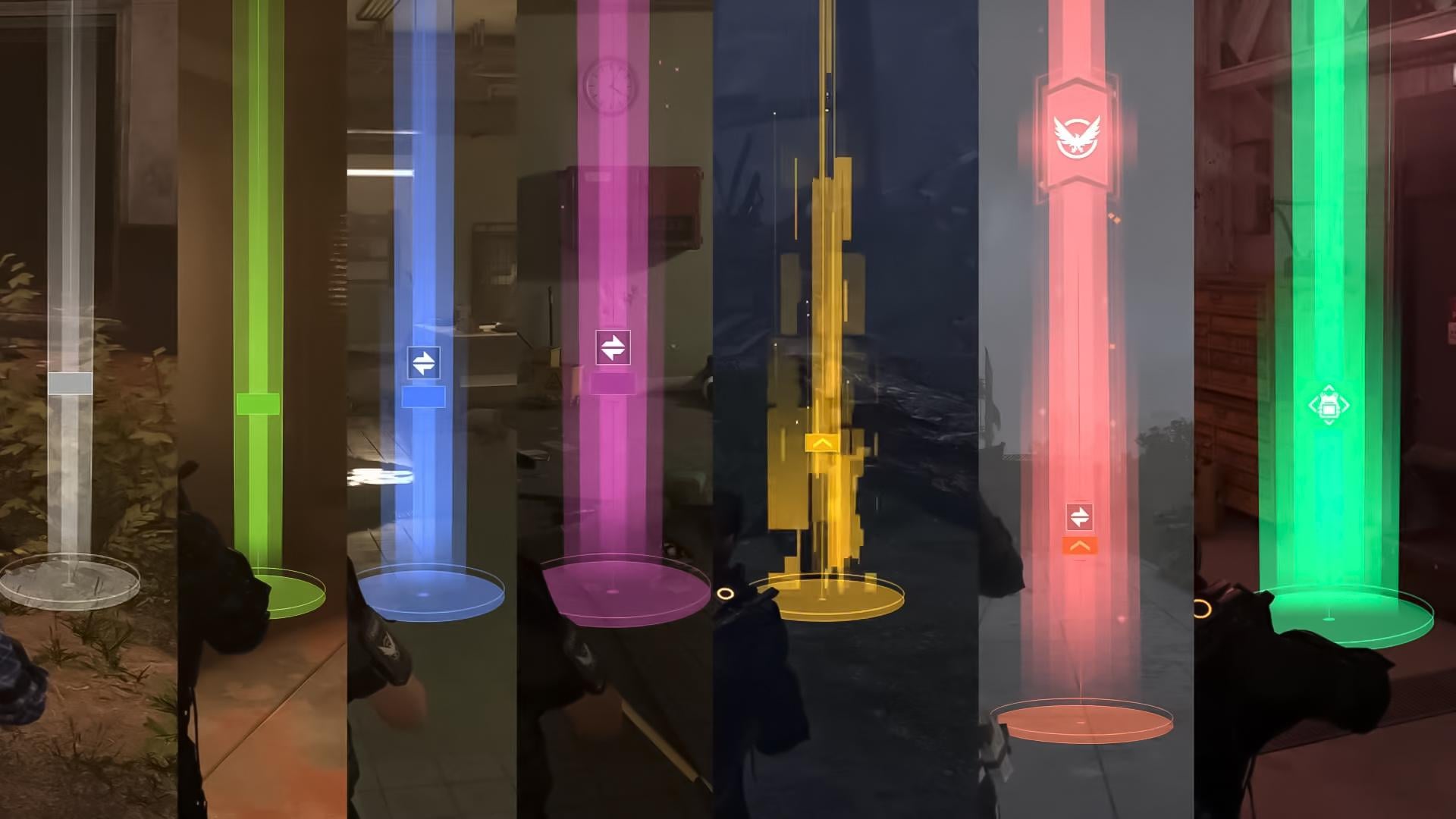
In The Division 2, loot is central to your progression. As you level up, you’ll encounter gear of increasing rarity and power. The primary Division 2 gear rarity tiers are:
- Worn (white)
- Standard (green)
- Specialized (blue)
- Superior (purple)
- High-End (yellow)
- Exotic (red)
- Gear Set (teal)
Higher rarity means more and stronger bonuses on the item. Early on, you’ll mostly see green/purple; get used to looting up as you level. After level 30, each item also has a Gear Score rating to indicate its power level. Higher levels and difficulties result in a higher Gear Score.

Many items belong to named Sets (and Brand Sets). Equipping 2–3 pieces of the same Gear Set grants a powerful bonus (e.g., lifesteal, crit damage). As a beginner, stick to matching sets for early boosts. You can equip 6 gear pieces in total:
- Mask
- Chest
- Holster
- Backpack
- Gloves
- Kneepads
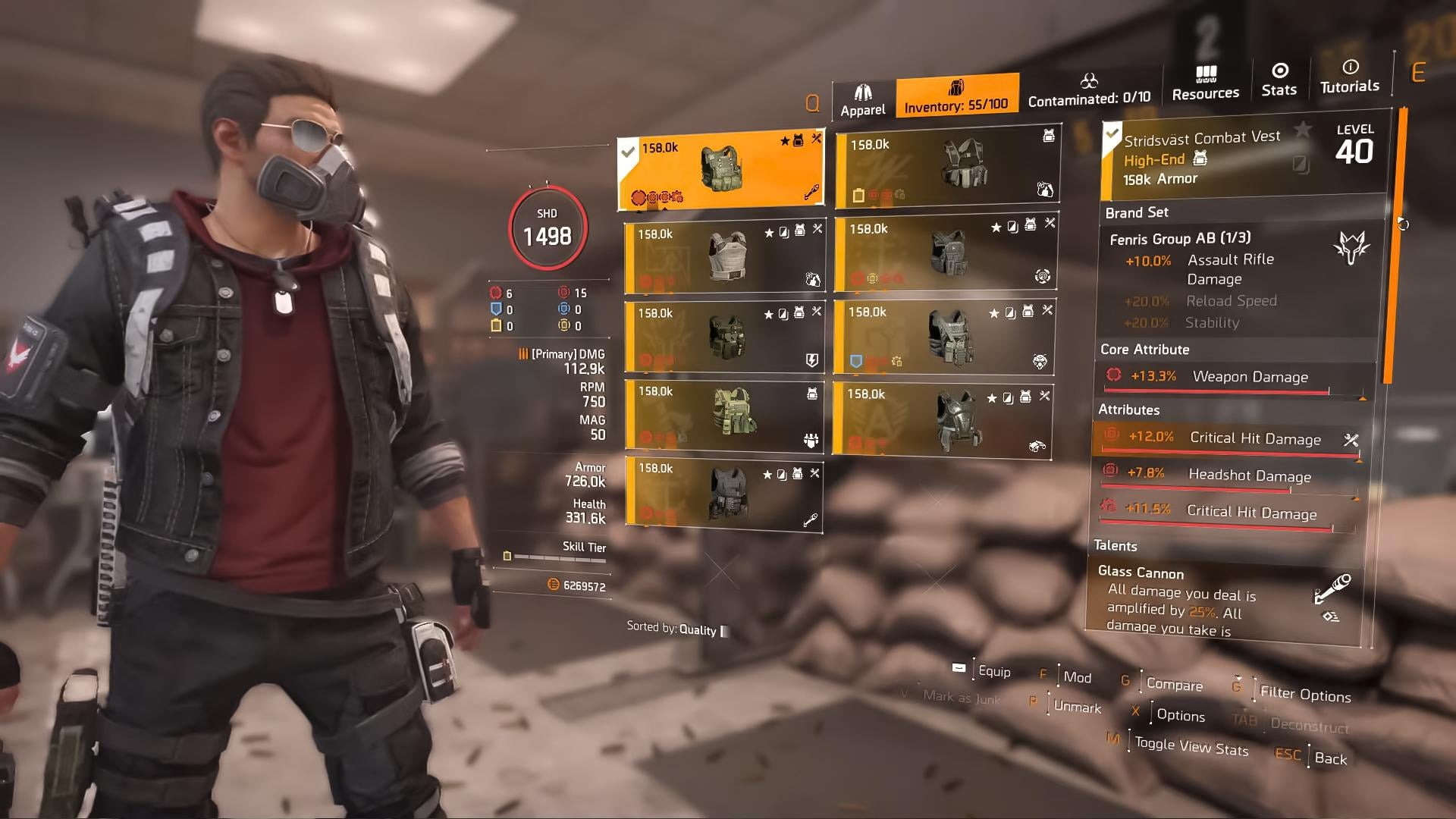
When you click any of these slots, you’ll see a new tab of your Inventory with all available items for these slots. This menu helps you to understand what options you have and which of them best suit your current purposes.
You can find more gear and gameplay tips in our Division 2 Tips for Beginners guide.
Division 2 Gear and Weapon Stats

Gear pieces and weapons in Division 2 come with core attributes that define their primary function. Among The Division 2 gear stats you can find:
- Weapon Damage: Increases overall weapon output
- Armor: Enhances survivability
- Skill Tier: Boosts the effectiveness of skills
Weapons in Division 2 have a greater variety of stats, e.g., Critical Hit Chance, Range, Reload Time, etc. Use them to define the best weapon choice. The higher the stats, the better the weapon.
As you progress, aim to balance these attributes based on your preferred playstyle. For instance, a skill-focused build would prioritize Skill Tier, while a tanky build would emphasize Armor. When it comes to weapons, make sure to check the Range and PvP Weapon Damage. It will help you to prepare for close or long-range combat and ensure that you are capable of surviving a PvP encounter.
One more essential point to remember about weapons is that you also have weapon proficiency and expertise level. The higher your expertise, the better you become, but it takes a lot of time and grinding to raise it. Also, you need to farm Exotic Components for this already uneasy aim. Luckily, you can ask our team to do it for you, so you can enjoy a brand new game experience fast and easily.
Division 2 Gear Sets and Brand Sets
At higher levels, you’ll start collecting Division 2 gear sets and brand sets. These are ‘green’ (or, to be precise, ‘teal’) items that provide set bonuses.
If you are aiming at obtaining gear sets, keep in mind that equipping multiple pieces grants powerful set bonuses. For example, the Striker’s Battlegear set enhances weapon handling and rate of fire.
If brand sets are your cup of tea, then you should know that each piece provides specific bonuses, allowing for mix-and-match customization. For instance, the Fenris Group AB brand boosts assault rifle damage.
Division 2 Weapon Types and Selection
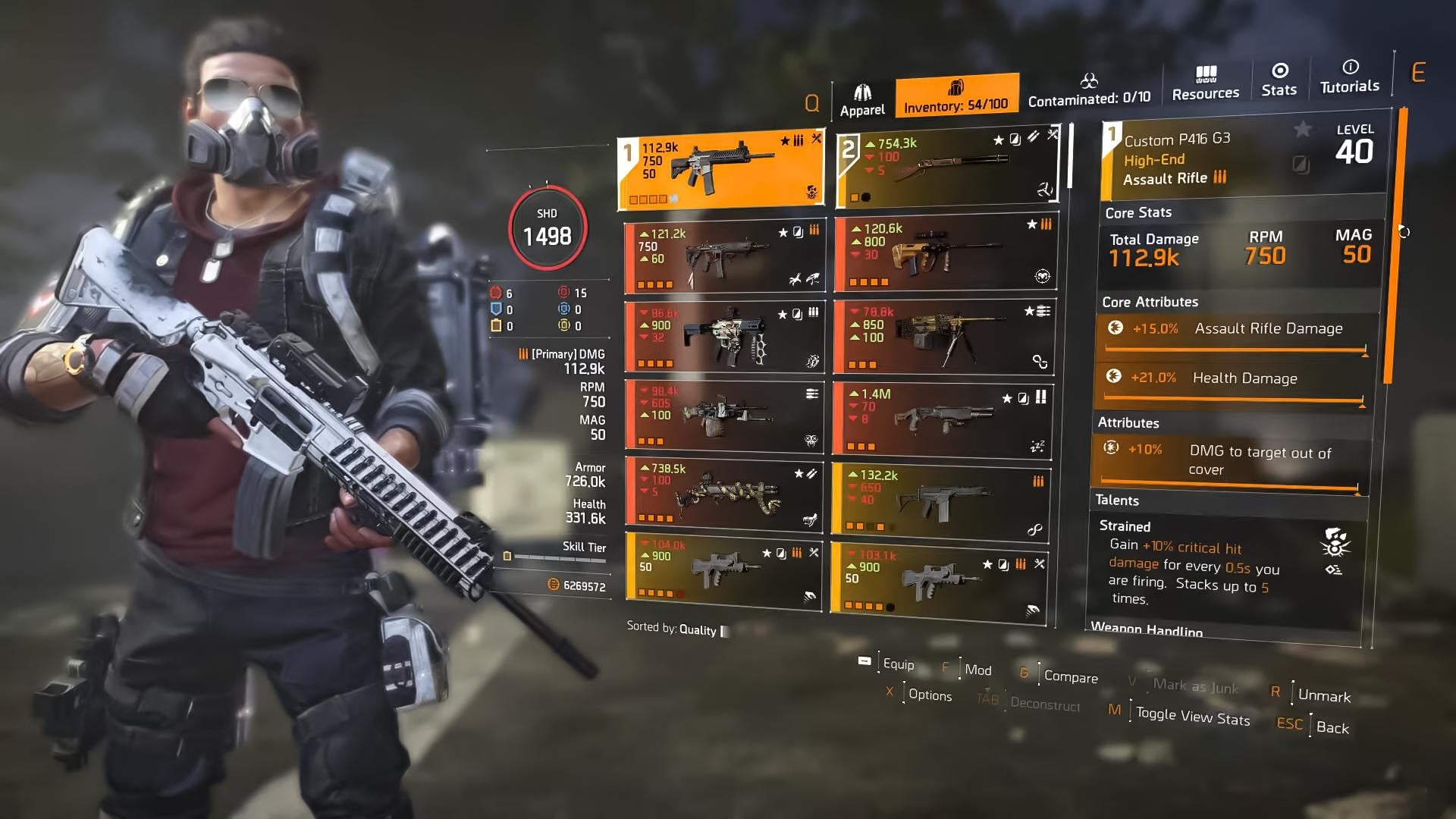
The Division 2 weapons are diverse. Each of them serves different purposes and is best used in different combat scenarios. You can find all available weapons in your Inventory tab. Selecting your weapon slot will open a new tab with all available weapons. The following Division 2 weapon types can be found in the game:
- Assault Rifles: Versatile, suitable for mid-range engagements.
- Submachine Guns (SMGs): High rate of fire, effective at close range.
- Marksman Rifles: High damage per shot, ideal for long-range targets.
- Light Machine Guns (LMGs): Large magazines, suppressive fire capabilities.
- Shotguns: Devastating at close range.
- Pistols: Secondary weapons, useful when primary weapons are out of ammo.
You are free to experiment with different weapon types to find what suits your combat style. Remember, weapon handling and recoil patterns vary, so practice is key. Another key point for fun gaming is having a reliable build, e.g., Headhunter Build that we can craft for you specifically. Just reach out to our pro players and receive your brand new armor and a weapon of your choice.
Division 2 Recalibration
At the Division 2 endgame, you can build the Recalibration Station in the Base. This lets you transfer one stat or talent from one item onto another, the source item is destroyed. Use it to save great rolls, e.g., move a perfect bonus from an unwanted item onto your best gear.
✏️ Tip: You can recalibrate your gear piece once per stat/talent on each item.
Additionally, you can alter your weapons. Exotic Division 2 weapons come with fixed talents that can be rerolled by consuming Weapon Kits and Credits. You can craft a Weapon Kit (using High-End crafting materials) or find them as loot. Each weapon can have its talent recalibrated up to 6 times, so use kits to optimize your exotic’s talent if desired.
Division 2 Skills and Specializations
In The Division 2, skills are deployable gadgets that can seriously turn the tide in a fight. From throwing out a healing cloud to locking enemies in place or setting them on fire, skills give every agent a tactical edge — whether you’re solo or in a squad. Let’s break down how to unlock, use, and upgrade them properly.
Division 2 Unlocking Skills
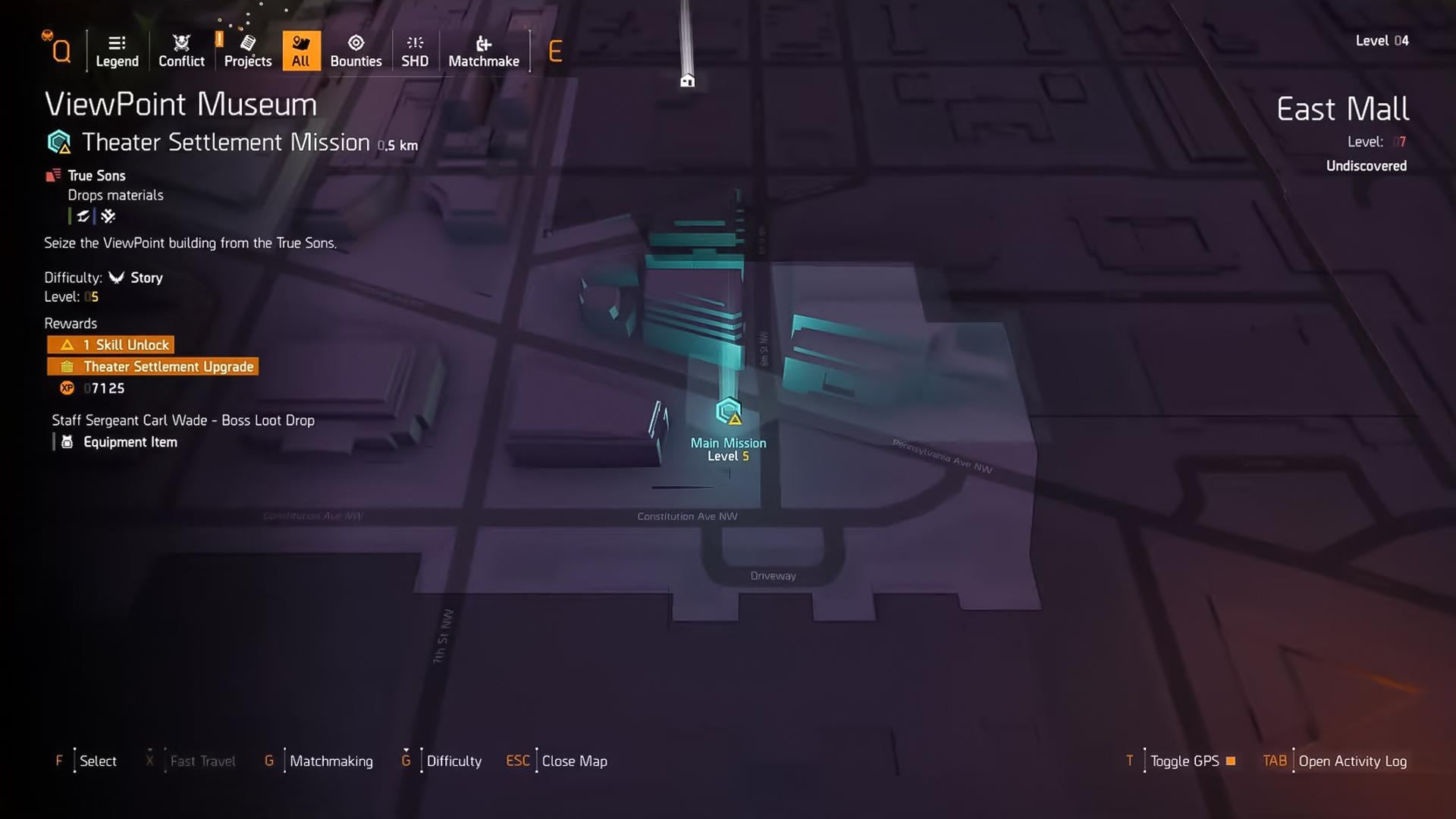
You’ll unlock your first Division 2 skill as soon as you reach the White House early in the game. After that, new skills require Skill Unlocks, which you earn by completing certain story missions. Look for the yellow triangle icon on the mission map, which means you’re getting a skill point.
Each skill has multiple variants, and to unlock more of them, you’ll need SHD Tech. You can grab Division 2 SHD Tech through:
- Side missions
- World exploration
- Some main missions
To make them show up on your map, be sure to activate the area’s safe house terminal. Once you do that, SHD Tech caches and side quests for that zone will be revealed.
Division 2 Equipping Skills
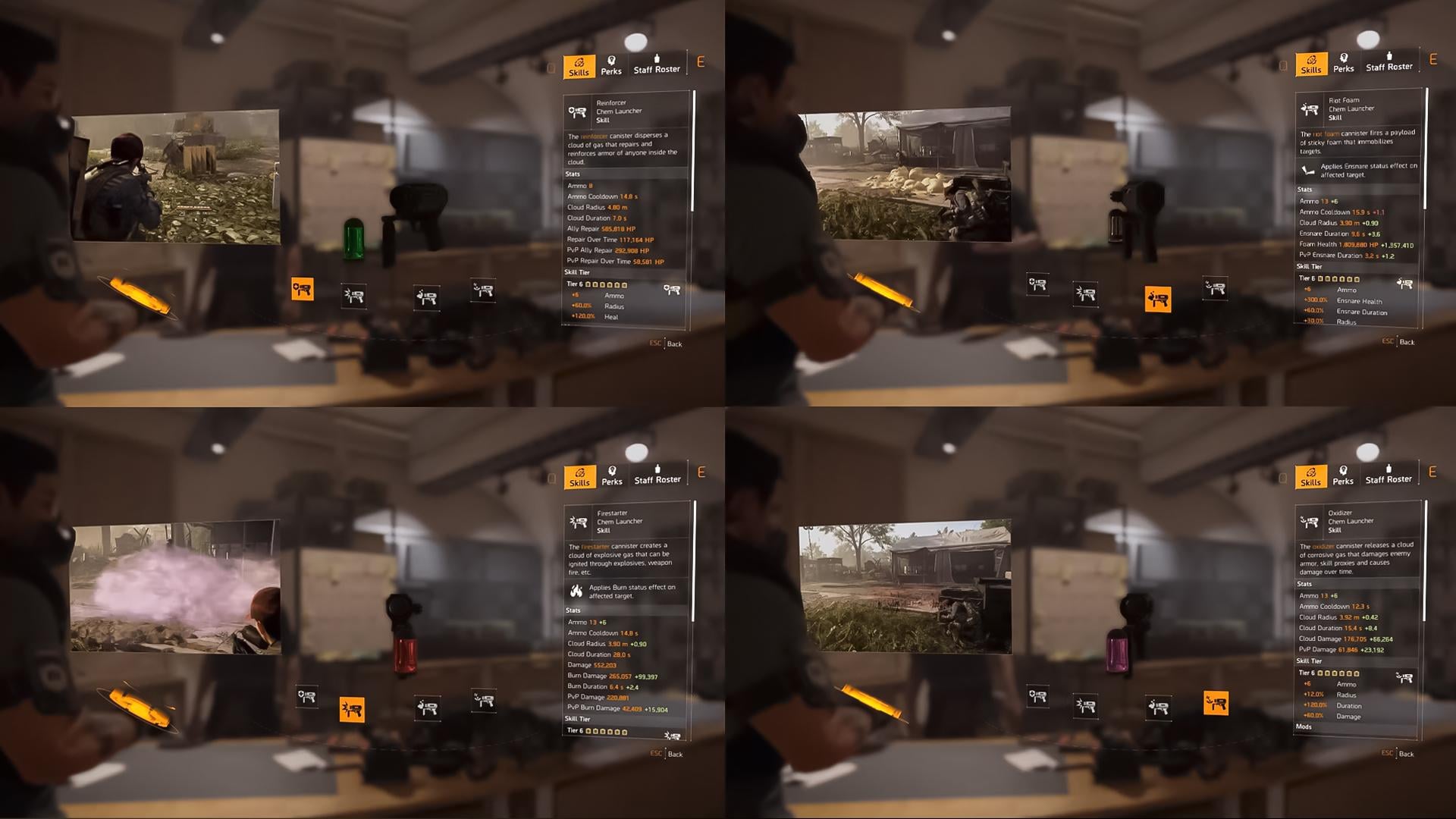
You can equip two skills at a time, but not the same variant twice. Each Division 2 skill offers unique functions depending on the variant you choose. Take the Division 2 Chem Launcher as an example:
- Reinforcer: Heals armor for anyone standing in the gas cloud
- Firestarter: Launches a flammable gas you can ignite for AoE damage
- Riot Foam: Shoots expanding foam to root enemies in place
- Oxidizer: Deals corrosive damage over time to enemies and armor
So basically, equipping 2 types of Chem Launcher, like Firestarter and Riot Foam, is taboo. However, you can equip any of the Chem Launcher variations with another skill, e.g., Pulse or Hive.
You can find the following skills in Division 2:
- Base Game Skills (Pulse, Turret, Seeker Mine, Ballistic Shield, Chem Launcher, Drone, Firefly, Hive)
- Warlords of New York Skills (Sticky Bomb, Trap, Decoy)
- Battle for Brooklyn Skills (Smart Cover)
Base Game Skills
| Skill | Variant | Effect |
|---|---|---|
| Pulse | Scanner | Highlights nearby enemies |
| Remote | Deployed pulse scan | |
| Jammer | Disables enemy electronics | |
| Banshee | Disorients targets in a cone | |
| Achilles | Reveals weakpoints | |
| Turret | Assault | Auto SMG turret |
| Incinerator | Manual flamethrower | |
| Sniper | Manual high-damage shots | |
| Artillery | Launches explosive rounds | |
| Seeker Mine | Explosive | Tracks and explodes |
| Airburst | Explodes above enemies | |
| Cluster | Splits into mini seekers | |
| Mender | Heals allies | |
| Ballistic Shield | Bulwark | Full coverage, sidearm only |
| Crusader | Allows primaries, exposes body | |
| Deflector | Reflects bullets at enemies | |
| Striker | Boosts ally damage, uses flamethrower |
Warlords of New York Skills
| Skill | Variant | Effect |
|---|---|---|
| Chem Launcher | Reinforcer | Heals in gas cloud |
| Firestarter | Ignitable gas for AoE | |
| Riot Foam | Immobilizes enemies | |
| Oxidizer | Damages armor over time | |
| Drone | Striker | Auto-firing drone |
| Defender | Blocks incoming bullets | |
| Bombardier | Bombs a set area | |
| Fixer | Repairs ally armor | |
| Tactician | Scans and marks enemies | |
| Firefly | Blinder | Blinds enemies |
| Burster | Explodes near pairs | |
| Demolisher | Breaks weakpoints | |
| Hive | Restorer | Heals teammates |
| Stinger | Attacks nearby enemies | |
| Reviver | Revives downed allies | |
| Booster | Buffs handling & resist | |
| Artificer | Buffs allied skills | |
| Sticky Bomb | Explosive | Sticky explosion |
| Burn | Sticky fire burst | |
| EMP | Sticky disrupt blast | |
| Trap | Shock | Shocks targets |
| Repair | Heals teammates | |
| Shrapnel | Explodes with bleed | |
| Decoy | Holographic | Draws enemy fire |
Battle for Brooklyn Skills
| Skill | Variant | Effect |
|---|---|---|
| Smart Cover | Precision | Boosts offense and reloads on exit |
| Fortified | Adds armor and reduces stagger |
Division 2 Skill Tier
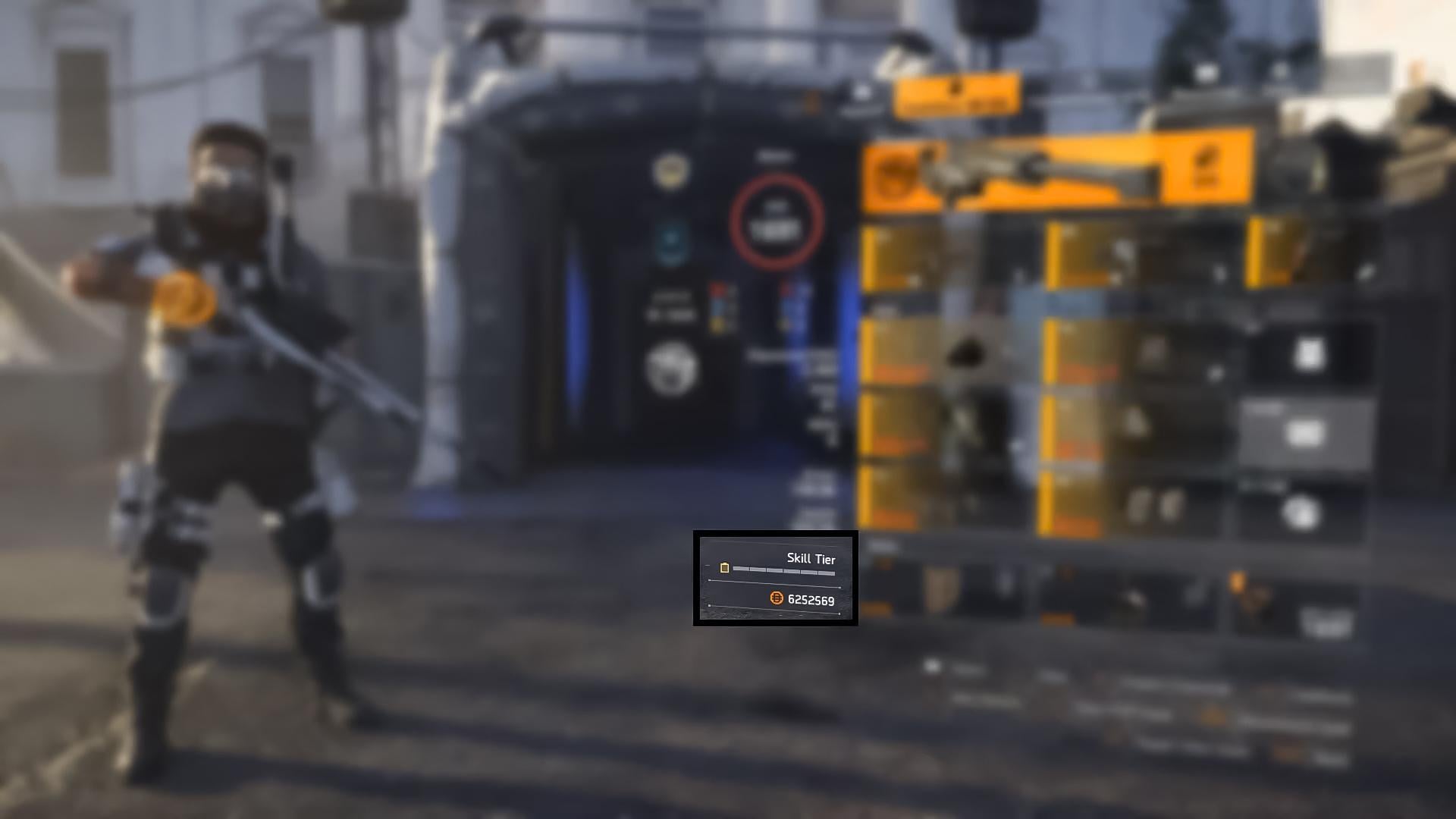
Your skills get stronger based on your Skill Tier, which ranges from 0 to 6. Each piece of gear can roll with +1 Skill Tier, and stacking them increases your overall effectiveness. You can view your total Skill Tier on the inventory screen under your name. More bars = stronger skills.
Some gear and weapon talents, like Perfect Future Perfect, can temporarily overcharge your skills. This state pushes your Skill Tier above 6 and grants boosted effects for a short time — perfect for burst damage or clutch healing. And don’t forget to grab the Best PvE Build for your character for best performance with any skill set.
Division 2 Skill Mods and Roles
Just like weapons, Division 2 skills can be modded. These skill mods are looted in the world and stored in your mod inventory. Mods affect:
- Duration
- Damage or healing
- Cooldowns
- Utility effects
Each mod is often tied to a specific skill variant. For example, a burn-strength mod would help the Firestarter but do nothing for the Reinforcer. Therefore, you should always choose only those mods that will allow you to gain maximum benefit from the skill.
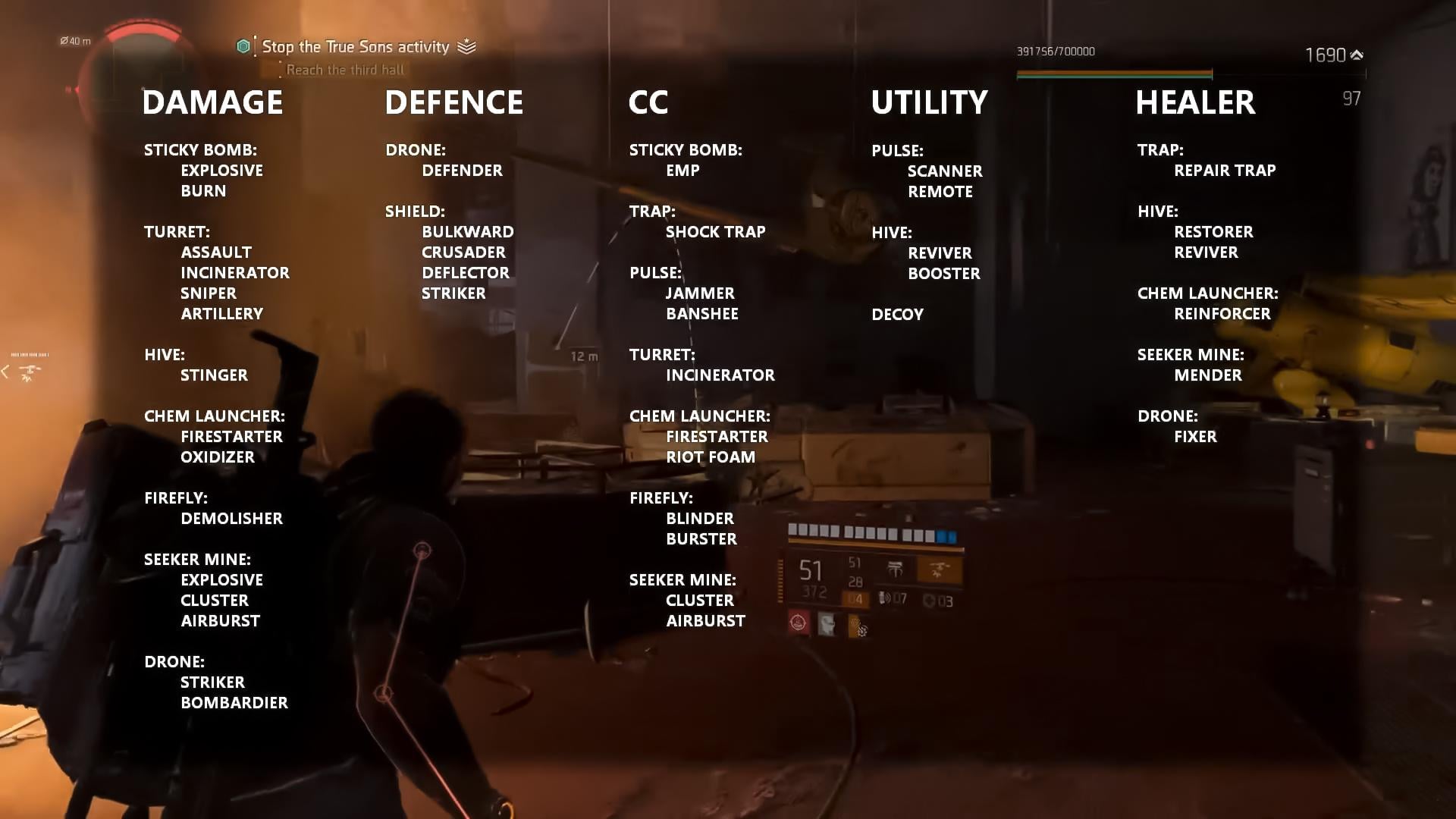
Another thing that helps you to reach your max potential is the Division 2 skill role. Understanding which role you need for this or that skill defines your success in a mission. There are dozens of skill role variants, but most fall into five main categories:
| Role | Description |
|---|---|
| Damage | Skills that do burst or DoT damage (e.g., Sticky Bomb, Seeker Mine, Oxidizer) |
| Defense | Tools for survival, like Shields and Defender Drones |
| Utility | Tools to scan or track enemies (e.g., Pulse) |
| Crowd Control (CC) | Skills that disable or slow enemies (e.g., Riot Foam, Blinder Firefly) |
| Healer | Restores your or teammates’ armor (e.g., Reinforcer Chem Launcher, Hive) |
For example, CC skills like the Riot Foam can lock enemies in place so your team can reposition or push. Healing skills, especially when boosted by high Skill Tier, are key for keeping your squad alive during tougher missions.
Division 2 Beginners FAQ
We have gathered the most popular questions about Division 2 and answered them all in this section of our guide. Our FAQ list will be useful not only to newbies, but also to experienced players who make their comeback into the game and want to refresh their memory.
What Should I Prioritize on My Gear Early on?
Early game, focus on raw stats (Weapon Damage, Armor) over talents. Don’t worry about perfect rolls until level 30+. Also, grab pieces of Gear Sets to activate bonuses. Carry two weapons — mid-range + close-range. Upgrade your worst stats via recalibration later, but initially equip whatever feels strongest and matches your play style.
How Does Difficulty Scaling (World Tier) Work Now?
Originally, World Tiers (WT1–WT5) raised enemy levels after the story and dictated loot power. As of 2023, World Tiers and Gear Score were removed from Division 2. All players can now reach level 40 freely.
Difficulty is essentially tied to content: just finish the main missions on default difficulty to hit the endgame. If you want a challenge, join a group or use higher-level gear; the game no longer forces “old” World Tiers on you.
Should I Play Solo or in Co-op, and How Do I Find Groups?
The Division 2 works either way. Solo play is fine for learning. Co-op is a 2–4 player mode that makes combat easier and more fun on tougher difficulties. You can drop in/out at safehouses or matchmake before any mission.
At a Safe House or mission start, select “Multiplayer” or “Find Group” to join others on the same platform. Friends or online groups can help you tackle harder content (sharing heals, revives, etc.). As a beginner, try playing with at least one friend on tricky missions to learn faster.
Playing solo is always better with a Max Level Agent, and our team can help you to reach the highest level in the blink of an eye.
How to Obtain and Use Exotic Weapons and Gear?
Exotic items (red) are rarer, unique drops. Many exotics come from specific tasks or bosses (e.g., weekly projects or Dark Zone bosses). For instance, the 7th Squire vendor offers certain exotics in exchange for materials. Once you have an exotic, use Weapon Kits to reroll its talent.
You can craft a Weapon Kit by using any single High-End gear material at the crafting station. Exotic talents are powerful but fixed, so use kits carefully to get the best version. Check community guides for where each exotic drops or its crafting recipe.
How to Farm Experience (XP) and SHD Tech Faster?
Focus on main missions and strongholds: they give large XP chunks. Overgear notes to “focus on main missions first”. Whenever you level up, fast-travel back to the White House to spend new skill/Perk points, it makes the next fights easier.
Activate every Safe House (reveals caches + fast travel) and complete side missions or world events on the way for bonus XP and SHD Tech. For SHD Tech specifically, look for hidden caches and do SHD-related side missions.
Don’t skip done Projects for SHD rewards. Overlevel your gear slightly by replaying content if you want to reach level 40 faster, but most players just cruise through the story.
What are World Tiers and Gear Score Now?
As mentioned, these are now legacy systems. In the base game, gear score was a number that summarized your gear’s level, and World Tiers capped how high gear score could go.
You no longer manually change World Tier. Instead, the game automatically scales loot to your level and completed content. Just focus on getting to level 40 and let the game sort out difficulty scaling.
How Do Co-op and Matchmaking Work in Division 2?
You can seamlessly team up with others playing on the same platform. Go to a Safe House map or the main menu: there’s a Matchmaking option to search for players in your current area or mission. You can also open a “Public” session in settings. Dropping in with a group fills your squad (up to 4 agents). Co-op lets you revive each other and tackle harder enemies together. It’s a good way to learn – just be aware that loot is mostly personal, but any XP and SHD Tech gained together benefits everyone.
4.9To sum up, our Division 2 Guide for Beginners covered all the essentials. From the importance of cover in combat, to how your HUD and map guide you, the progression paths like levels and SHD, the gear and loot systems, including rarities, gear sets, recalibration, and the skill trees and specializations. We also answered the most popular Division 2 questions, so now you are fully prepared for your first match.
