The Burning Crusade Anniversary addons, like any other WoW addon, are community-made UI mods that improve how the game displays information. They help you track buffs, debuffs, cooldowns, quests, and other critical data, making gameplay clearer. In this guide, we will take a look at WoW TBC Anniversary top add-ons for combat, questing, professions, interface improvements, and class-specific needs.
TBC Anniversary Best Add-ons Key Takeaways:
- Add-ons make managing in-game info easier.
- WeakAuras add customizable alerts for specific effects or abilities.
- Combat addons like BigWigs, DBM, and Plater help you handle boss mechanics and raids.
- Questing and profession addons make objectives, crafting, and gathering simpler.
- Interface addons like ElvUI and Bartender4 let you clean up and customize your screen.
- Class-specific addons help you manage abilities, procs, and resources for your role.
- Start small with essential addons, then expand as you get comfortable.
 4.9
4.9The Burning Crusade Anniversary Best Add-ons

The Burning Crusade Anniversary best addons are the most useful tools for improving your interface in the game. They will help you with tracking combat information, and managing everyday gameplay. Here we have prepared a list of the best TBC Classic Anniversary addons sorted by their usage scenarios:
The best TBC Anniversary add-ons stand out from the rest by just how useful they are for every portion of the gameplay, from raids and questing to professions and class-specific needs.
Using the best TBC Anniversary addons can significantly improve your performance and overall comfort while playing. Some of them, like RestedXP, are perfect for leveling. Others help you react faster in raids, manage cooldowns more efficiently, track important buffs and debuffs, and streamline everyday activities like questing, professions, and inventory management.
For group content in particular, addons are often considered essential, as they provide clear visual and audio cues that reduce mistakes and improve coordination. Ready to install your addons and start the game? Check out our TBC Starter Pack to make your journey in Outland even more convenient!
The Burning Anniversary Best Combat Add-ons
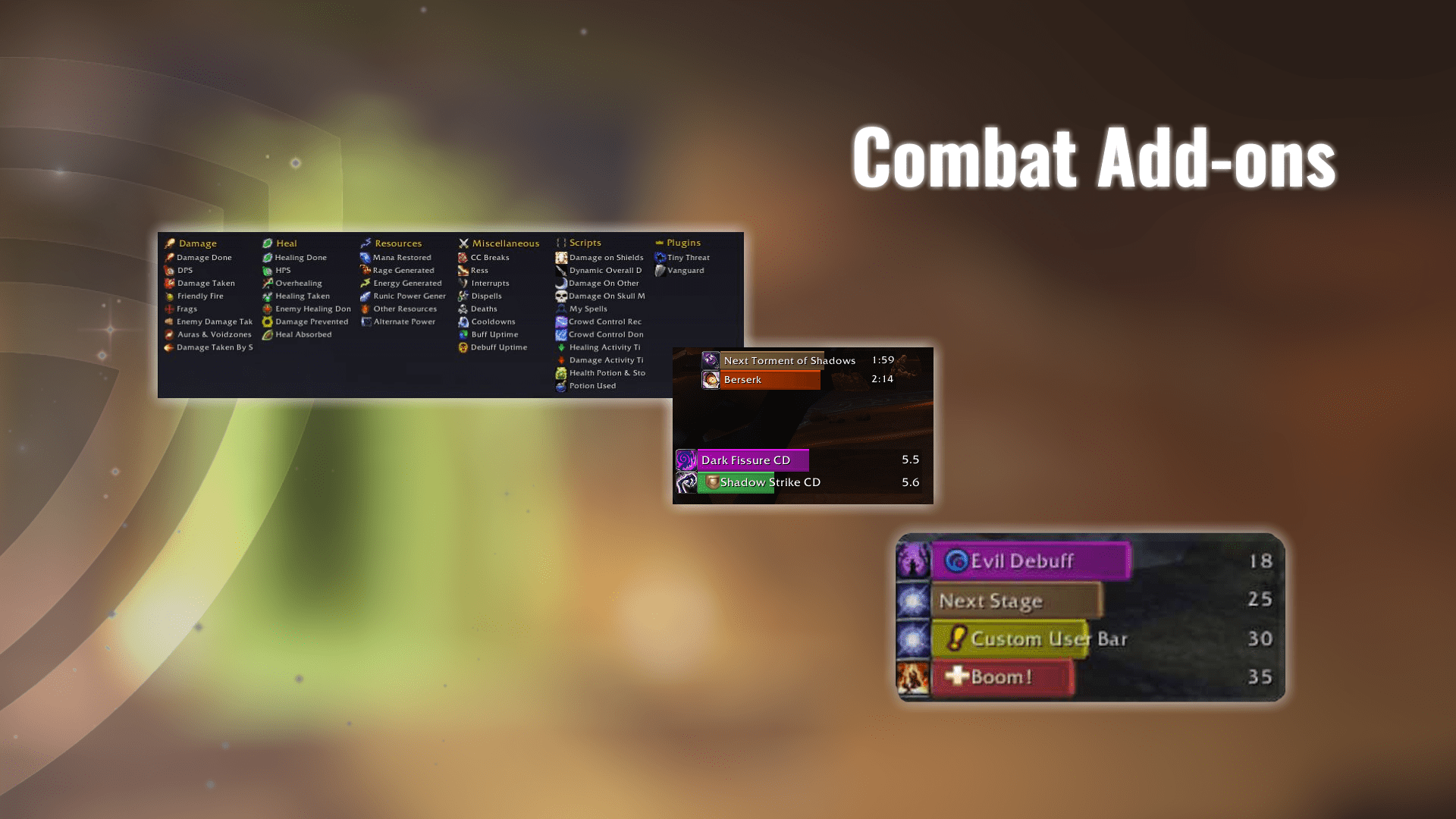
Combat-focused addons in The Burning Crusade Anniversary make a huge difference, especially for dungeons and raids. These addons can help you track boss mechanics, cooldowns, debuffs, and more.
Here are some of the best and most commonly used combat addons: BigWigs, Deadly Boss Mods, Details! Damage Meter, ClassicAuraDurations, ClassicSpellActivations, OmniCC, Clique, Gargul, Plater Nameplates, Cell, Pawn, CharacterStatsClassic, ItemRack Classic, Nova Instance Tracker, ThreatClassic, VuhDo.
You do not need to install everything on this list. Start with a boss mod, cooldown tracking, and nameplates first. Keeping your setup clean will help you react faster in combat. Installed your combat addons and want to jump into raiding and dungeons? Check out our TBC Raid Bundle if you don’t want to look for a reliable guild!
BigWigs
BigWigs is a lightweight boss mod addon that provides you with timers, alerts and warnings for important mechanics in dungeons and raids. It is a popular alternative to DBM and works especially well for players who would like to have a cleaner and less intrusive setup.
Deadly Boss Mods
Deadly Boss Mods is one of the most popular PvE addons, providing you with timers, alerts and warnings for boss mechanics in virtually every dungeon and raid encounter pre-made and ready to use. It is easy to use right out of the box and you can also customize it even further if you want more control over how your notifications look.
Details! Damage Meter
Details! Damage Meter is a powerful combat analysis addon which tracks damage, healing, threat, interrupts, deaths and much more. It is especially helpful if you want to get a better understanding of your performance and identify mistakes after a dungeon or raid pull.
ClassicAuraDurations
ClassicAuraDurations adds visible duration timers to debuffs and other effects, which makes them much easier to track during combat. Since the default TBC Anniversary UI doesn’t provide this information clearly, this addon is of great help in uptime and debuff management.
ClassicSpellActivations
ClassicSpellActivations brings to the fore those abilities that are available through procs or special combat conditions. This made your rotation feel more fluid and helps you react more quickly when an important spell lights up.
OmniCC
OmniCC adds readable numeric cooldowns timers to your abilities, items and action bars. This makes it much easier to see exactly when a spell or trinket will be ready again without having to guess.
Clique
Clique allows you to bind spells directly to mouse clicks which makes mouseover and click-casting much faster and more comfortable. It is particularly helpful to healers, but any player who wishes to have faster utility casts can benefit from it.
Gargul
Gargul is a loot distribution addon which is frequently used in raids, particularly in pugs and organized group runs. It helps raid leaders manage rolls, assignments and loot decisions in a much cleaner and more transparent manner.
Plater Nameplates
Plater Nameplates provides you with highly customizable enemy nameplates with improved visibility of casts, debuffs and other combat information. It is particularly helpful in dungeons and raids where target recognition can make a significant difference in a short period of time.
Cell
Cell is a modern replacement for the default party and raid frames and is much cleaner looking and allows for much more customization. It is particularly popular among healers as it makes it much easier to track health, debuffs and dispels.
Pawn
Pawn is a simple gear comparison addon which helps you to quickly see if an item is an upgrade for your character. It is helpful for dungeon/raid preparation especially if you want to have quicker loot decisions without manually checking each of their stats.
CharacterStatsClassic
CharacterStatsClassic extends your character sheet by adding more detailed stat information such as stuff like hit & crit and mana or health reg. This will make it easier to understand your build and check to see if your stats are where they need to be.
ItemRack Classic
ItemRack Classic lets you create and manage gear sets for various situations such as tanking, healing, DPS or farming. It also allows swapping of gears to be much quicker which is very useful in TBC Anniversary where many players carry multiple sets.
Nova Instance Tracker
Nova Instance Tracker helps you to keep track of your dungeon lockouts, raid resets, and your recent instance activity. It is particularly useful if you farm dungeons frequently and wish not to lose track of your entries.
ThreatClassic
ThreatClassic is an addon for tracking threats and helps you keep an eye on your aggro levels in dungeons and raids. It is particularly important for tanks and DPS users as it helps avoid unnecessary pulls and maintain boss fights.
VuhDo
VuhDo is a highly customizable raid frames addon and is particularly important for healer and support character users. It provides clean group frames, mouse-over functionality, and tracking for buffs and debuffs, making it easier for users to cast spells in dungeons and raids.
The Burning Crusade Anniversary Best Questing Add-ons

Questing addons in TBC Classic Anniversary can help you avoid a lot of unnecessary travel by better quest tracking. A few questing addons can make the experience much faster. Here we have prepared some questing addons that will help you find objectives faster and keep them organized.
Here are the top questing addons in The Burning Crusade Classic Anniversary that players often use:
- Questie: The essential quest helper for Classic. Shows quest objectives, NPC locations, and quest turn-ins directly on your map and minimap.
- DialogueUI: Enhances and modernizes the quest dialogue interface, making conversations feel smoother compared to the default UI.
- EveryQuest: Adds a searchable list of quests with status and details, letting you see what quests are available in an area at a glance.
- What’s Training: Allows you to see upcoming spells for training in your spell book.
- RestedXP Guide: One of the best leveling addons, which allows you to optimize quest routes, saving a lot of time. RestedXP is perfect for fast leveling and speedrunners.
These addons work well together — for example, Questie plus DialogueUI gives a clearer quest flow and better objective tracking. Keeping your questing interface clean and informative helps you level faster and avoid missing objectives in sprawling TBC zones.
TBC Anniversary Attunement Add-on
For TBC Anniversary, attunements are the quest chains or requirements that, once completed, let you enter certain raids or unlock key progression content, but tracking them manually can be tedious. That’s where the Attune addon comes in: it gives you a clear visual of your attunement progress, showing each step of the required quest lines and letting you see who else in your group or guild is on the same step.
To use the addon after installation (either manually or via an addon manager), just type /attune in your chat box to open the interface. From here, you’ll see a tree or list of all attunement tasks, with completed steps clearly marked and pending steps highlighted—this helps you plan what to do next.
You can also use the Survey feature to collect attunement status from your guildmates, which is especially useful when organizing raids or checking who’s ready for specific content. It even includes some extra tools like a raid planner that uses collected data to help organize groups based on attunement status, and you can customize character roles or statuses to improve coordination.
For best results, make sure guild members also have the addon installed so that survey and progress-sharing features work properly.
Alternatively, if you don’t want to go through the hassle of doing this yourself, we can handle TBC Attunements for you instead!
TBC Anniversary Best Profession Add-ons

TBC Anniversary resource farming and professions become much smoother with the right add-ons, especially when it comes to crafting efficiency, auction house management, and gathering routes. These tools help you track valuable recipes, optimize your sales, and reduce downtime while farming materials.
Here are some of the best profession addons to use:
- AtlasLoot Classic: Allows you to browse dungeon, raid, and vendor loot, including profession recipes, without leaving the game.
- TradeSkillMaster (TSM): A powerful all-in-one addon for crafting queues, material tracking, inventory management, and advanced auction house pricing.
- Auctioneer: Improves the auction house with price history, market values, and scanning tools, making it easier to sell crafted items and materials.
- GatherMate2: Records and displays herb, ore, fishing, and other gathering node locations directly on your map and minimap, greatly improving farming efficiency.
- Spinx GatherMate 2 Data (Classic);
- WoW Gathering Nodes (These databases will provide you with map information for resource gathering).
- Bagnon: Combines all your bags and bank into one searchable window, making inventory management quick and easy.
These addons complement each other well: GatherMate helps you collect materials faster, while AtlasLoot and auction addons ensure you know what’s worth crafting and selling. Tailor your setup to your professions to maximize both efficiency and profit throughout TBC content.
TBC Anniversary Best Interface Add-ons
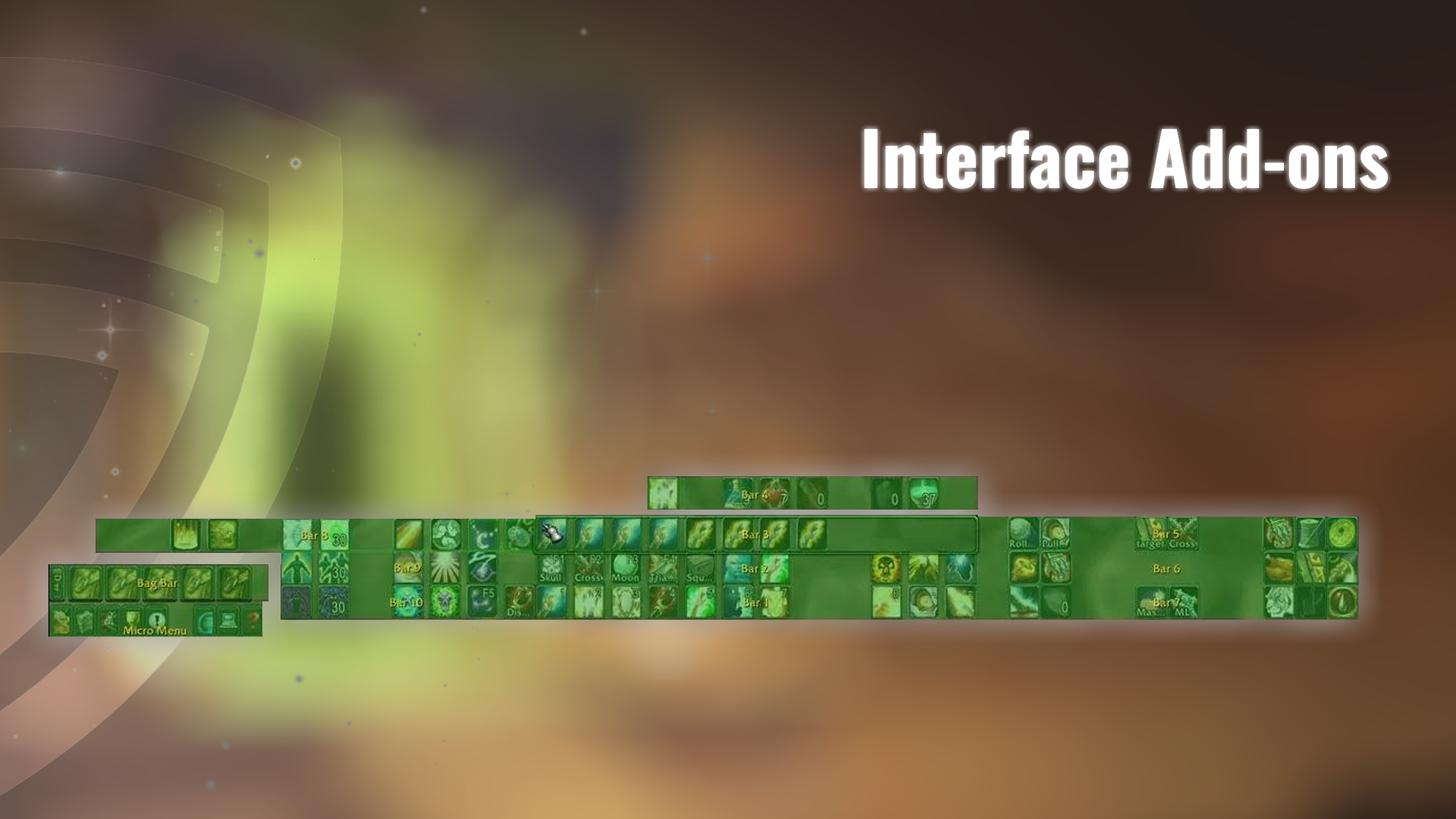
Improving your gameplay with the best interface addons in TBC Classic Anniversary can make your game feel much more modern and user-friendly. Here we have prepared a list of TBC Anniversary addons that will help you customize unit frames, action bars, menus, and other UI elements so you can tailor your screen to your playstyle.
Here are some of the best interface addons players use:
- ElvUI (Classic): A full-replacement UI overhaul that replaces almost every default frame with a sleek, unified design.
- Bartender4: Lets you fully customize and move your action bars, set up paging, and create additional bar layouts.
- Dominos: Another excellent action bar replacer with simple drag-and-drop configuration and per-stance setups.
- MoveAnything: Allows you to reposition, hide, or scale virtually any default UI element.
- Prat 3.0: Enhances the chat window with timestamps, class colors, customizable fonts, and more.
- Leatrix Maps: Improves the minimap with better scaling, repositioning, and optional node visuals.
These interface addons let you declutter and redesign your HUD to match your preferences, whether you want a minimalist look or a fully informative layout. Combining a UI overhaul (like ElvUI) with targeted addons (like Bagnon and Prat) gives you both form and function in TBC Classic.
TBC Anniversary Best Class Add-ons

Class-specific addons in The Burning Crusade Anniversary help you keep track of your abilities, buffs, debuffs, and cooldowns so you can focus on playing your character rather than constantly checking timers or numbers. Class addons provide reminders and alerts, letting you react faster and make decisions more efficiently without crowding your screen.
📌 Many of the following class add-ons come in the form of Weakauras, so you will need to install the main Weakauras addon before proceeding further.
Further, we have prepared a list of the best TBC Anniversary class addons. Just find your class and se which addons are the most helpful.
Druid
Druid addons in The Burning Crusade Anniversary can help track shapeshift forms, buffs, debuffs, and key cooldowns to make playing each Druid role more manageable.
- Druid Bar: Provides a dedicated bar showing shapeshift form, travel form, and cooldowns for forms like Cat and Bear, helping you switch roles smoothly.
- Decursive: While not class-specific, it is extremely useful to have as a druid. It highlights party and raid members with dispellable debuffs, making cleanses faster and easier to manage.
Hunter
TBC Classic Anniversary Hunter addons give you tools to monitor pets, traps, and ranged abilities, helping you stay on top of your resources and cooldowns.
- PetTracker: Combines your pet journal and stable master into one UI, making it easier to view and manage your pets and track abilities.
- AmmoCounter: Displays your ammo count on screen so you always know when to reload and avoid running empty in combat.
- Auto Ammo: Automatically purchases ammo when available, ensuring you always keep a precise amount in your bags. You can control the amount of ammo you need with a command as well.
Mage
Mage addons in The Burning Crusade Classic Anniversary help track important buffs, procs, and cooldowns, making it easier to manage spells and maximize damage output.
- Not’s TBC Classic Mage Auras: This Weakauras package provides clear visual timers and alerts for your mage’s key procs and spell effects, helping you track buffs like Clearcasting. It makes it easier to optimize your burst windows and spell rotations by displaying exactly when important auras are active.
- RangeDisplay: Shows a simple on-screen indicator that tells you whether your target or party members are within spell or ability range. Extremely useful for Frost Nova casts as a mage.
Paladin
Paladin addons in Burning Crusade Anniversary help track auras, blessings, cooldowns, and defensive abilities, making it easier to support your group or raid.
- Tankadin II Auras: Tracks important defensive buffs and cooldowns for Paladins, such as Righteous Fury, Blessing of Protection, and Divine Shield. It provides visual alerts when these auras are active or expiring, helping Paladins manage threat, cooldowns, and survivability more effectively in combat.
- Damnation: Automatically removes unwanted buffs like Blessing of Salvation (and others you choose) when they’re not helpful for your role, which is especially useful for tanks who need the correct buffs to hold threat properly.
- PallyPower: Helps Paladins manage and assign blessings and auras in groups and raids. It provides an easy-to-use interface to track who has which blessing, automatically suggest optimal assignments, and coordinate buffs across your party or raid.
Priest
Priest addons help monitor buffs, debuffs, procs, and healing or damage cooldowns.
- Not’s TBC Classic Priest Auras: Tracks key priest buffs, procs, and debuffs, such as Shadowform, Inner Focus, and Power Word: Shield. It provides clear visual indicators and timers so priests can manage their abilities, maximize healing or DPS uptime, and react quickly in combat.
- CoH & Chain Heal Spell Trace: This WeakAura tracks your Circle of Healing and Chain Heal casts, showing their cooldowns, casts, and effectiveness in real time.
- Shadowfiend Progress: This WeakAura tracks your Shadowfiend’s duration and damage in real time.
- The Mana Reminders: Tracks your current mana and alerts you when it drops below a set threshold.
Rogue
Rogue addons help track buffs, debuffs, energy, combo points, and cooldowns, making it easier to maintain uptime on abilities.
- Redtuzk’s Poison Tracker: Weakaura that displays all active poisons applied by Rogues, including their durations and remaining time on targets.
- Sno’s Energy Bar + Ticker: This aura tracks your energy regeneration ticks, showing exactly when each tick of energy will occur. This allows rogues to time their abilities precisely and optimize their rotation for maximum damage output.
- Sarthe Rogue Debuffs: A Weakaura that tracks the duration of your rogue’s damage-over-time effects and other important debuffs on your target.
Shaman
Shaman addons help track totems, buffs, procs, and cooldowns, making it easier to manage both healing and damage.
- Not’s TBC Classic Shaman Auras: This is a pack of Wekauras that tracks important Shaman buffs, procs, and cooldowns, providing clear visual indicators and timers.
- Enhancement Swing Timer: Tracks the timing of your weapon’s auto‑attack swings and shows bars for your next main‑hand and off‑hand hits. This lets Enhancement Shamans see exactly when their next swing will occur so they can time abilities and movement to avoid clipping auto attacks and maximize DPS.
Warlock
TBC Anniversary Warlock addons help track DoTs, buffs, procs, cooldowns, and resources like soul shards, making it easier to manage damage and utility.
- Nightfall Proc: This Weakaura tracks the activation of the Nightfall talent for Shadow Priests. It provides a visual alert whenever Nightfall triggers
- Not’s TBC Classic Warlock Pack: Tracks key spells, buffs, debuffs, and cooldowns for Warlocks in TBC Classic/Anniversary. It provides visual timers and alerts to help manage DoTs, abilities, and resources efficiently during combat.
- RangeDisplay: Shows a simple on-screen indicator that tells you whether your target or party members are within spell or ability range. Extremely useful for Howl of Terror and other Warlock spells with a limited range.
Warrior
Warrior addons help track rage, cooldowns, buffs, debuffs, and swing timers.
- Battle Shout Reminder: Alerts Warriors when their Battle Shout buff is missing. It provides a visual cue so you can quickly reapply the buff.
- Ryecoke’s TBC Warrior Auras: This is a WeakAuras pack for The Burning Crusade Anniversary that tracks a variety of warrior‑specific information, such as swing timers, rage bar, cooldowns, defensive abilities, and important buffs/debuffs in one set.
How to Install Add-ons in TBC Anniversary
If you are wondering how to install addons in TBC Anniversary, then all you have to do is download one of the addon management programs. Two of the most popular addon management programs are CurseForge App and WowUp. They can automatically detect your TBC Anniversary client, let you browse addons, and keep them updated with a single click.
You can also install TBC Classic Anniversary addons manually if you don’t want to install dedicated programs that automate the process, making setup and updates much easier.
To install add-ons manually, follow these steps:
- Download your chosen add-on from a trusted site like CurseForge.
- Extract the downloaded .zip file.
- Open your World of Warcraft folder and navigate to _classic_era_/Interface/AddOns.
- Move the extracted add-on folder into the AddOns directory.
- Restart the game and enable the add-on from the character selection screen.
📌 We would strongly recommend installing tools that automate the process since they make it easier to manage and update your add-on library each time there is a new update.
Installed your addons and want to start your endgame journey, but don’t have time to level up? Check out our TBC Anniversary Leveling service here at Overgear!
Difference Between Add-ons and Weakauras
An addon in TBC Anniversary is a full-featured UI modification that adds new systems or replaces parts of the game interface, such as damage meters, boss mods, action bars, or inventory management. Addons are installed as separate folders, run continuously, and usually provide their own settings menus and long-term functionality.
A WeakAura, on the other hand, is a lightweight, highly customizable visual or audio trigger created inside the WeakAuras addon. WeakAuras are used to track very specific things like a cooldown, buff, debuff, proc, or resource, and show alerts only when certain conditions are met. In short, addons change how the game works overall, while WeakAuras give you precise, situation-based alerts on top of that.
To start using Weakauras, simply install the main addon, and then copy the import string from the aura you found interesting into the import section of the addon.
The Burning Crusade Anniversary Best Addons FAQ
In this FAQ section, we will answer some of the most commonly asked questions about add-ons in The Burning Crusade Classic Anniversary.
What Are Add-ons in TBC Classic Anniversary?
Add-ons improve your interface and track important info like buffs, debuffs, cooldowns, quests, and resources.
What is the Difference between Add-ons and WeakAuras in TBC Anniversary?
Add-ons are standalone modifications that run on their own, while WeakAuras are created within the WeakAuras addon and depend on it to work.
How Do I Install Add-ons in TBC Classic Anniversary?
You can use an addon manager like CurseForge or WowUp for easy installation and updates. You can also install manually by placing the addon folder in _classic_era_/Interface/AddOns and restarting the game.
Will Add-ons Affect My Account in TBC Classic Anniversary?
Addons are safe and widely used in TBC Anniversary. They don’t modify game mechanics, so they won’t get you banned.
4.9TBC Anniversary addons make the game easier to manage, letting you focus on playing rather than tracking every buff, cooldown, or quest manually. From combat tools and quest helpers to profession trackers and interface improvements, there’s an addon for almost every need. Start with a few essentials and expand your setup as you get comfortable!
