Knowing how to use the phone in GTA 6 is very helpful, since the phone handles your messages, taxis, banking, vehicle delivery, and cheat codes. This guide explains how to open the phone on PS5 and Xbox Series X|S, what every app does and when it unlocks, and how to change your wallpaper and ringtone. You’ll also find the cheat codes you can enter on the phone and a few tips for using it during missions.
GTA 6 Phone Key Takeaways:
- Press Up on the D-pad to open the GTA 6 phone on PS5 and Xbox Series X|S, or hold Up to go straight to the WAiNK scanner.
- The game does not pause while the phone is open, so traffic, enemies, and the police keep moving.
- Most apps are available from the start, while RydeMe and BuckMe unlock in the “Buck Me!” mission of Chapter 1, and Scooter Bros and Vice City Real Estate unlock through Moses’ missions in Chapter 2.
- RydeMe works as paid fast travel, and Scooter Bros delivers your vehicle to the place you choose.
- There are no phone number cheats in GTA 6. Cheat codes are D-pad combinations entered on the phone after you finish the story.
- The Settings app holds 25 wallpapers, 11 ringtones, and the Cop Scanner and Key Cloner plugins.
 4.9
How to Open the Phone in GTA 6
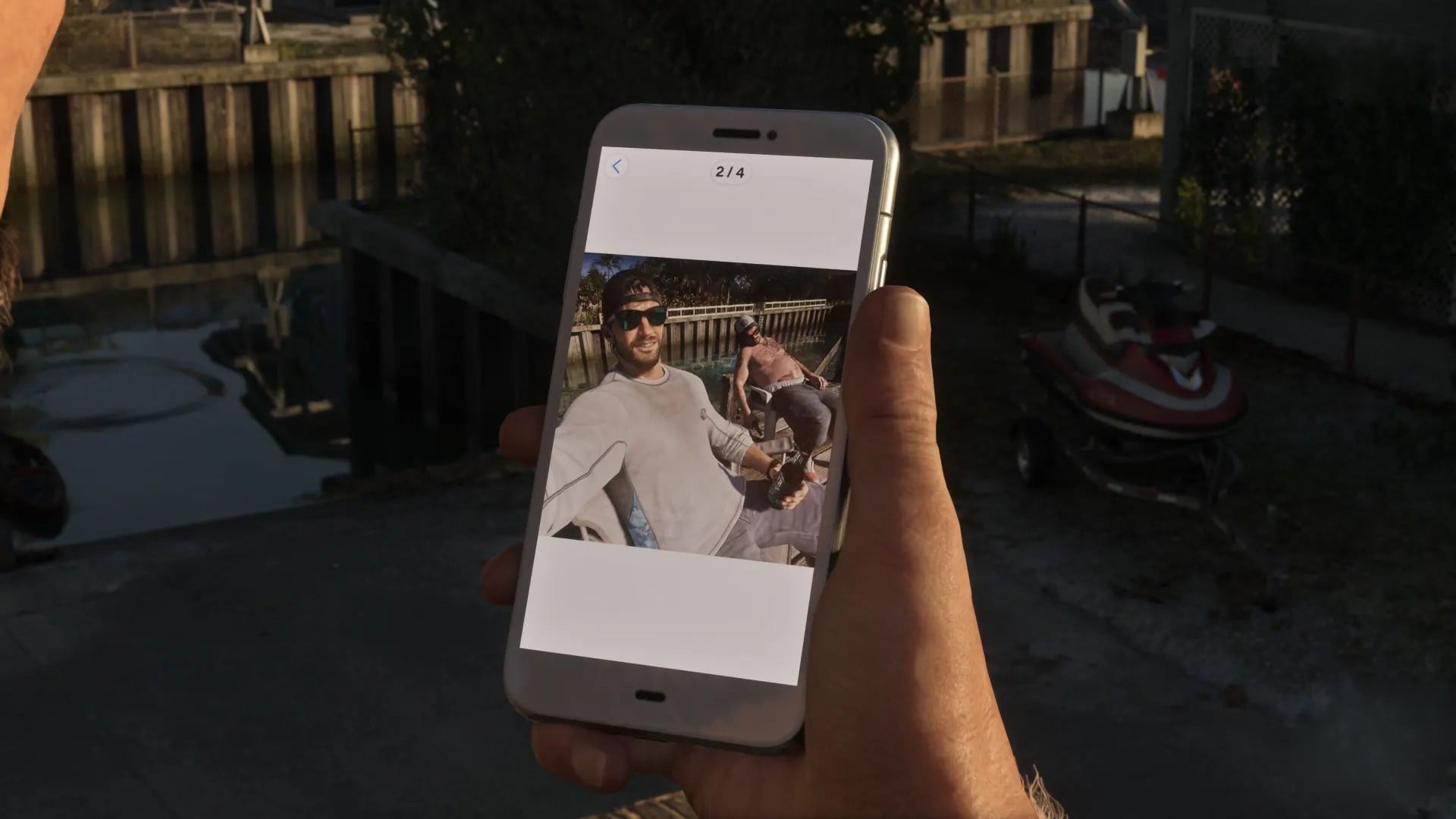
To open the phone in GTA 6, press Up on the D-pad, and the button is the same on PS5 and Xbox Series X|S. Holding Up opens the WAiNK scanner directly, which is useful when you want to check a car before you steal it. You get the phone during the prologue, and new apps appear on it as the story goes on.
The game keeps running while the phone is on screen. You can still use it while flying a plane or riding in a taxi, and those are good moments to read long messages. Notifications collect at the top of the phone in the Reminders area, which shows unread messages, new articles, recent Snapmatic posts, and missed calls.
The way the phone looks on screen can also be changed. In the game’s Settings menu, the Camera tab has a Phone Display option with two choices: Default and First Person. First Person shows the phone from your character’s eyes, and in a vehicle it gives you a first-person driving view.
GTA 6 Phone Apps
The Grand Theft Auto 6 phone apps cover messaging, travel, banking, fitness, and social media, and most of them are available from the start of the game. Others unlock as you progress through the main story, and the table below lists every app, what it does, and when you get it:
| App | What It Does | How to Unlock |
|---|---|---|
| WhatUp | Text messages with photos and map coordinates | Start of the game |
| RydeMe | Ride-hailing and paid fast travel | “Buck Me!” mission, Chapter 1 |
| Scooter Bros | Delivers your vehicle to a set destination | Moses’ quest, Chapter 2 |
| BuckMe | Checking and savings accounts, ATM finder | “Buck Me!” mission, Chapter 1 |
| WAiNK | Scans vehicles, landmarks, and collectibles | Start of the game |
| Fitness | Tracks hunger, workouts, and Focus | Start of the game |
| Snapmatic | Social media feed | Start of the game |
| Vice City Real Estate | Sells garages with extra parking spots | Steal the ’82 Crawler for Moses, Chapter 2 |
| Contacts | Phone calls, Paradise Taxi, Joey | Start of the game |
| Camera | Photos and selfies | Start of the game |
| Gallery | Your photos and photos sent to you | Start of the game |
| News | Leonida news stories | Start of the game |
| Weather | Two-day forecast and sunset time | Start of the game |
| Settings | Wallpaper, ringtone, and plugins | Start of the game, plugins through the story |
Four of these apps depend on how far you are in the story, so all four story apps are on the phone once you reach Chapter 2. Want every app without playing through the early chapters yourself? Our GTA 6 Campaign boost has a PRO play every main mission of Jason and Lucia’s story on your account.
GTA 6 WhatUp App
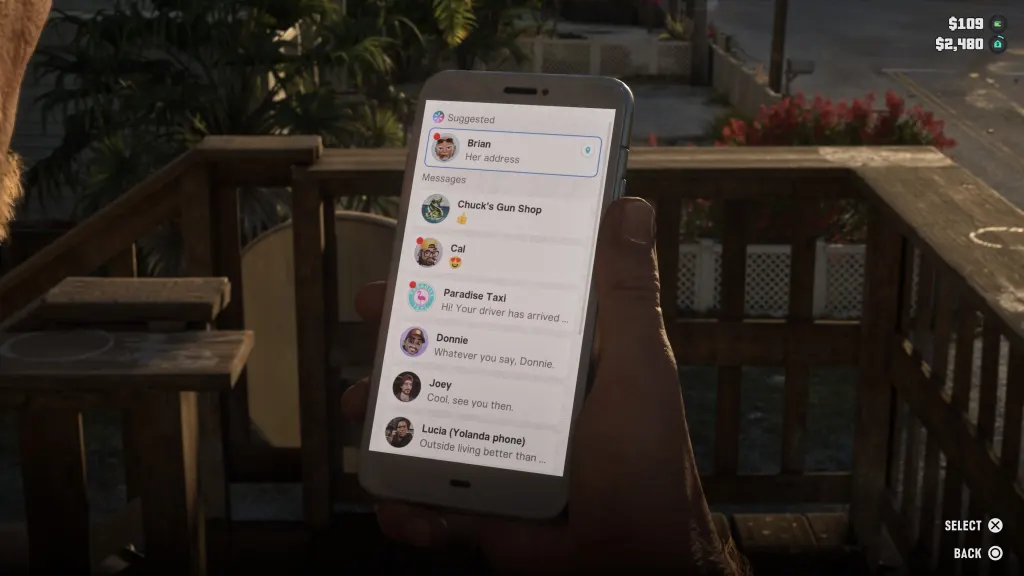
WhatUp is the GTA 6 messaging app, and most of your conversations with contacts take place in it. A red dot marks unread messages. Contacts can attach photos and map coordinates, and your map updates with every new location they send, so WhatUp is the first place to check when you are looking for the next job.
GTA 6 RydeMe App
The GTA 6 RydeMe app is a ride-hailing service that also works as paid fast travel. It unlocks in the “Buck Me!” main mission, shortly after Lucia comes home in Chapter 1. The fare depends on distance and is charged to your bank account. You can find the booking steps in the taxi section below.
GTA 6 Scooter Bros App
Scooter Bros in GTA 6 delivers one of your vehicles to the destination you set, which helps when your car is parked on the other side of the map. You unlock it by completing Moses’ quest in Chapter 2. Each delivery costs a flat fee plus a distance fee, and the price also goes up if the vehicle is damaged.
GTA 6 BuckMe App
BuckMe is the Grand Theft Auto VI banking app, with an individual checking account for payments and a savings account. The Family Savings account is linked to your main mission progress, and you cannot withdraw money from it. BuckMe unlocks in the same “Buck Me!” mission as RydeMe.
Cash goes into the bank only through an ATM, and the app has an ATM finder that marks the nearest one on your map. It is worth depositing money often, because getting Busted or Wasted costs you all your Pocket Cash plus a small fee from your checking account.
Read about the best income sources in our How to Make Money in GTA 6 guide.
GTA 6 WAiNK App
The GTA 6 WAiNK app is a scanner for vehicles and for landmarks, and you can open it by holding Up on the D-pad. Point the phone at a car and hold R1 on PS5 or RB on Xbox to scan it. The scan shows the vehicle type, its stats and condition, and whether it has an alarm or a tracker.
WAiNK also scans landmarks, locations, and sculptures, and these scans count toward collections and 100% completion. A notification appears when something you can scan is nearby. Scanning all space debris with WAiNK also unlocks the Powdered Sugar screen filter cheat.
By the way, collections are one of the longest parts of a 100% run. Our GTA 6 Trophies boost has a PRO earn every trophy on your account, including the Platinum.
GTA 6 Fitness App
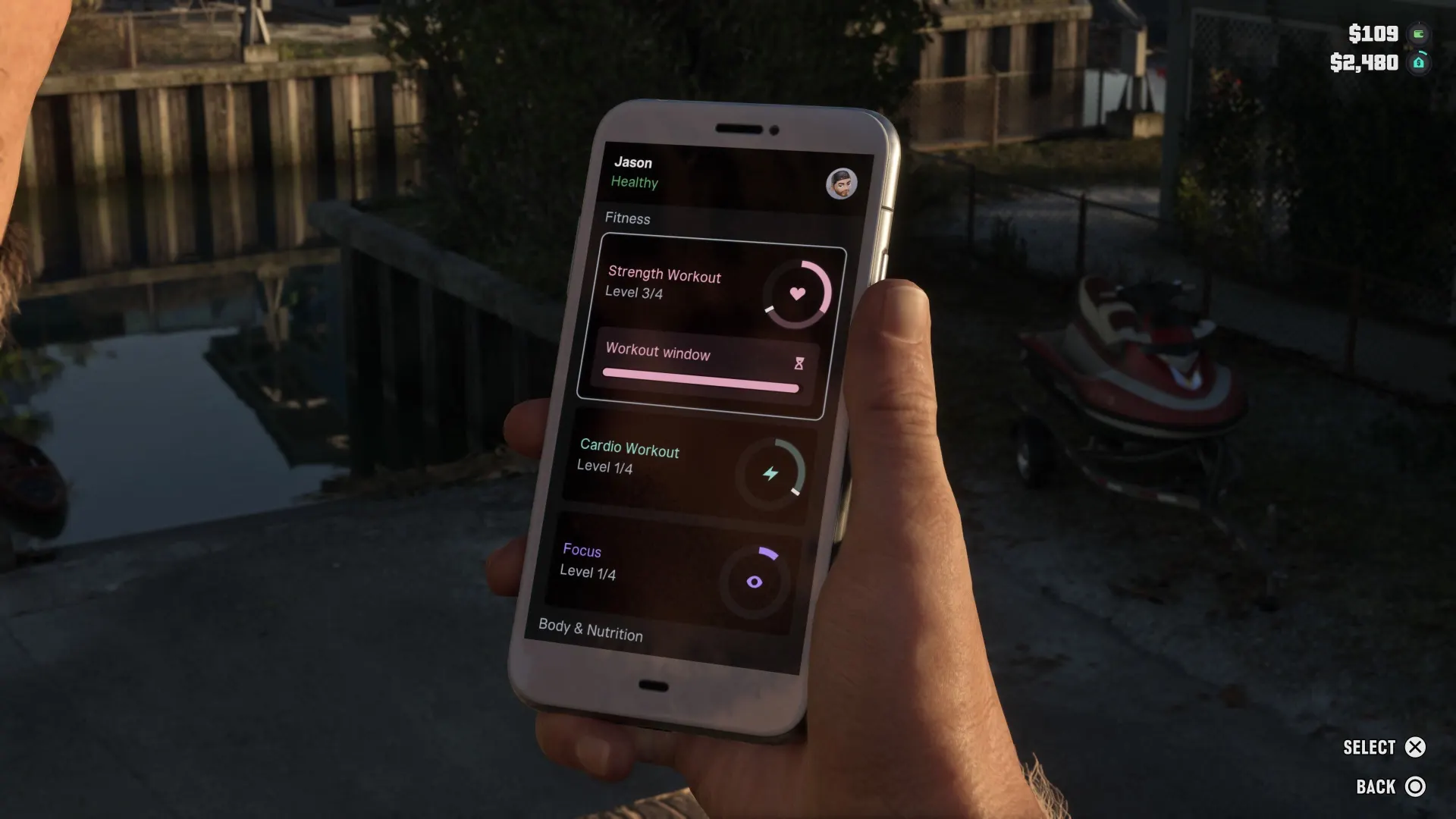
The Grand Theft Auto 6 Fitness app tracks your character’s hunger, workout window, and Focus Level. Strength, cardio, and focus levels raise your health, stamina, and Focus, while missing the workout window can lower your level, and you lose the gains. Meditation, fishing, and basketball are the activities that improve Focus.
GTA 6 Snapmatic App
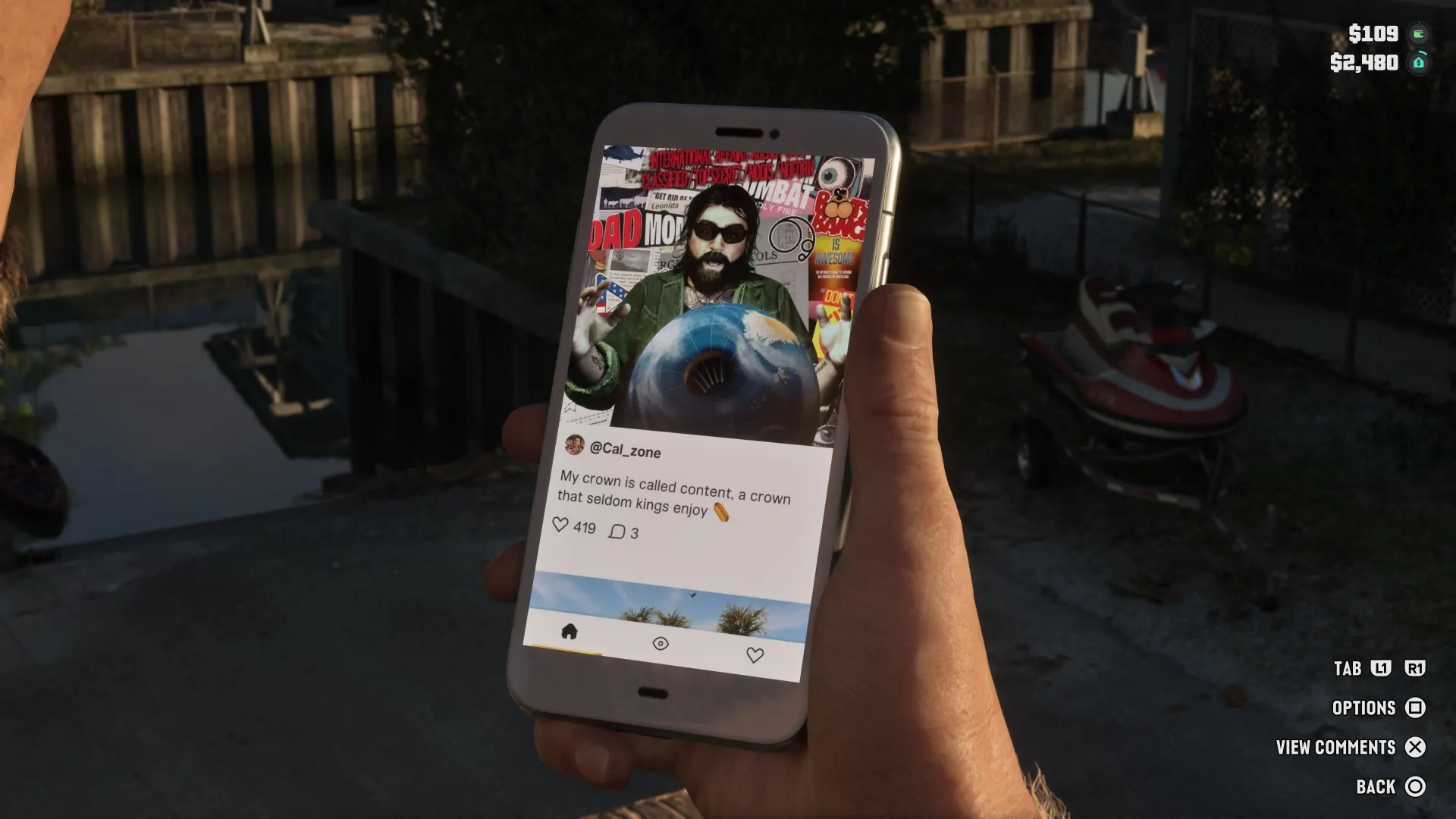
Snapmatic in GTA 6 is a social media feed with posts from people you know, viral videos, comments, and likes. It has little practical use for your progress, and recent posts also show up in Reminders.
GTA 6 Vice City Real Estate App
The Vice City Real Estate app in GTA 6 sells garages, which give you more parking spots for your vehicles. It unlocks after Moses’ first quest in Chapter 2, when you steal the ’82 Crawler for him. You cannot buy your own home through the app.
GTA 6 Contacts
GTA 6 Contacts lets you call almost everyone you have met in the story. Random calls usually go to voicemail, since most communication happens through WhatUp. The list also includes two service numbers, Paradise Taxi and Joey, which you can find in the sections on taxis and getting your car back.
GTA 6 Standard Phone Apps
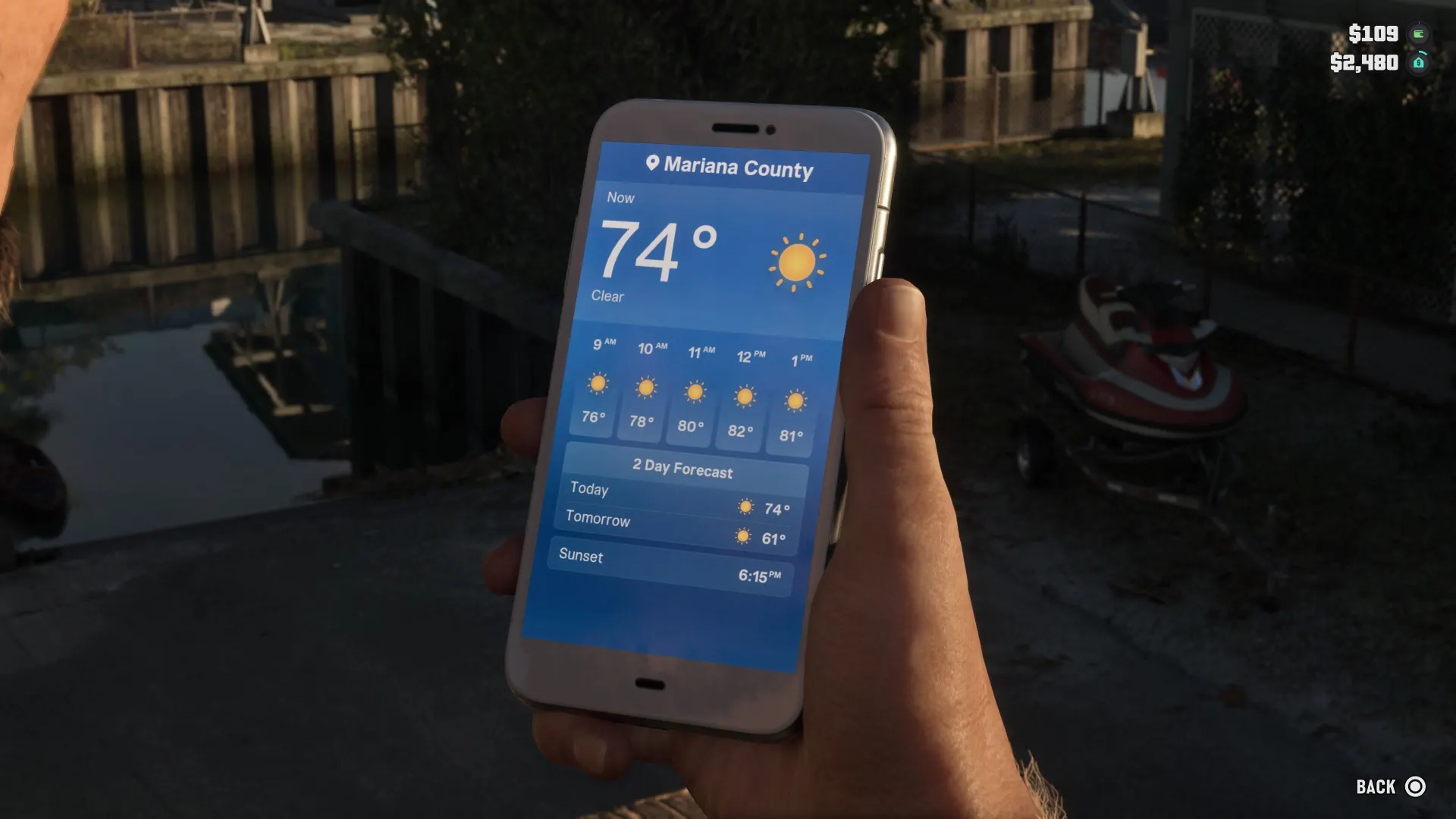
The standard GTA 6 phone apps are available from the first hours of the game. Here’s what each of them does:
- Camera: it takes photos with the rear camera and selfies with the front one, and you can send a selfie to your partner.
- Gallery: your own photos are stored together with the ones sent to you, and some of them are part of a mission.
- News: the red app collects stories from The Leonida Journal, Weazel News, Vice City Horn, and other outlets, and it reports on crimes you took part in.
- Weather: a two-day forecast with the sunset time helps you plan fishing trips.
How to Call a Taxi in GTA 6
To call a taxi in GTA 6, book a ride in the RydeMe app or phone Paradise Taxi from your Contacts. RydeMe is available once you finish the “Buck Me!” mission. Follow these steps to book a ride:
- Press Up on the D-pad and open RydeMe.
- Select Book Ryde.
- Choose Change Destination and place a pin on the map.
- Get into the car when the driver arrives.
The fare depends on the distance and is paid from your bank account. During the ride, you can talk to the driver to speed up the trip or skip it entirely, which makes RydeMe a form of fast travel. Paradise Taxi works through a regular phone call and takes the fare from your Pocket Cash.
How to Get Your Car Back in GTA 6
There are two ways to get your car back in Grand Theft Auto 6, and both of them work through the phone. You can choose between these two services:
- Scooter Bros: the app delivers your vehicle to the destination you set, and the delivery costs more if the car is damaged.
- Joey: this contact repairs your personal vehicle and brings it to you after a call.
Scooter Bros becomes available only after Moses’ quest in Chapter 2. Both services are helpful when you leave your car behind after a chase or a mission, since you do not have to walk back for it.
Find out which cars to keep in your garages in our GTA 6 Vehicles Guide.
GTA 6 Phone Settings
The GTA VI phone settings let you change the wallpaper and ringtone and turn on the plugins you unlock during the story. To change anything, open the Settings app on the phone and pick an option from its list. The list below shows what you can change:
- Wallpapers: you can choose from 25 options for the phone background.
- Ringtones: there are 11 to choose from, and each one comes with its own vibration pattern. On PS5, the ringtone plays through the DualSense speaker.
- Cop Scanner: this third-party plugin unlocks in an early Chapter 1 mission and gives you police dispatch messages about what has been reported and where you are heading.
- Key Cloner: it is a second third-party plugin that unlocks through the story as well.
Learn how the police scanner helps you escape a chase in our GTA 6 Wanted Level Guide.
GTA 6 Phone Cheats
Grand Theft Auto 6 phone cheats are D-pad codes that you enter on the phone, and there are no phone numbers to dial as in GTA 5. Cheats work only after you finish the main story, and every code unlocks through its own condition. Progress you make before the credits counts toward these conditions, so a few codes may already be open when the Cheats menu appears. Here’s how to enter a cheat:
- Finish the main story to unlock the Cheats menu at the end of the Progression tab on the map.
- Meet the unlock condition of a cheat, and its code replaces the condition in the menu.
- Press Up on the D-pad to open the phone.
- On the home screen, hold L1 and R1 on PS5 or LB and RB on Xbox.
- Enter the code on the D-pad while you hold the buttons.
⚠️ Activating a cheat disables saving for the rest of the session and turns off achievements and trophies, so save the game before you use one.
The table below lists the GTA 6 cheat codes that are currently confirmed:
| Cheat | Effect | Code | Unlock Condition |
|---|---|---|---|
| $250,000 | Gives you $250,000 | Up, Right, Down, Left, Up, Left, Down, Right | TBA |
| Drunk | Makes you and your partner drunk | Up, Left, Right, Up, Up, Left, Right, Up, Left, Right | Spend $2,500 on alcohol |
| Raise Heat Level | Raises your Heat across the map | Left, Down, Right, Down, Up, Down, Up | Lose a 3-star wanted level 25 times |
| Max Ammo | Fills all ammo to maximum | Down, Up, Right, Down, Left, Left, Up, Up, Down, Left | Win 25 bronze medals or higher at shooting ranges |
| Attack Force | Bullets and melee attacks launch targets | Down, Up, Left, Left, Right, Down, Down, Up, Down | TBA |
| Exploding Balls | Sports balls explode on impact | Down, Up, Left, Left, Right, Down, Down, Up, Right | TBA |
| MTL Pumper | Spawns an MTL Pumper | Left, Up, Right, Down, Left, Right, Right, Up | Discover the MTL Pumper in the Progress menu |
| HVY Bulldozer | Spawns an HVY Bulldozer | Left, Up, Right, Down, Left, Right, Right, Down | Discover the HVY Bulldozer in the Progress menu |
| Cataclysm | Fills the world with murky smoke | Down, Down, Up, Right, Right, Up, Left, Left, Right, Right | Discover Martha’s Vamos in the Progress menu |
| Dollhouse | Vivid filter with a narrow aspect ratio | Down, Down, Up, Right, Right, Up, Left, Left, Down, Right | Spend 8 hours with your partner |
GTA 6 Phone Tips
These GTA 6 phone tips help you save time and money with the apps you use most. Keep them in mind from the first chapter:
- Safe moments: the phone does not pause the game, so park the car or get into cover before you read a long message.
- Bank deposits: the BuckMe ATM finder shows the closest machine, and most of your money stays safe in the bank when you get Busted or Wasted.
- Vehicle scans: a quick WAiNK scan shows an alarm or a tracker before you steal a car.
- Long trips: RydeMe lets you skip the ride once you are in the car.
- Workout window: the Fitness app shows when to train next, and skipping it can lower your stats.
- Fishing plans: the Weather app gives the forecast and sunset time for the next two days.
GTA 6 Phone FAQ
This FAQ covers the most common questions about the GTA 6 phone, from controls and apps to cheats and settings.
How Do You Open the Phone in GTA 6?
You open the phone in GTA 6 by pressing Up on the D-pad on both PS5 and Xbox Series X|S. Holding Up opens the WAiNK scanner.
Does the Phone Pause the Game?
No, the phone does not pause the game in GTA 6. Traffic, enemies, and the police keep moving while you use it, so it’s better to check messages when you are safe.
What Apps Are on the GTA 6 Phone?
The apps on the Grand Theft Auto 6 phone are WhatUp, RydeMe, Scooter Bros, BuckMe, WAiNK, Fitness, Snapmatic, Vice City Real Estate, Contacts, Camera, Gallery, News, Weather, and Settings. RydeMe, BuckMe, Scooter Bros, and Vice City Real Estate unlock through the story.
Are There Phone Number Cheats in GTA 6?
No, there are no phone number cheats in GTA 6. Cheats are D-pad codes entered on the phone while you hold L1 and R1 or LB and RB, and they work only after you finish the main story.
How Do You Unlock Scooter Bros?
You unlock Scooter Bros in GTA 6 by completing Moses’ quest in Chapter 2. After that, the app delivers your vehicle anywhere you set for a flat fee plus a distance fee.
How Do You Change Your Ringtone in GTA 6?
To change your ringtone in GTA 6, open the Settings app on the phone and choose one of the 11 ringtones. The same app also has 25 wallpapers.
Can You Buy a House in Grand Theft Auto 6?
No, you cannot buy a house in GTA 6. The Vice City Real Estate app sells only garages, which add parking spots for your vehicles.
4.9Learning how to use the phone in GTA 6 early is very helpful in every chapter, because travel, banking, and vehicle delivery all run through the apps. The “Buck Me!” mission in Chapter 1 unlocks both RydeMe and BuckMe, so it is the first mission to finish for the phone. After that, deposit your cash through BuckMe, since most of your money stays safe in the bank when you get Busted or Wasted, and use RydeMe to skip long drives.
