In this guide, we will take a look at the best settings for Dune Awakening. We will go over both display and graphic settings and provide settings that will strike a perfect balance between visual fidelity and performance for most players. We will also go over optimal settings for players who want to squeeze every last bit of performance out of this game.
 4.9
4.9Dune Awakening System Requirements
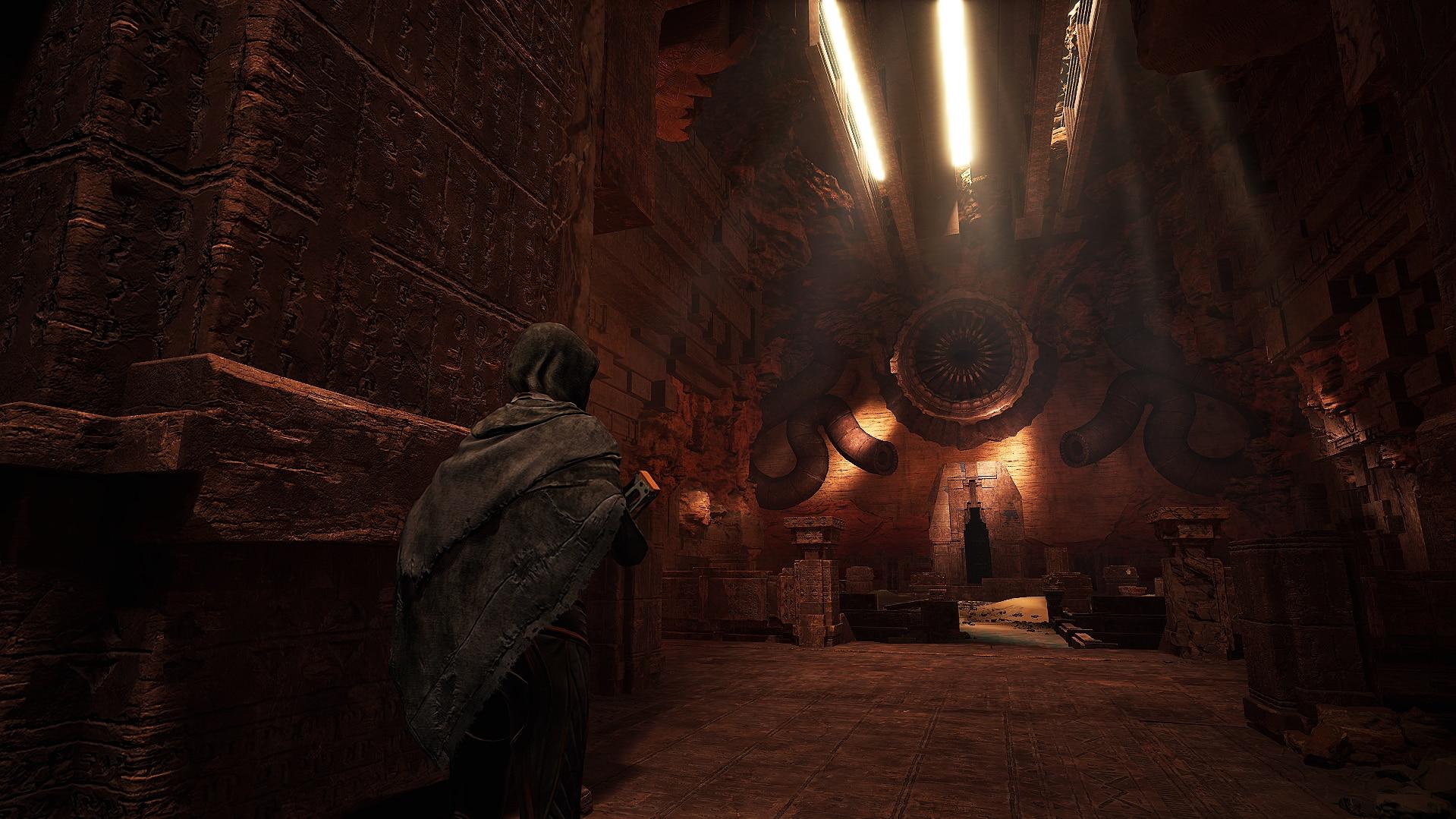
Before starting to optimize Dune Awakening settings, players will first need to make sure their PC meets the system requirements. Here we have listed both recommended and minimum requirements for running this game.
If you need help with settings or farming in Dune Awakening, reach out to us. Our Pro Players will quickly and easily help you set up the game or farm any resource you want.
Recommended System Requirements for Dune Awakening
In order to run this game at the highest possible settings, players will need a configuration that matches or exceeds the following specs:
| Operating System | Windows 10 64-bit (or newer) |
|---|---|
| CPU | Intel Core i7-10700K / AMD Ryzen 5 2600X and above |
| RAM | 16 GB |
| GPU | NVIDIA GeForce RTX 3070 (8 GB) / AMD Radeon 6700XT (12 GB) and above |
| Storage | 75+ GB |
This game requires an SSD and will not perform well if installed on a hard drive.
Minimum System Requirements for Dune Awakening
The bare minimum hardware needed to launch the game and experience a playable framerate has to meet the following specs:
| Operating System | Windows 10 64-bit (or newer) |
|---|---|
| CPU | Intel Core i5-7400 / AMD Ryzen 3 1200 and above |
| RAM | 16 GB |
| GPU | NVIDIA GeForce GTX 1060 (6 GB) / AMD Radeon 5600XT (6 GB) and above |
| Storage | 60+ GB |
Even for the lowest settings, players might still need an SSD to ensure optimal performance.
After checking the system requirements, you can compare them to your hardware to get a better idea about which settings you might want to adjust. The settings in this game are split into two categories: Display and Graphics.
We will go over all of them and provide you with the best settings for Dune Awakening when it comes to image quality, as well as the optimal settings suited for players who want to achieve maximum performance.
Dune Awakening Best Display Settings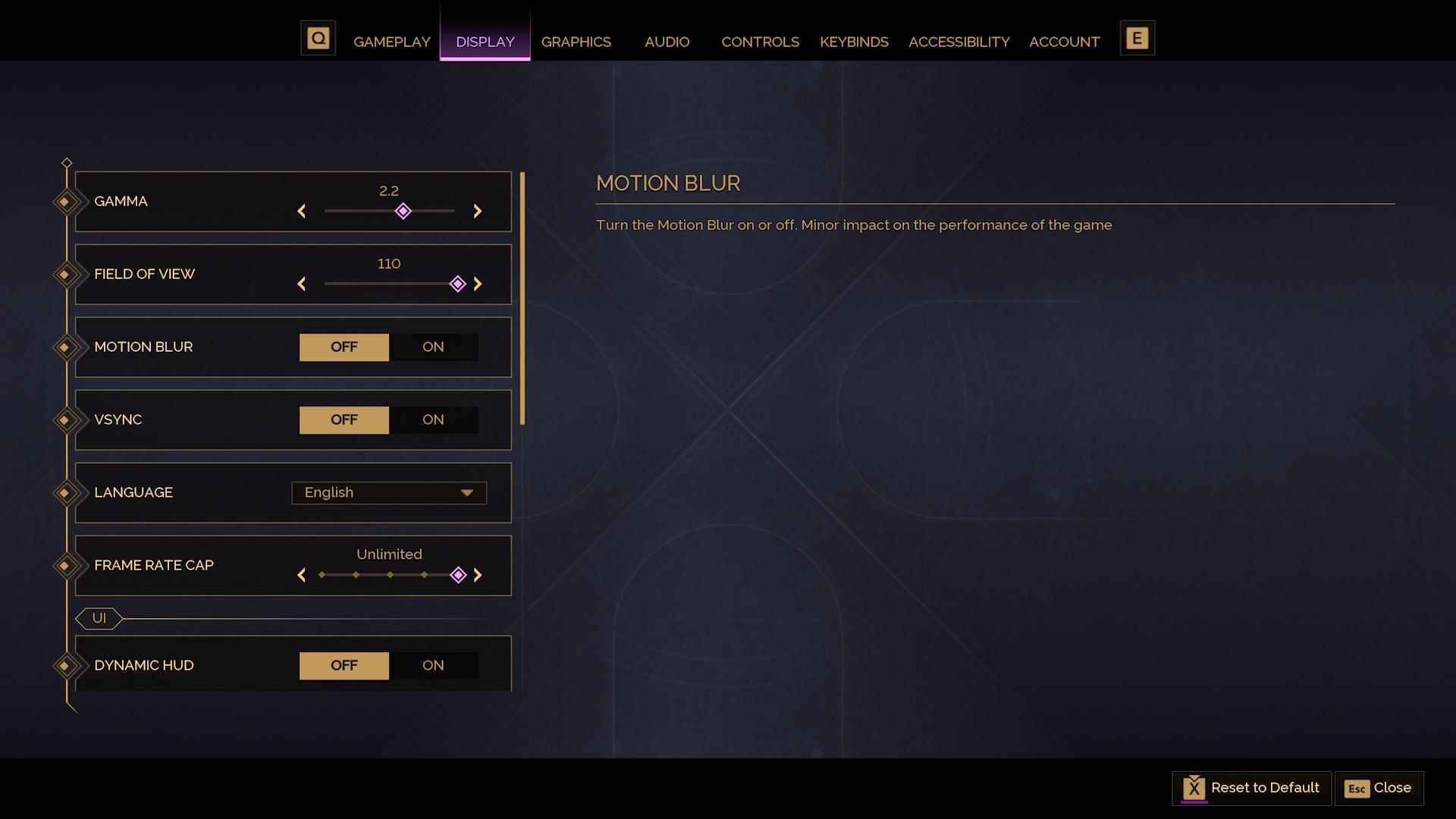

The best settings for Dune Awakening include values that will provide the best experience while keeping a steady framerate. In this section, we will go over the Display tab.
| Setting | Value | Performance Impact | Notes |
|---|---|---|---|
| FOV | 110 | Minor | Set this to your preference, although it might have a performance impact on lower-end systems. |
| Vsync | Off | Minor | Enable this setting if you are experiencing screen tearing. |
| Motion Blur | Off | Minor | You can set this to your preference, as it barely affects the performance. |
| Frame Rate Cap | Your monitor’s refresh rate | None | Set this to either unlimited or your monitor’s refresh rate. |
You might want to enable Motion Blur if your framerate is low, to increase perceived image smoothness.
Dune Awakening Optimal Display Settings
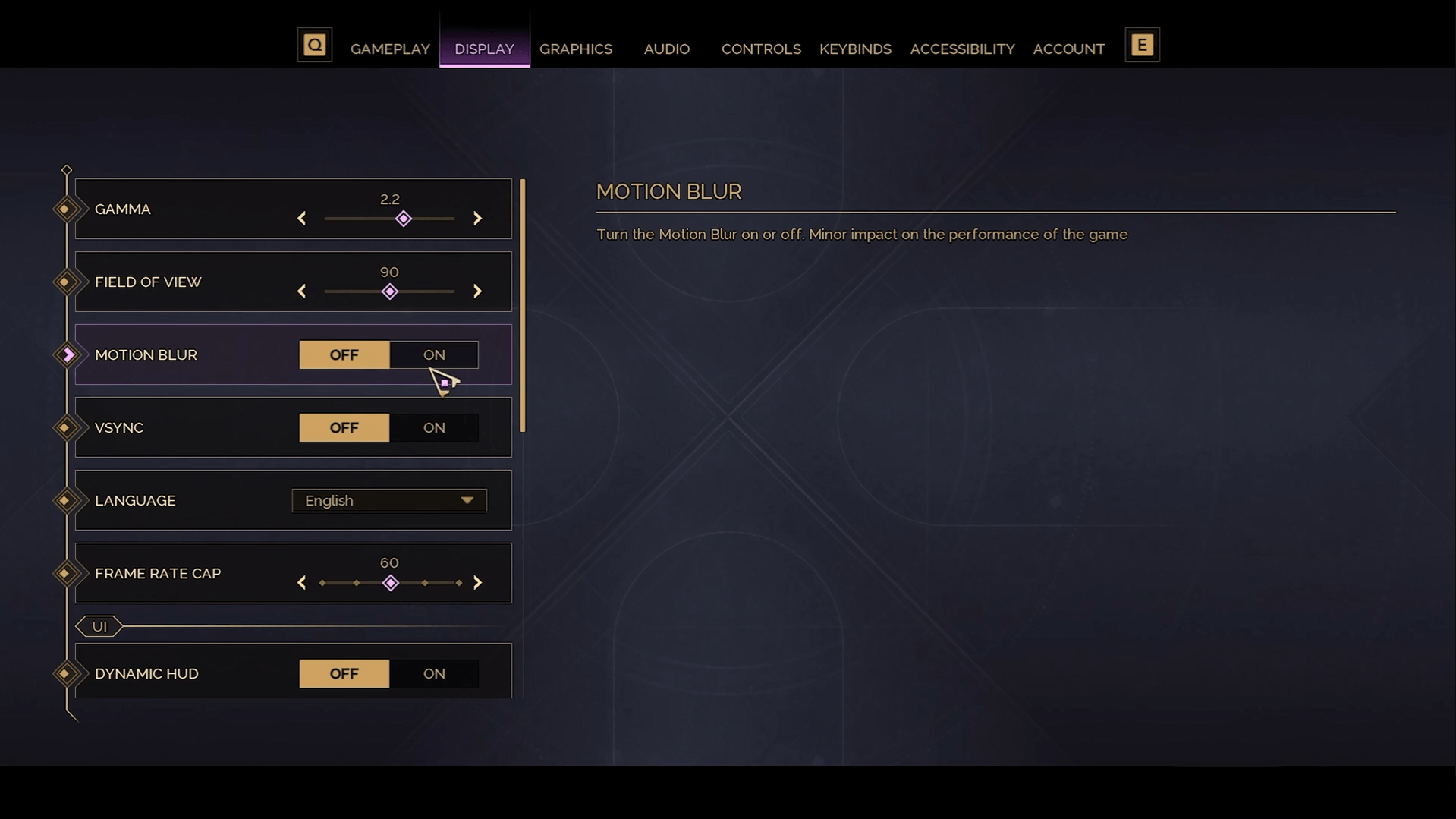
The optimal settings for Dune Awakening prioritize framerate above all, sacrificing some of the image quality. While the game might not look its best with these settings, they provide the highest performance possible in this game.
| Setting | Value | Performance Impact | Notes |
|---|---|---|---|
| FOV | 90 | Minor | Set this to your preference, although it might have a performance impact on lower-end systems. |
| Vsync | Off | Minor | Enable this setting if you are experiencing screen tearing. |
| Motion Blur | Off | Minor | You can set this to your preference, as it barely affects the performance. |
| Frame Rate Cap | Unlimited | None | Set this to either unlimited or your monitor’s refresh rate. |
If you’re using a Variable Refresh Rate monitor, set the Frame Rate Cap to 5–10 FPS below your monitor’s refresh rate. This will ensure the smoothest possible image as the game won’t fall outside of VRR’s range.
Best Graphics Settings for Dune Awakening
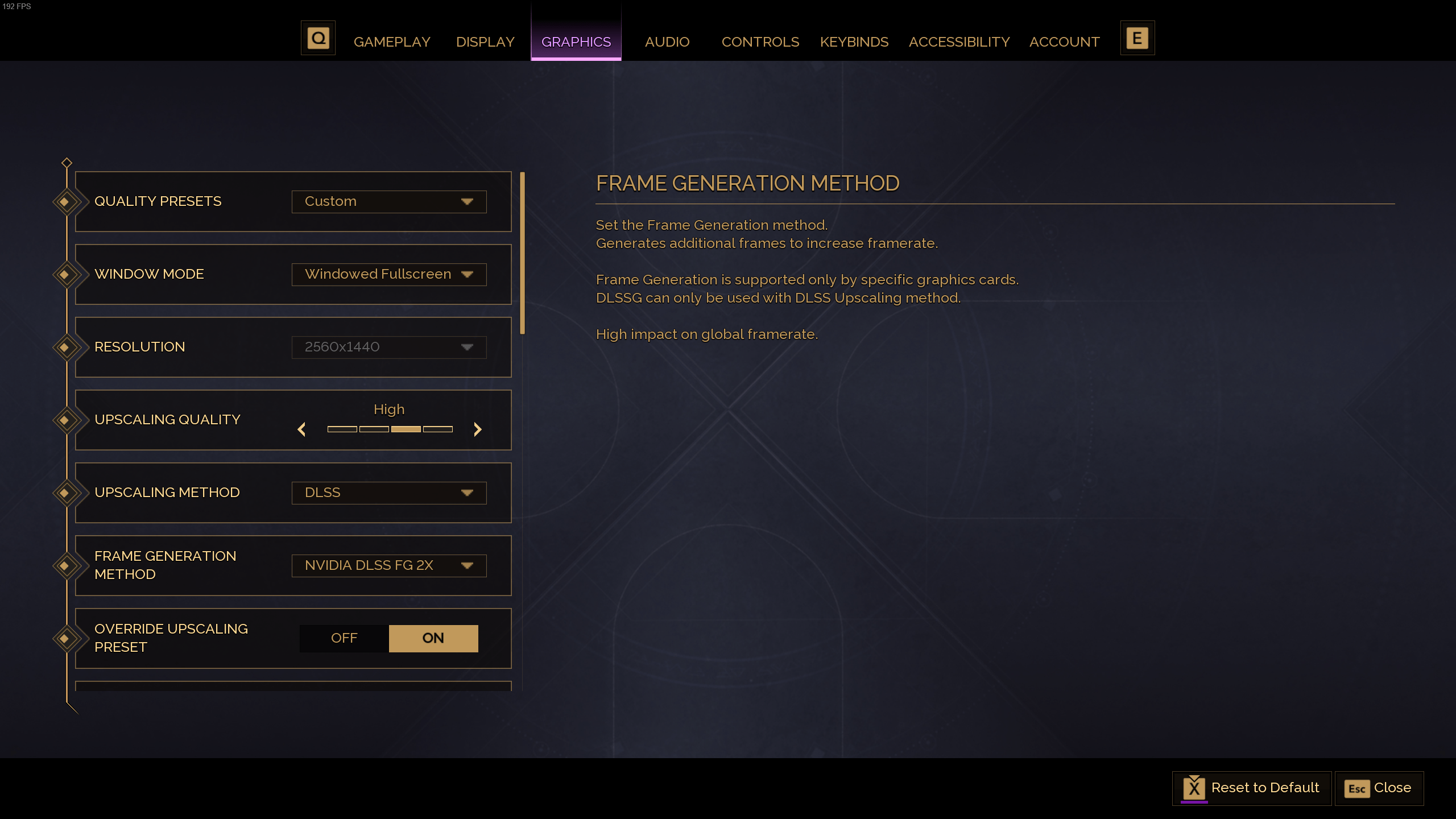
The Graphics tab is where the most important Dune Awakening settings can be found. Here we will provide settings that will ensure the best image quality to performance ratio.
| Setting | Value | Performance Impact | Notes |
|---|---|---|---|
| Window Mode | Windowed Fullscreen | Minor | This setting can be changed to other values for better compatibility on your system. |
| Resolution | Your screen’s resolution | Major | While this setting has a major performance impact, it is recommended to leave it at your monitor’s resolution. |
| Upscaling Quality | High | Major | This setting will determine the internal rendering resolution of the game. Setting this lower can massively boost the performance. |
| Upscaling Method | DLSS (Nvidia) / FSR (AMD) | Moderate | Set this to DLSS if you own an Nvidia GPU and FSR for AMD. DLSS provides higher visual quality. |
| Frame Generation Method | DLSS (Nvidia) / FSR (AMD) x2 | Major | Adds slight input lag in exchange for massive performance gains. Do not enable if your framerate is below 60. |
| Override Upscaling Preset | Off | None | Let in-game upscalers handle resolution scaling. |
| DLSS/ FSR / XESS Upscaling Quality | Quality | Major | Reducing this will lead to better performance with worse image quality. |
| Nvidia Reflex | Enable | Minor | Enabling this setting massively reduces the input latency. |
| Lighting | |||
| Shadows | Medium | Major | High performance impact in exchange for a visible shadow quality difference. |
| Virtual Shadow Maps | Off | Extreme | Only recommended for the highest-end GPUs with 10+ GB of VRAM. |
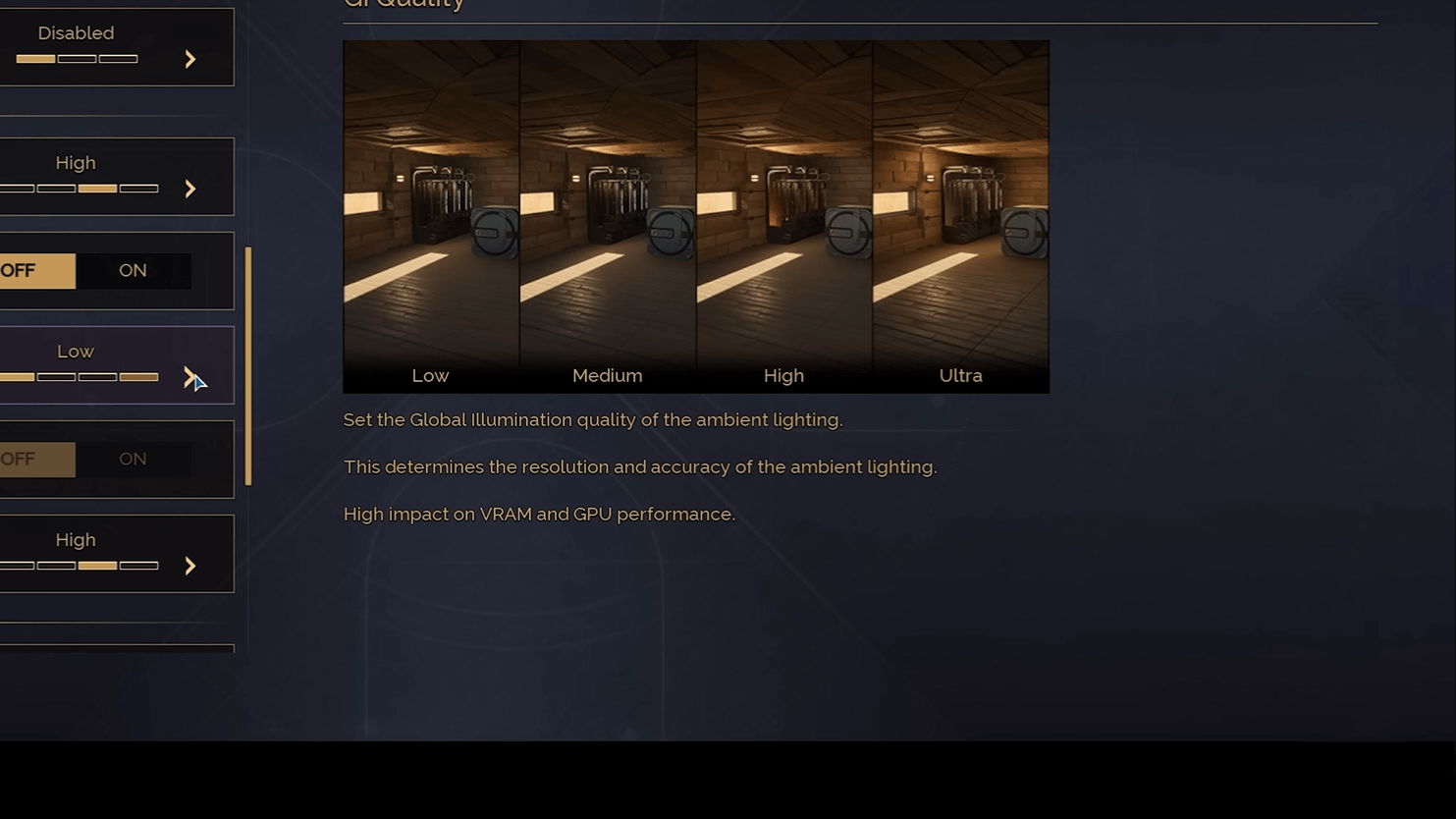
| GI Quality | High | Major | Controls Global Illumination quality and massively affects the visuals. |
| Enable Lumen | On* | Extreme | *Only enable this setting on high-end GPUs. This setting provides a massive boost in visual quality but with an extreme performance impact. |
| Reflections Quality | High | Moderate | Controls the quality of reflections in the game. |
| Quality Details | |||
| View Distance | Ultra | Minor | Max out this setting, as the performance impact is low. |
| Post Processing | Ultra | Minor | Max out this setting, as the performance impact is low. |
| Effects Quality | Ultra | Minor | Max out this setting, as the performance impact is low. |
| Texture Quality | High | Moderate | Adjust this setting according to your available VRAM. |
| Foliage Quality | Medium | Moderate | Controls the quality of vegetation in the game. |
These settings should ensure that you will receive the best visual quality to performance ratio. However, if you are more interested in settings for lower-end machines, here we have prepared a list of Dune Awakening performance settings that will be optimal for the highest framerate.
With our Best Graphics Settings for Dune Awakening, farming gets easier, but unlocking tech like Ornithopters is still slow and time-consuming. Let us handle it for you! We’ll Unlock and Craft Ornithopters for You fast, no stress, no wasted time.
Dune Awakening Optimal Graphics Settings
In this section, we will take a closer look at the optimal graphics settings for players who want to enjoy the highest possible framerate on lower-end hardware. All the notes from the previous section still apply here, so feel free to change settings further with the help of the notes above.
| Setting | Value | Performance Impact |
|---|---|---|
| Window Mode | Windowed Fullscreen | Minor |
| Resolution | Your screen’s resolution | Major |
| Upscaling Quality | Medium | Major |
| Upscaling Method | DLSS (Nvidia) / FSR (AMD) | Moderate |
| Frame Generation Method | DLSS (Nvidia) / FSR (AMD) x2 (Off, if your base framerate is below 60) | Major |
| Override Upscaling Preset | Off | None |
| DLSS/ FSR / XESS Upscaling Quality | Performance for DLSS, Balance for FSR | Major |
| Nvidia Reflex | Enable | Minor |
| Lighting | ||
| Shadows | Low | Major |
| Virtual Shadow Maps | Off | Extreme |
| GI Quality | Low | Major |
| Enable Lumen | Off | Extreme |
| Reflections Quality | Low | Moderate |
| Quality Details | ||
| View Distance | Medium | Minor |
| Post Processing | Medium | Minor |
| Effects Quality | Medium | Minor |
| Texture Quality | Low / Medium (depending on your available VRAM) | Moderate |
| Foliage Quality | Low | Moderate |
With these Dune Awakening performance settings, even lower-powered machines should be able to enjoy a playable framerate in this game.
4.9These are some of the best PC settings for Dune Awakening. Once the game is available on console, we might have some more optimization-related content for you! For all the best settings for Dune Awakening, stay here at Overgear!
