If you’ve ever missed a headshot by a few pixels in Battlefield 6, the Range Finder is your best friend. It tells you exactly how far your target is and adjusts your scope for that distance, no more guessing bullet drop. In this Battlefield 6 Using Range Finder guide, you will know how to unlock, equip, and master it before your next run.
Battlefield 6 Using Range Finder Key Takeaways:
- The Range Finder is a sniper and DMR attachment that lets you calibrate your weapon for precise long-range shots.
- It unlocks with Mastery Rank and fits into the Right Accessory slot for weapons like the M2010 ESR and M39 EMR.
- The Range Finder adjusts your zeroing from 100m to 500m, helping you counter bullet drop effectively.
- It only works with magnified scopes; iron sights and 1x optics do not display range values.
 4.9
4.9How to Use the Range Finder in Battlefield 6
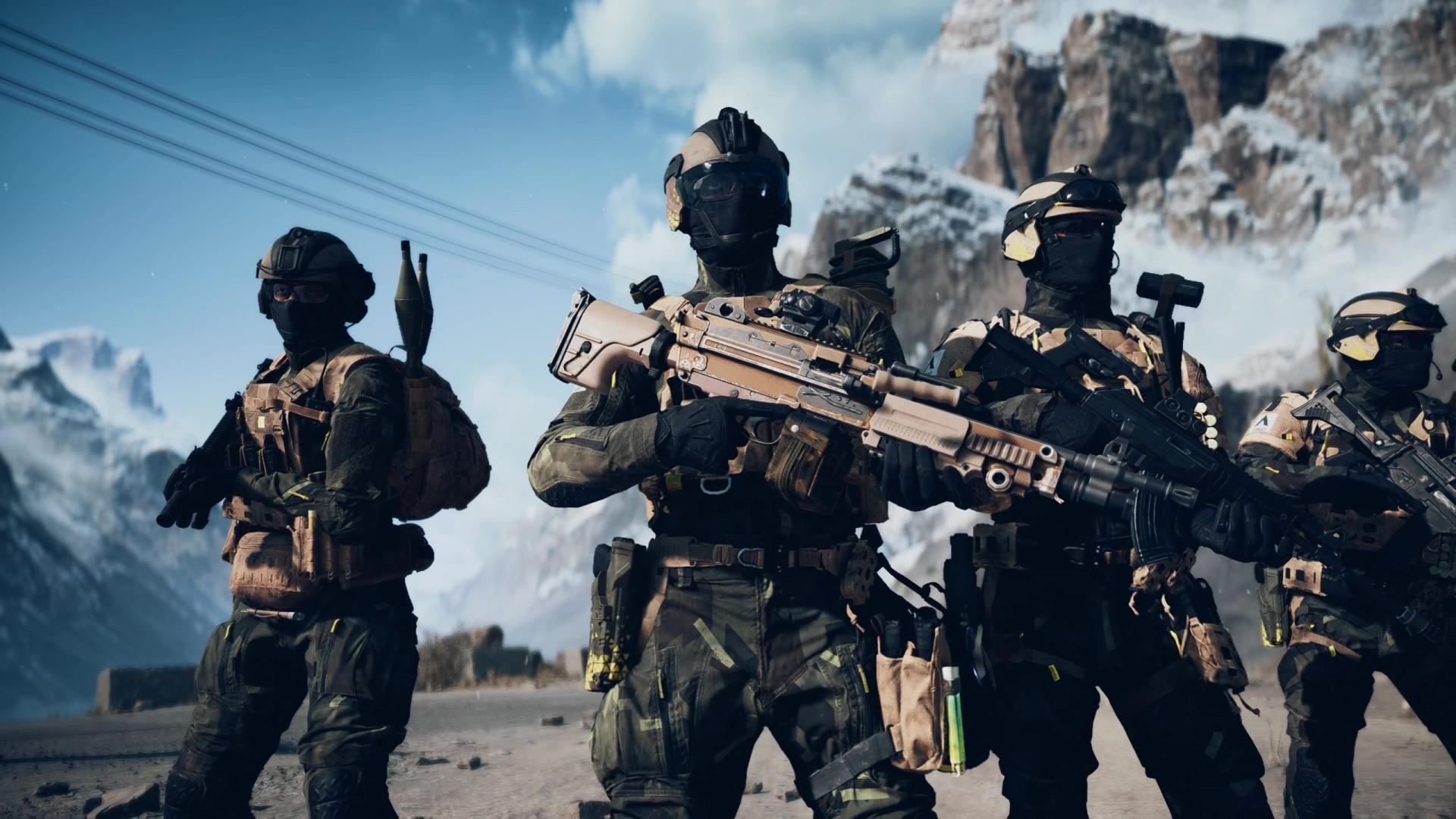
The Range Finder in Battlefield 6 is a sniper rifle and DMR attachment that helps you zero your weapon for precise long-range shots. It’s available in the Right Accessory slot and unlocks once you reach Rank 4 Mastery with a compatible weapon such as the M2010 ESR or M39 EMR. Once equipped, it makes sniping smoother and much more accurate, letting you hit targets without guessing the bullet drop. Once attached, using the Range Finder in Battlefield 6 is simple:
- PC: Hold B
- Console: Press Down on the D-Pad
When aiming through a magnified scope, this calibrates your weapon’s zeroing distance to match your target’s range. You’ll see the distance displayed in the bottom-right corner of the HUD, right above your ammo count, usually starting at 100m. Snipers can’t zero below 100m, but you can increase it up to 500m in 100m steps.
This calibration ensures your bullet lands exactly where you aim, removing the need to compensate for gravity. If your range is set correctly, you can aim straight at your target’s head, no more aiming above it.
Battlefield 6 How to Equip the Range Finder
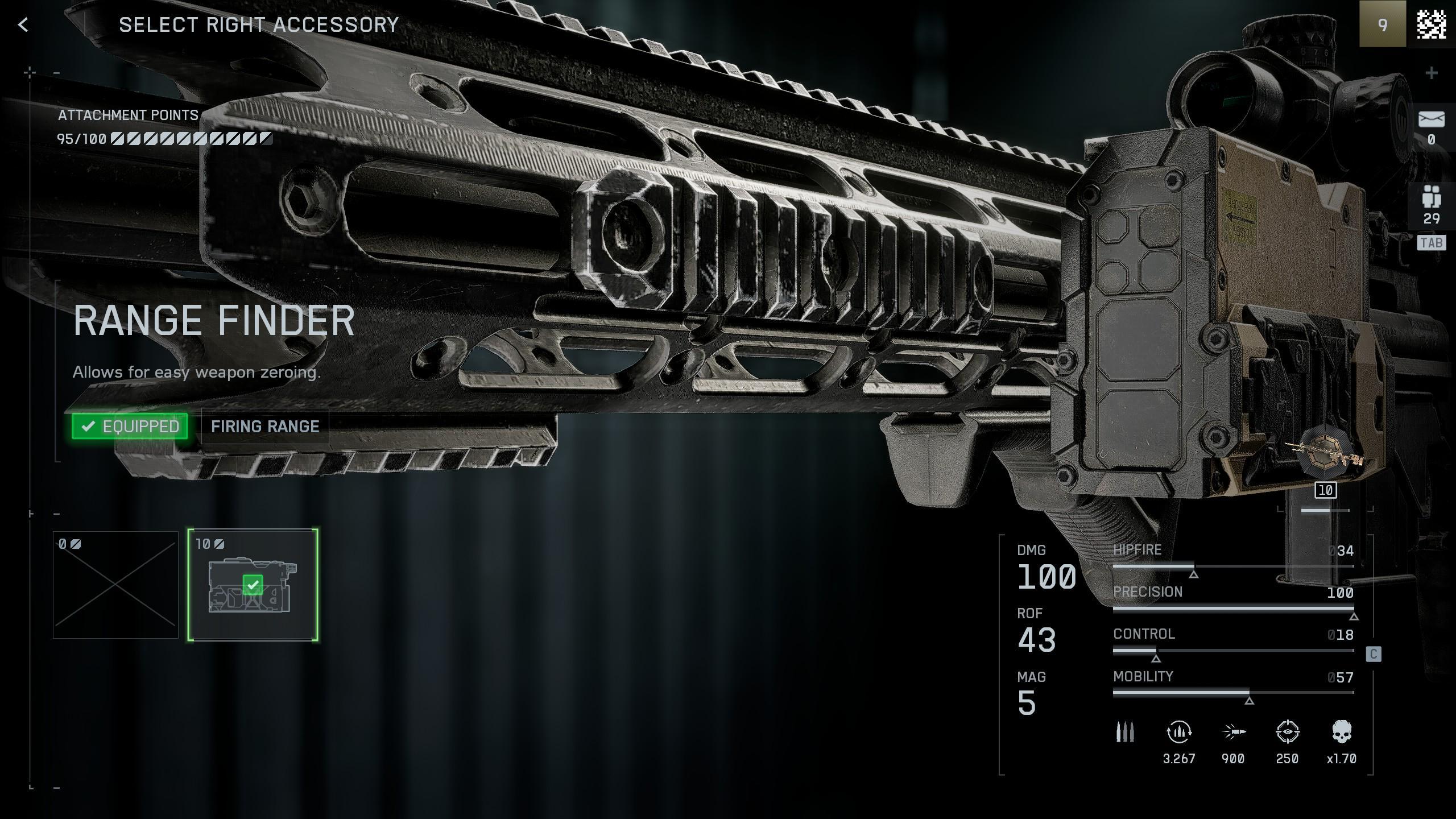
To equip the Range Finder, open your weapon’s customization menu and select the Right Accessory category. You’ll see the Range Finder listed once you’ve unlocked it through Mastery. If you’re still leveling your sniper, consider using a DMR to progress faster. It levels Mastery more quickly and is easier to control for mid-range fights.
The attachment costs 10 Attachment Points, so plan your setup carefully if you’re saving points for other upgrades.
If you don’t want to spend hours leveling your weapons, reach out to us, and we’ll connect you with skilled Battlefield 6 players who can unlock attachments and Weapon Levels for you. Save your time for what really matters: perfecting your aim and dominating every match.
Battlefield 6 When and Why to Use the Range Finder
The Range Finder slightly assists your aim when scoped in, especially if you’re targeting moving enemies or playing on large, open maps. It doesn’t work like an aimbot; the adjustment is subtle, but it makes hitting follow-up shots much easier.
It’s especially helpful for Recon players in crossplay matches, where mouse-and-keyboard users often dominate long-range duels. It also works on vehicles and objectives, making it useful for calculating rocket or shell drop distance.
For the Range Finder to function, your weapon must have a magnified optic. Iron sights and 1x scopes don’t support zeroing.
Battlefield 6 Sniping Without the Range Finder
If you haven’t unlocked the attachment yet, you can still adjust your sniper’s zeroing manually. Ping the target location to check the distance (it’ll show in meters), then press B or Down on the D-Pad to calibrate your weapon by 100m increments. It’s slightly slower and less precise, but saves you Attachment Points for other gear.
Battlefield 6 Tips for Using the Range Finder Effectively
Getting the most out of the Range Finder takes a bit of practice. While the attachment makes aiming easier, it’s only as good as the player behind it. The tips below will help you calibrate faster, land cleaner shots, and make every bullet count.
- Re-zero often. Adjust your range as you move across the map — 100m shots won’t land correctly at 400m.
- Pair it with spotting. Use the ping or Q/LB/L1 buttons to mark enemies, then measure the range before shooting.
- Practice on stationary targets. Test bullet drop and zeroing speed before entering live matches.
- Use with high-zoom optics. The Range Finder’s precision shines most with 6x–12x scopes.
- DMRs benefit too. Even without one-shot potential, accurate zeroing keeps your burst fire tight and reliable.
If you want to get even better at long-range combat and be truly masterful, our team can help. Join our Battlefield 6 Coaching program and train with experienced players who’ll teach you everything from perfect scope zeroing to reading enemy movement.
Battlefield 6 Using Range Finder FAQ
The Range Finder in Battlefield 6 is one of the most misunderstood sniper attachments. Players often unlock it early but aren’t sure how it actually works. This FAQ covers the most common questions, from how to equip and calibrate it to what weapons benefit the most.
How Do You Use the Range Finder in Battlefield 6?
To use the Range Finder, aim down sights and press B on PC or Down on the D-Pad on consoles. Your weapon will automatically calibrate to the distance you’re aiming at, and the value will appear above your ammo counter. This ensures your shots hit exactly where you aim.
How Do You Unlock the Range Finder in Battlefield 6?
The Range Finder unlocks at Rank 4 Mastery for compatible rifles like the M2010 ESR and M39 EMR. Keep using your sniper or DMR to earn kills and complete weapon challenges. Once you hit Rank 4, you can equip the attachment in the Right Accessory slot.
Does the Range Finder Work Without a Scope in Battlefield 6?
No. The Range Finder only functions when your weapon has a magnified scope equipped. Iron sights or 1x optics don’t support zeroing, so the distance calibration won’t appear.
Can You Use the Range Finder on All Weapons in Battlefield 6?
The Range Finder is limited to sniper rifles and DMRs. You can’t equip it on assault rifles or LMGs. These weapons don’t have the bullet drop mechanics that require range calibration.
Does the Range Finder Adjust Aim Automatically in Battlefield 6?
Not entirely. It slightly assists your aim by centering your shot on the target’s body when scoped in, but it’s not an aimbot. It simply fine-tunes your aim to match the correct zeroing distance.
Can You Zero Your Weapon Without the Range Finder in Battlefield 6?
Yes. You can still manually zero your rifle by pinging the target to see its distance, then pressing B or Down on the D-Pad to adjust your zeroing in 100-meter increments. It’s less precise but works until you unlock the attachment.
4.9After trying everything covered in Battlefield 6 Using Range Finder, you’ll notice how much easier sniping becomes. No more guessing bullet drop or missing by an inch, just clean, confident hits every time. Master this tool early, and your Recon runs will feel unstoppable.
