The Battlefield 6 Deep Six Event provides players with naval-based challenges, cosmetic rewards, and the Royal Navy Dive Knife. This Battlefield 6 Deep Six Event guide highlights the event dates, contracts, Intel Devices, all 10 challenges to earn rewards, and the final unlock.
Battlefield 6 Deep Six Event Key Takeaways:
- Deep Six runs from September 15 through October 12, 2026, during Season 4: Tidal Strike.
- Contract challenges name Conquest, Escalation, and Battle Royale Quads as eligible modes.
- Complete ten reward challenges to unlock the event’s final Royal Navy Dive Knife reward.
- Several challenges offer separate Multiplayer and REDSEC routes; choose the requirement that suits your preferred mode.
- Battle Royale doubles progress for the specified score, damage, and kills-or-assists challenges.
Battlefield 6 Deep Six Event Dates
Deep Six in Battlefield 6 began on September 15, 2026, when event content was made available at 12:00 UTC. The end date for Battlefield 6 Deep Six is October 12, 2026. This event occurs during the collection event in Season 4: Tidal Strike.
How to Play the Battlefield 6 Deep Six Event
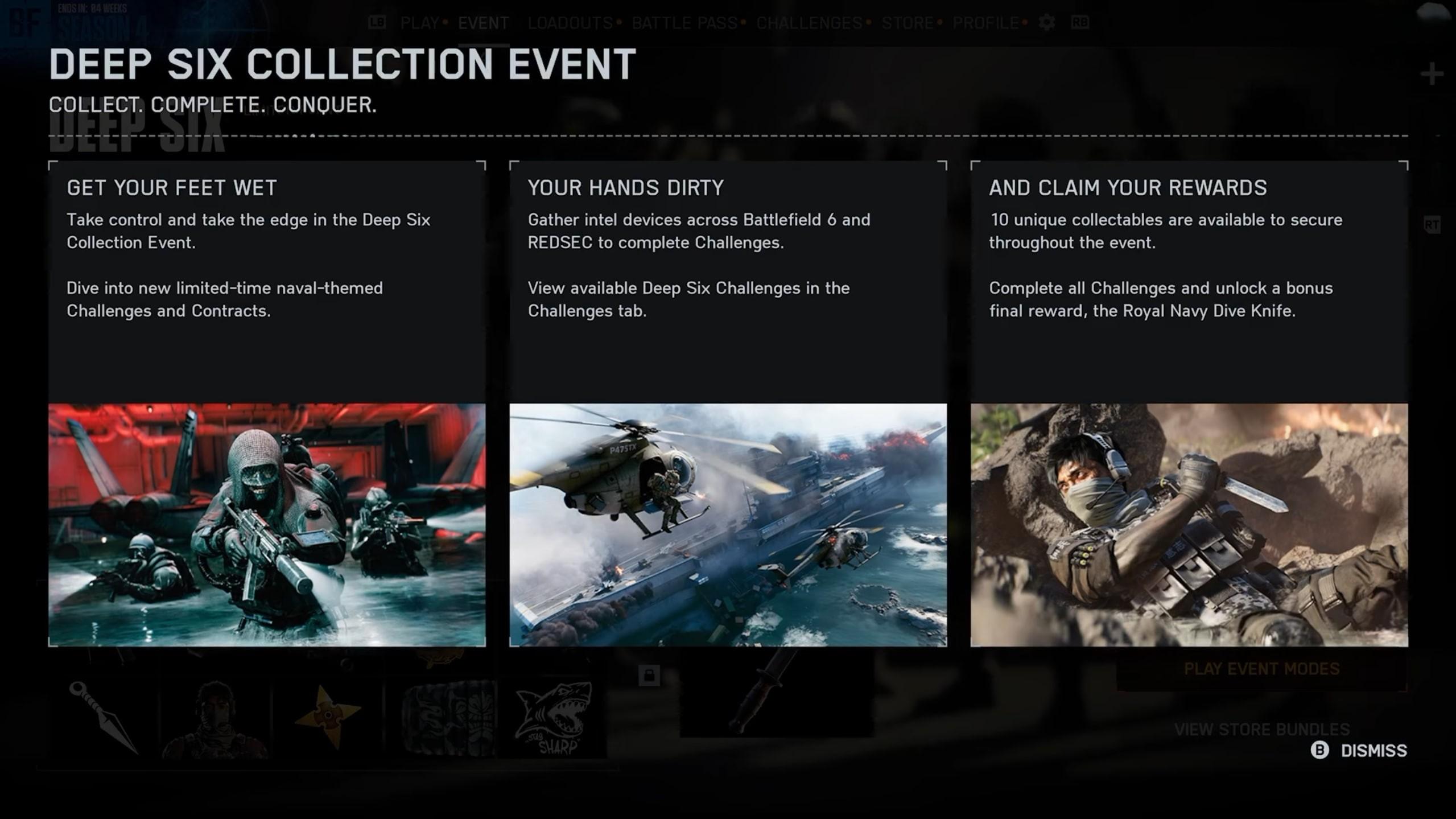
BF6 Deep Six Event can be played by opening the event panel, selecting the required challenge, and picking up the required playlist. You can also locate the Deep Six category under the Challenges menu option. Make sure that you match your queue to the required challenge, particularly when completing contracts. Follow these steps to start the Battlefield 6 Deep Six Collection Event:
- Open the Deep Six event panel from the main menu.
- Check the reward cards or the Deep Six section under Challenges.
- Choose a challenge and read its eligible modes.
- Enter the appropriate Multiplayer or REDSEC playlist.
- Complete its objective, then check your progress after the match.
The Battlefield REDSEC Deep Six Event has substitutes for various Multiplayer objective options. This means you have the choice of going with either classic Battlefield or Battle Royale. The contract missions specify Battle Royale Quads, so make sure to look at that specification before joining.
If REDSEC is your preferred route, our BF6 REDSEC Ranked Progression can help you climb from Rookie to Elite. You can work toward ranked rewards while completing eligible Deep Six objectives.
Battlefield 6 Deep Six Event Playable Modes
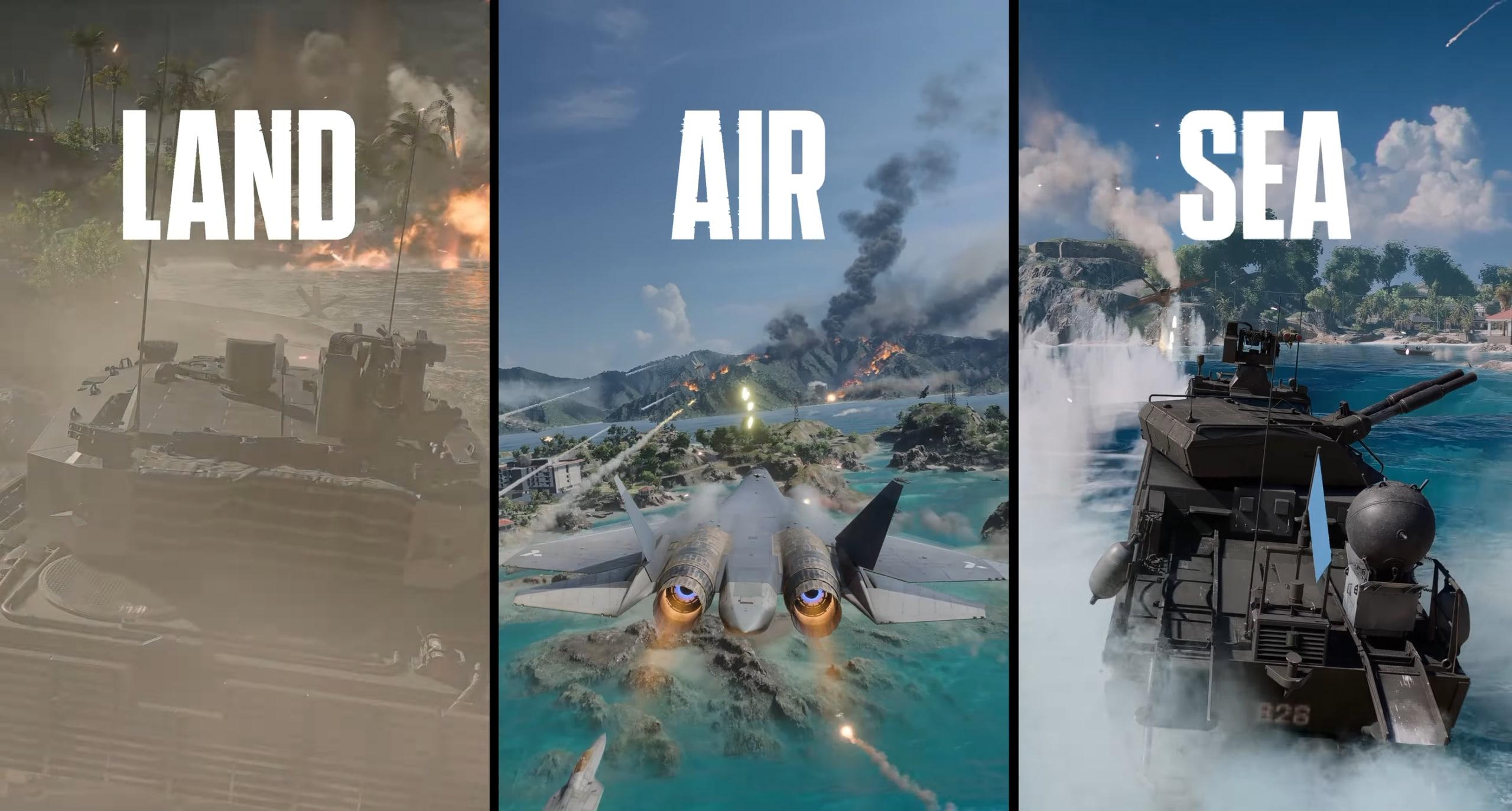
Use this BF6 Deep Six playlist overview to choose where to work on your remaining objectives:
| Playlist | Relevant Deep Six Objectives |
|---|---|
| Event Conquest or Escalation | Contracts, combat challenges, score, matches, and Multiplayer objectives |
| Battle Royale Quads | Contracts and eligible REDSEC challenge routes |
| Other eligible modes | Challenges that explicitly accept those modes or say “any mode” |
Battlefield 6 Deep Six Contracts
Battlefield 6 Deep Six contracts give your squad timed objectives during a match. In Multiplayer, contract pickups can appear near defeated enemies. Interact with a pickup, then follow the objective and timer shown on your HUD. Your squad can help complete tasks such as enemy eliminations or vehicle destruction.
The awkward part is getting the right tools after accepting a contract. A vehicle objective needs a different response from a simple elimination target. Read the requirement immediately, then let your squad know what needs to happen before the timer expires. Here is how to complete Battlefield 6 Deep Six contracts once you find an available pickup:
- Approach the marked device and interact with it.
- Read the active objective and remaining time.
- Tell your squad whether the task needs infantry kills, vehicle combat, or another specific action.
- Work toward the displayed target before the countdown ends.
- Confirm the contract is completed before looking for another pickup.
A coordinated squad makes timed contracts easier to manage. Our BF6 Personal Gaming Session offers flexible hours and support in your preferred mode while you complete event objectives.
Where to Find Intel Devices in Battlefield 6
Look for Battlefield 6 Intel Devices around active fights and check the minimap for gold-colored pickup markers. Search for small radio-like devices near defeated enemies. Approach an available device and use the interaction prompt to activate its associated contract.
When searching for BF6 Intel Devices, check nearby drops after a fight instead of immediately sprinting toward the next flag. Your minimap can help you spot an available device before moving on. Avoid crossing exposed ground for a pickup while enemies still control the area.
Battlefield 6 Intel Device locations require a different approach from a fixed campaign collectible route. Follow the live pickup markers and your current event objectives. The separate Phantom Program involves Fort Lyndon clues and access-code fragments, which belong to its own REDSEC activity.
Battlefield 6 Deep Six Challenges
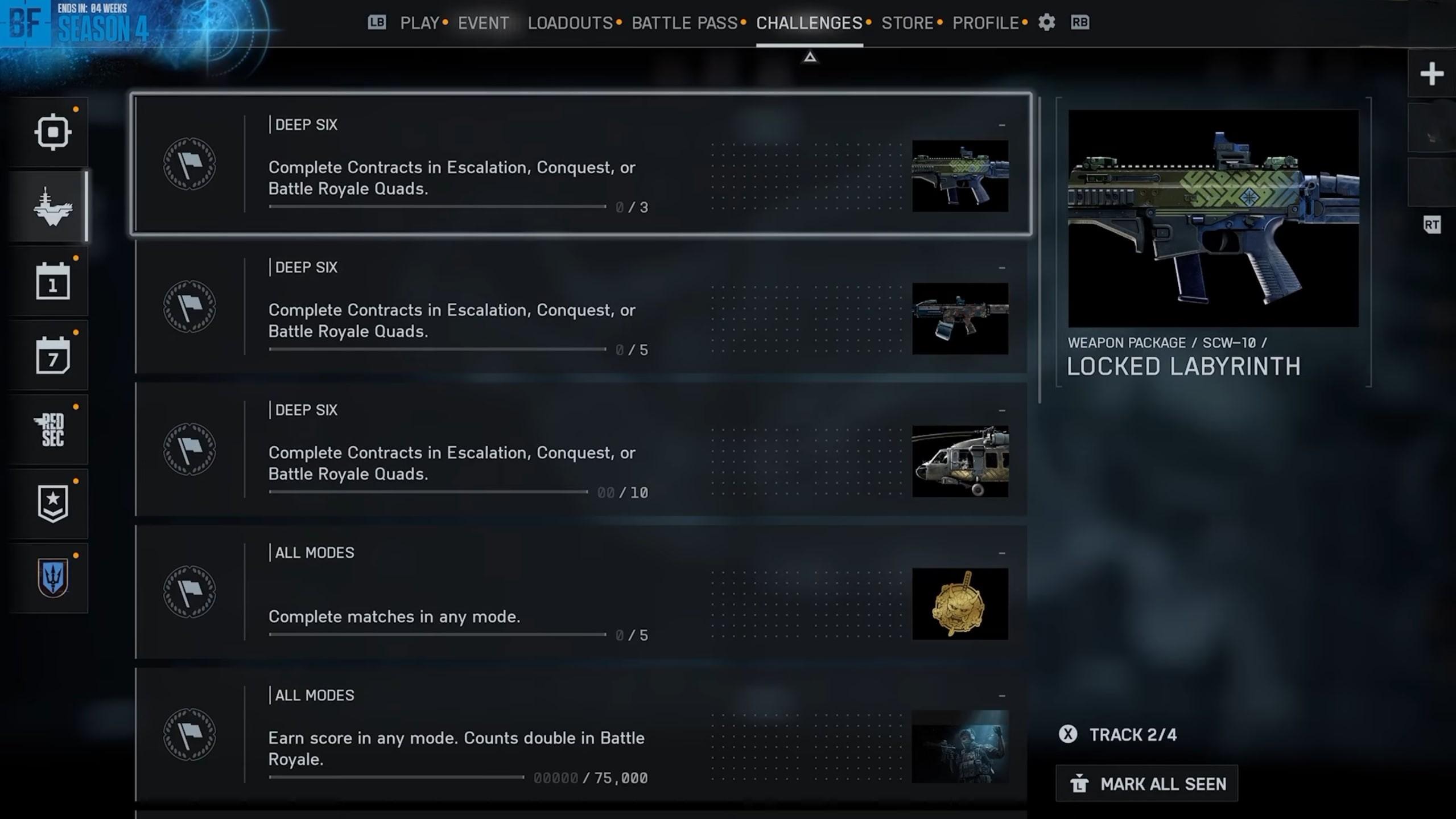
Battlefield 6 Deep Six challenges combine contract milestones with combat, match, and objective requirements. Some tasks accept any mode, while others provide alternative Multiplayer and REDSEC conditions. You only need one listed route for that challenge. The BF6 Deep Six challenges below cover all ten reward objectives and their eligible completion routes:
| Reward Challenge | Requirement |
|---|---|
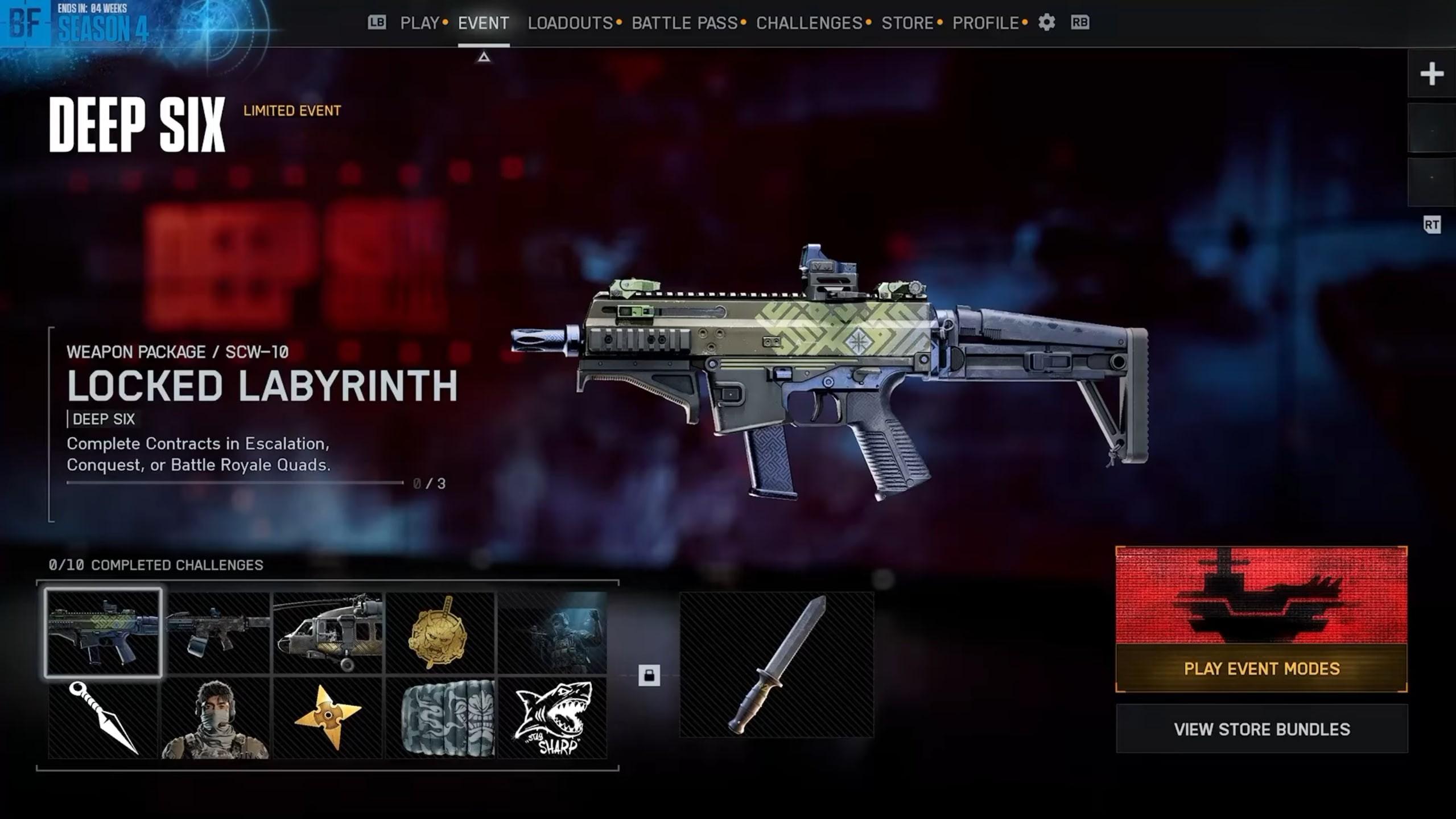
| Locked Labyrinth | Complete 3 contracts in Conquest, Escalation, or Battle Royale Quads |
| Daring Grin | Complete contracts in Conquest, Escalation, or Battle Royale Quads; check its current target on the reward card |
| Bladed Torrent | Complete 10 contracts in Conquest, Escalation, or Battle Royale Quads |
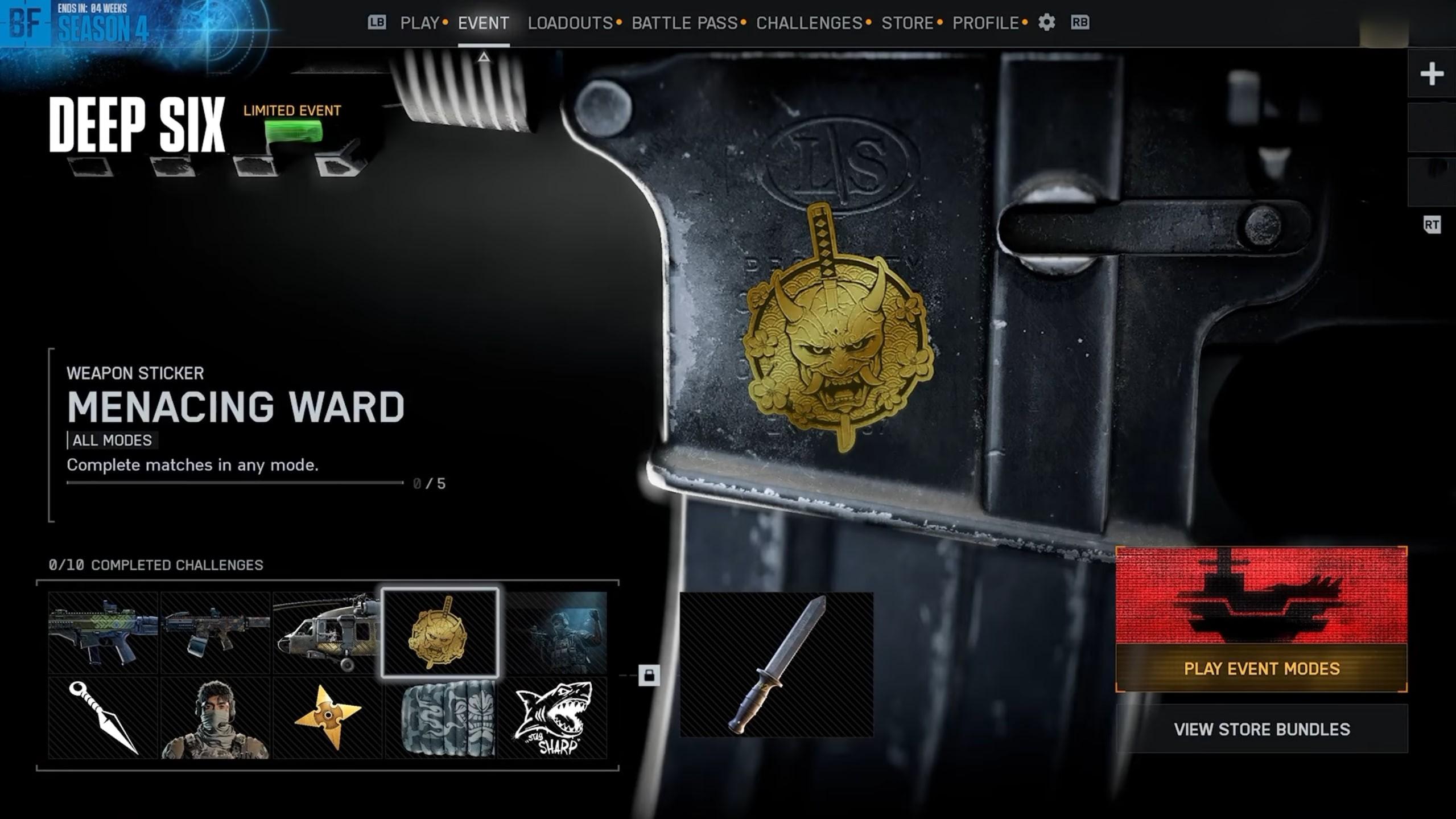
| Menacing Ward | Finish 5 matches in any mode |
| Shrouding Malevolence | Earn 75,000 score; Battle Royale progress counts double |
| Concealed Slice | Get 100 kills or assists; Battle Royale progress counts double |
| Hidden Striker | Play 30 Multiplayer objectives, 15 REDSEC objectives, or complete 15 Battle Royale missions |
| Diverting Gleam | Deal 10,000 damage to enemies; Battle Royale progress counts double |
| Warrior’s Menpo | Visit Wake Island’s Radio Control Tower in Multiplayer or loot 20 Battle Royale chests |
| Bite Marks | Win 2 Multiplayer matches or finish among the top 10 Battle Royale squads 3 times |
A few unfinished challenges can keep the final knife locked. Our Deep Six Event Completion lets you target selected rewards or finish the full collection for the Diver’s Knife.
Battlefield 6 Deep Six Rewards
Battlefield 6 Deep Six rewards include two Weapon Packages, character and vehicle cosmetics, a parachute, and profile customization. Each challenge awards its associated collectible. Finishing the full collection then unlocks the Royal Navy Dive Knife. The complete BF6 Deep Six rewards list shows what each challenge adds to your collection:
| Reward | Item Type |
|---|---|
| Locked Labyrinth | SCW-10 Weapon Package |
| Daring Grin | KTS100 MK8 Weapon Package |
| Bladed Torrent | UH-79 vehicle skin |
| Menacing Ward | Weapon sticker |
| Shrouding Malevolence | Player Card background |
| Concealed Slice | Player Card icon |
| Hidden Striker | Saito character skin |
| Diverting Gleam | Player Card sticker |
| Warrior’s Menpo | Parachute |
| Bite Marks | Spray paint |
| Royal Navy Dive Knife | Final melee weapon reward |
Your SCW-10 or KTS100 MK8 setup can keep improving after you collect its event skin. Our BF6 Weapon Progression unlocks attachments and expands the loadout options for your preferred weapon.
Battlefield 6 Deep Six Parachute
The Warrior’s Menpo is the Battlefield 6 Deep Six parachute drop reward. Head to the Radio Control Tower on Wake Island or collect 20 chests in Battle Royale to unlock it. These are other requirements for the same collectible.
If you are unable to find the Radio Control Tower in BF6, go for the chest option, as this allows you to progress with the parachute through the standard looting process in Battle Royale mode.
How to Get the Royal Navy Dive Knife in Battlefield 6
Unlock the Royal Navy Dive Knife in Battlefield 6 by completing the full Deep Six collection. This Battlefield 6 melee weapon, also called the Diver’s Knife, requires all ten challenge rewards. Open the event panel to check which reward cards remain incomplete. Use this BF6 Deep Six knife unlock checklist when you approach the end of the event:
- Open Deep Six under Challenges and review every reward objective.
- Complete any remaining combat, match, location, or contract requirements.
- Check the event panel for the final reward and any claim prompt.
- Open your melee weapon selection to equip the unlocked knife.
Battlefield 6 Deep Six Event Tips
To speed up BF6 Deep Six event progression, consider combining the work of contracts with other challenges that remain unresolved. Start with an easier playlist that you play confidently. It will give you enough time to grab event picks and still contribute to the game. Use these tips for the Battlefield 6 Deep Six Event to properly schedule your sessions according to uncompleted rewards:
- Begin with contracts. There are several rewards that rely on them, while regular fights also fulfill combat and score goals.
- Go for your favorite mode. Conquest or Escalation is perfect for those who like respawns, while Battle Royale Quads works best for experienced REDSEC squads.
- Use the Battle Royale multiplier. Score, damage, and kills/assists double when fulfilling certain challenges.
- Complete objectives while fighting. A dedicated kill run might not give you enough points for your objective challenge.
- Select a parachute path beforehand. Either go for the Wake Island tower option or finish the Battle Royale chest challenge.
- Open all new contracts right away. Check the timer and required action before participating in a new fight.
- Check the progress after matches. The challenge itself should be a priority for choosing the queue.
Battlefield 6 Deep Six Event FAQ
This Battlefield 6 Deep Six Event FAQ covers completion, rewards, Intel Devices, and common progression questions.
When Does Deep Six End in BF6?
The BF6 Deep Six Event ends on October 12, 2026. The separate Multiplayer Free Trial ends on September 22.
How Do You Complete the Deep Six Event in Battlefield 6?
Complete all ten Battlefield 6 Deep Six reward challenges. These cover contracts, combat, match results, objectives, and a location-or-looting task.
How Do You Complete Battlefield 6 Deep Six Contracts?
Activate a Deep Six contract pickup and finish its displayed objective before the timer expires. Your squad can work toward the contract together.
How Do You Collect Intel Devices in BF6?
Find a marked BF6 Intel Device, approach it, and use the interaction prompt. In Multiplayer, check enemy drops and the minimap after fights.
Can You Complete Battlefield 6 Deep Six Challenges in REDSEC?
Yes. REDSEC Deep Six challenges offer Battle Royale and other eligible REDSEC routes. Contract requirements specifically include Battle Royale Quads.
How Do You Unlock the Royal Navy Dive Knife in Battlefield 6?
Complete the full Deep Six collection to unlock the Royal Navy Dive Knife. Getting only the Weapon Packages leaves other required challenges unfinished.
Why Are Battlefield 6 Deep Six Contracts Not Appearing?
If BF6 Deep Six contracts are not appearing, check your playlist and look for marked pickups around recent fights. Contract challenges require Conquest, Escalation, or Battle Royale Quads. If the issue persists, try another match and check for pickups again.
Why Are BF6 Deep Six Challenges Not Tracking?
If your BF6 Deep Six challenges are not tracking, check the required mode and exact objective. For contracts, confirm you completed the task before its timer expired. Reopen the event panel after the match to compare your progress.
 4.9
4.9Complete the Battlefield 6 Deep Six Event collection to unlock the Royal Navy Dive Knife. Start with contracts, combine them with combat objectives, and check which reward still needs work after each session. Use the Multiplayer or REDSEC route that fits your squad, then finish the remaining challenges before October 12.
